
In Dragon Age: The Veilguard, fast travel is a crucial gameplay mechanic that allows players to navigate the expansive world more efficiently. Below is a comprehensive guide on how to effectively find, activate, and use beacons for fast travel, as well as additional features associated with them.
Finding and Activating Beacons
1. Exploration: As you journey through the various regions of the game, keep an eye out for beacons. These tall, golden structures are strategically placed throughout the map, and you’ll likely come across them while engaging in quests, side quests, or simply exploring the environment.
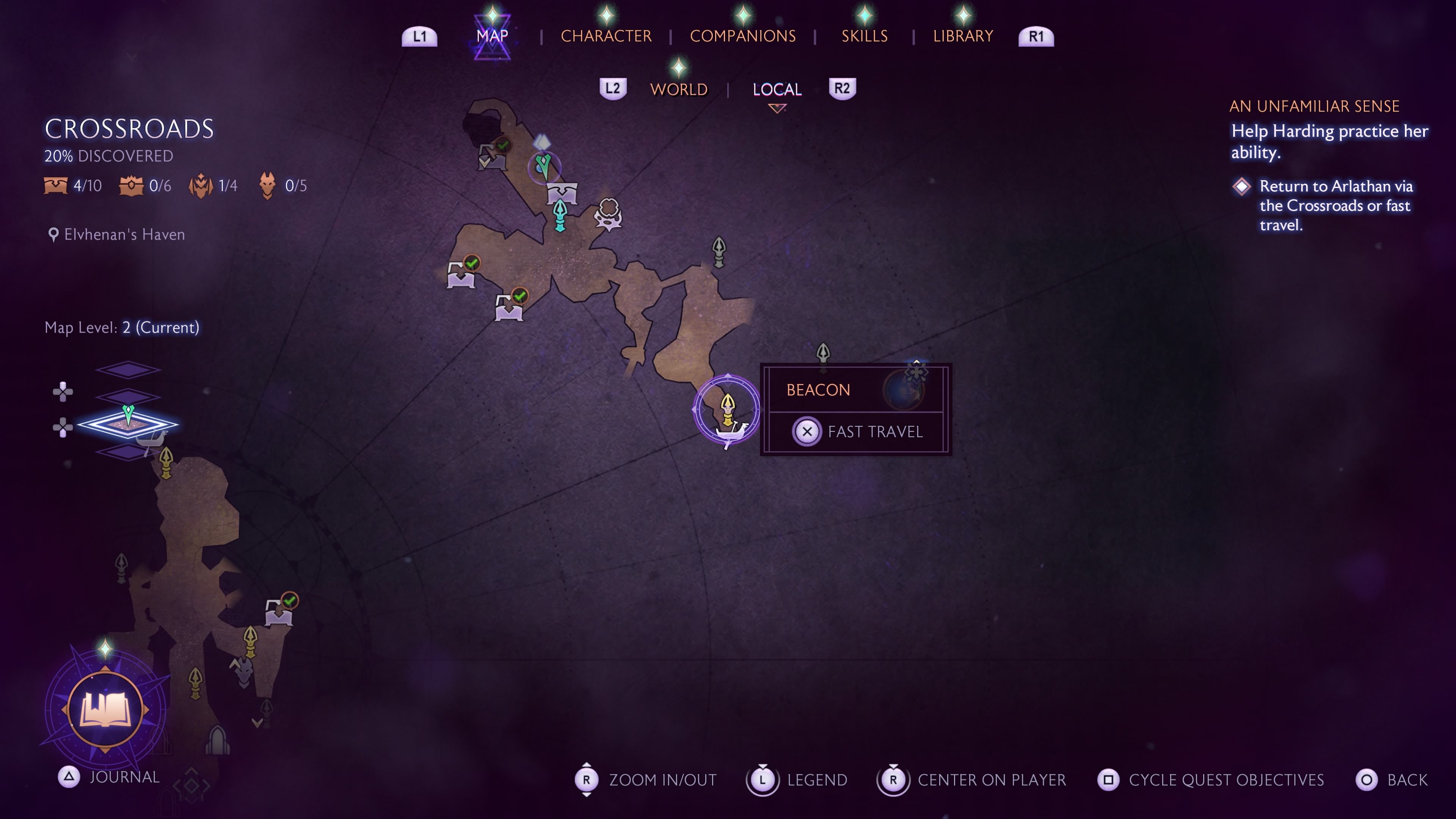
2. Activation: To unlock a beacon, approach it closely. When activated, the beacon will light up and be marked on your map with a yellow highlight, transitioning from its initial gray appearance. This activation process is straightforward—just walk near the beacon.
3. Quest Progression: Fast travel can be utilized early in the game, notably after completing the Shadows Crossing quest in Chapter 2. However, players are encouraged to activate beacons as they discover them, as it will greatly facilitate future travels across the game.
Using Beacons for Fast Travel
1. Map Navigation: Access your map by pressing the designated button on your console or PC to view your current location and the beacons you’ve activated.
2. Selecting a Beacon: Navigate your cursor over an activated beacon on the map that you wish to travel to.
3. Fast Travel Action:
– On PlayStation: Hold the X button.
– On Xbox: Hold the A button.
– Ensure that you keep the button pressed until the fast travel animation concludes to successfully commence your journey.
Additional Features of Beacons
– Party Changes: Beacons serve more than just a fast travel function. You can change your active party members by interacting with a beacon, allowing for strategic adjustments based on upcoming challenges.
– Respawn Points: If your party falls in battle, beacons act as respawn points. Your group will revive at the nearest beacon, providing a tactical advantage as you can regroup and reconsider your strategy after dying.
Areas Without Fast Travel
Typically, fast travel becomes widely accessible as you uncover beacons throughout the map. However, certain narrative choices (such as declining assistance to a city) may lead to temporary deactivation of some beacons. In such cases, affected beacons must be rediscovered to restore fast travel functionality.
Customization of Beacons
It’s important to note that beacons in Dragon Age: The Veilguard cannot be customized or upgraded. Their functionality is fixed, serving strictly as fast travel points and respawn locations.
Returning to Base
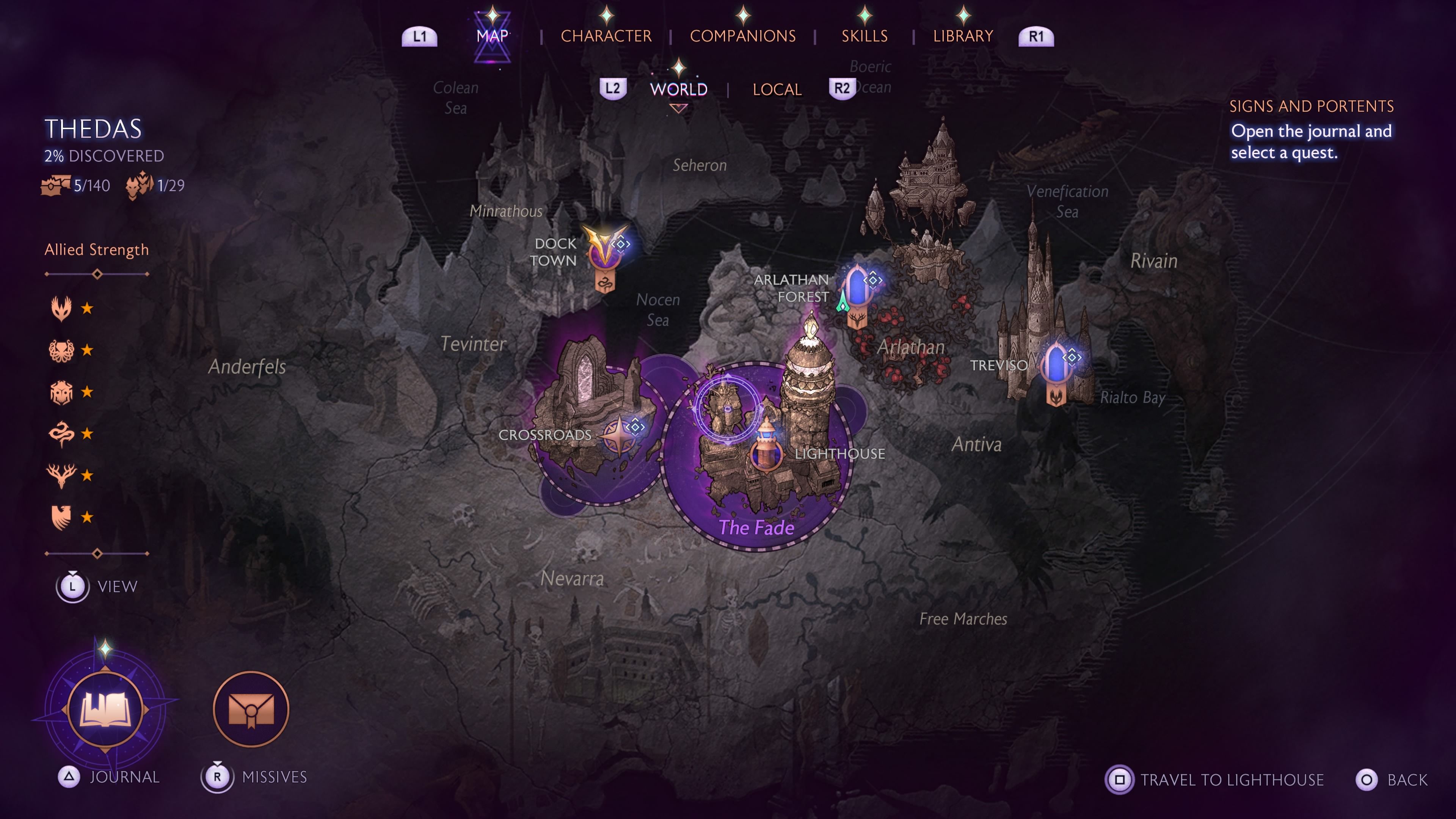
In addition to using beacons, players can fast travel directly to the Lighthouse base without needing an intermediate beacon. To do this:
– Open the map, find your Lighthouse, and then hold the appropriate button:
– On PlayStation: Hold the Square button.
– On Xbox: Hold the X button.
This option provides a quick return to your base for party management, equipment upgrades, and interacting with NPCs.
By understanding the mechanics surrounding beacons, players can enhance their gameplay experience in Dragon Age: The Veilguard, making exploration and strategic planning much more manageable.


Leave a Reply