
In Final Fantasy VII Rebirth, the party system introduces an interesting mechanic where players cannot directly switch between characters in the heat of battle. Instead, you will control a maximum of three characters from your party’s “frontline,” while the remaining members reside in the “backline,” providing support roles without direct control. Below is a detailed guide on how to effectively manage your party members, both before and during combat.
How to Change Party Members
Follow these steps when you are not engaged in combat to adjust your party lineup:
1. Access the Main Menu:
– Press the PS button on your controller to open the game menu.
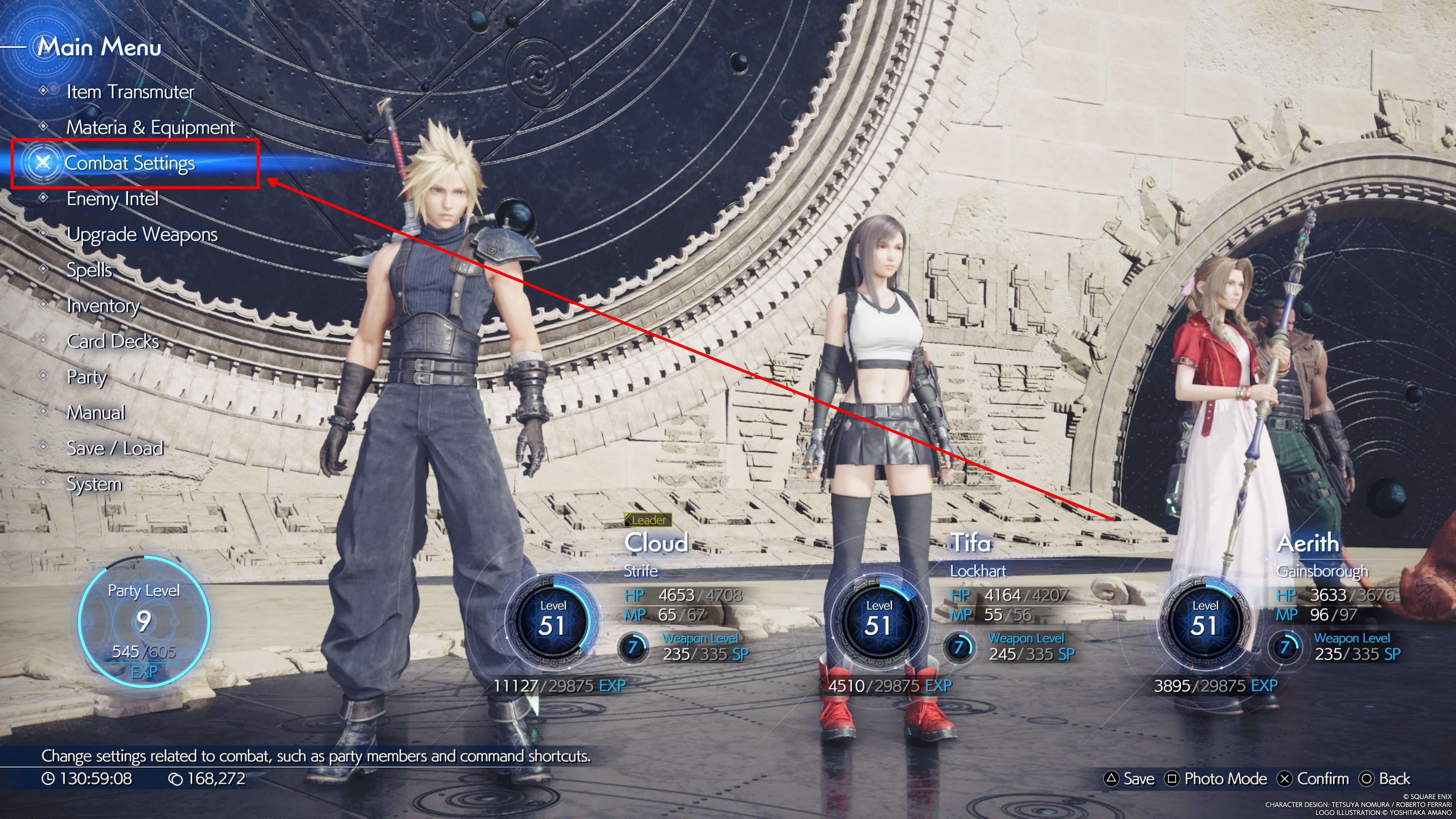
2. Navigate to Combat Settings:
– From the main menu, select “Combat Settings.” Here you will find options for managing your party members.
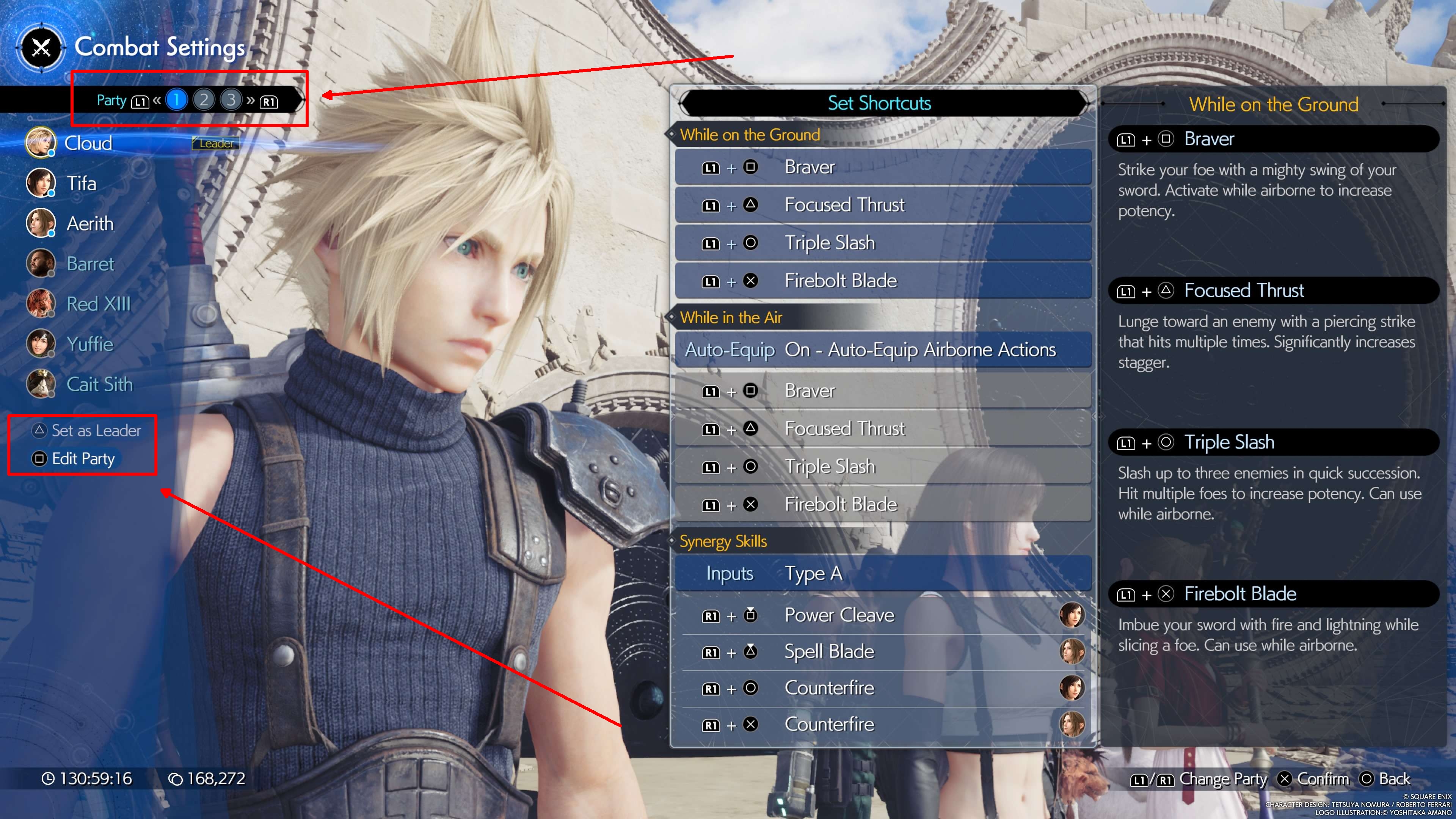
3. Edit Party:
– Within the Combat Settings menu, press the Square button to access the Edit Party screen.
4. Swap Party Members:
– On the Edit Party screen, you will see a list of your current frontline and backline members.
– To replace a frontline member, highlight the desired character using the directional controls and press the Confirm button (X).
– Next, highlight a backline character that you want to bring into the frontline and press Confirm again to execute the swap.
5. Switch Party Presets:
– For quick changes, utilize the three pre-built party presets available by pressing the L1 and R1 shoulder buttons on your PS5 controller. This feature is particularly useful for adapting your strategy on the fly or trying out various team compositions.
6. Set Party Leader:
– If you wish to change which character you control at the beginning of combat, highlight the desired frontline member and press the Set as Leader button (Triangle). This allows you to start the battle with a character of your choice.
During Combat
While engaged in combat, it’s important to remember:
– No Mid-Combat Changes: You cannot change your frontline members during a battle. You will only have control over the three characters currently in the frontline. The remaining backline members will offer automated support.
– Backline Support Abilities: If a member of your frontline is incapacitated, you may receive a prompt to activate a Backline Support ability. However, this action does not alter the composition of your frontline; it merely utilizes the abilities of your backline members.
Important Notes
– Locked Party Selection: Keep in mind that at certain points in the storyline, your party selection may be restricted. This means you will not have the flexibility to make changes to your party lineup.
– Controllable Members: Only frontline characters are within your control during battles, so choose your party composition wisely for optimal strategy and success in encounters.
By following these guidelines, you can efficiently manage your party in Final Fantasy VII Rebirth, allowing you to craft strategies that suit your playstyle while maximizing the abilities of both your frontline and backline members.



Leave a Reply