
To enhance your gameplay experience in Marvel Rivals, effectively tracking your hero stats and focusing on individual performance is crucial. Fortunately, players have access to both in-game features and various third-party tools to facilitate this process.
In-Game Stat Tracking
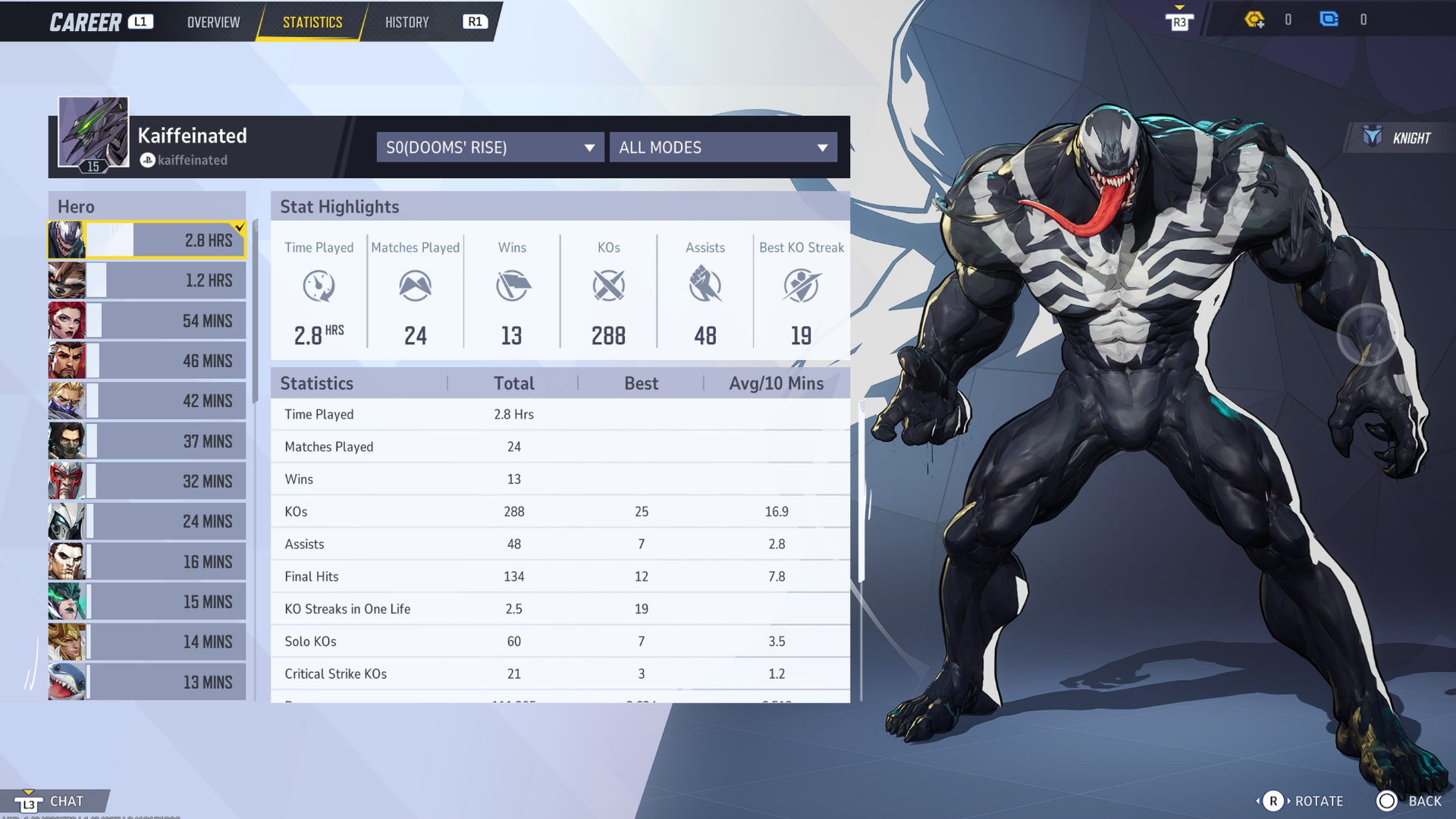
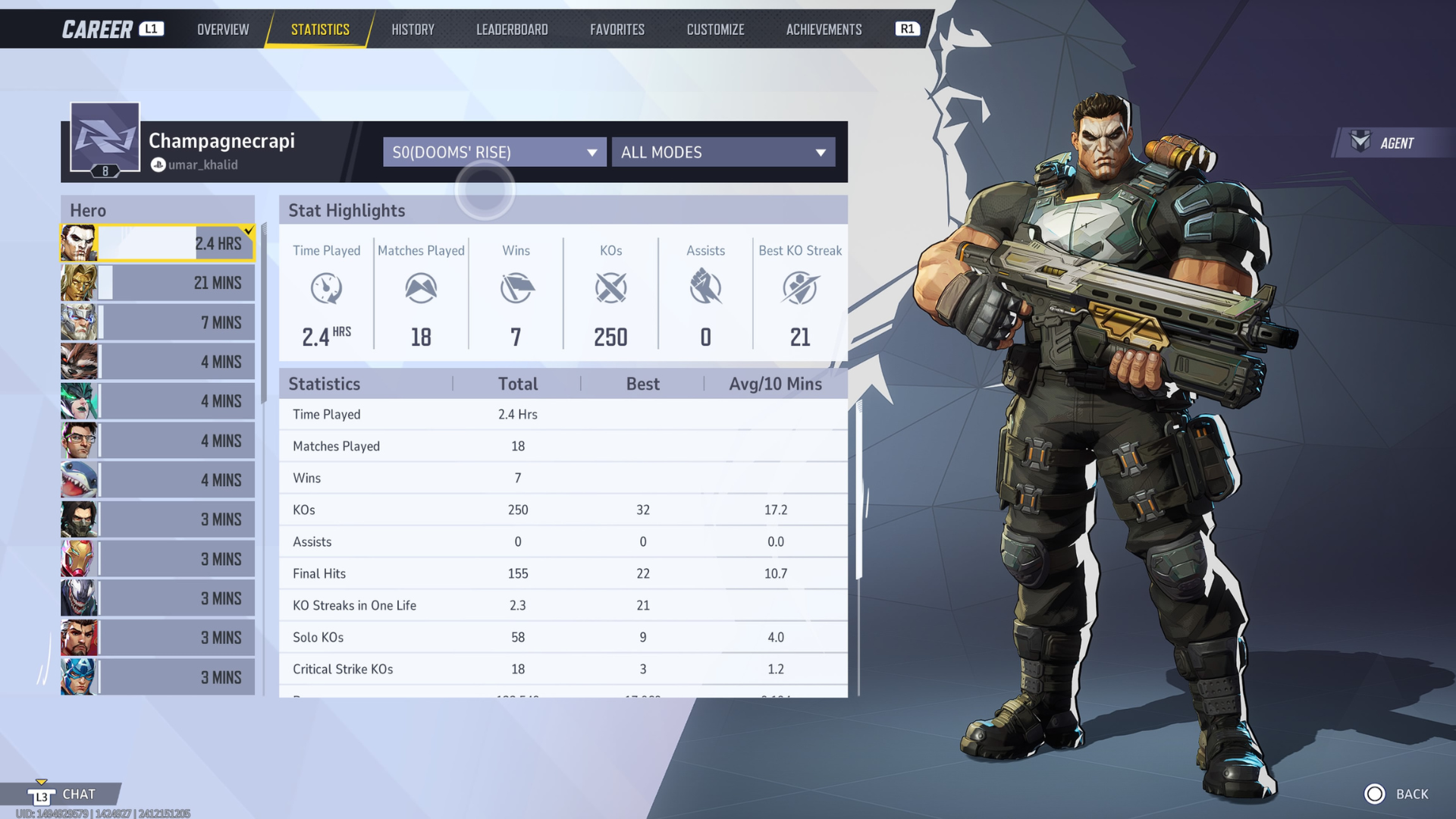
Marvel Rivals offers a robust built-in stat tracker, enabling players to keep a close watch on their performance metrics. Here’s how to tap into this feature:
1. Accessing Your Stats:
– Start the Game: Launch Marvel Rivals and head to the home screen.
– Profile Navigation: Click on your profile icon, which takes you to the Career Overview page.
– Find the Statistics Tab: Select the Statistics tab to unveil a comprehensive overview of your performance across all heroes and matches.
2. Key Metrics:
Within the in-game tracker, stats are meticulously organized by hero, offering a wealth of information:
– Kill Metrics: Track KOs, kills, and assists to measure combat effectiveness.
– Damage Analysis: Monitor damage dealt alongside accuracy ratings.
– Win/Loss Ratios: Evaluate overall gameplay success with win/loss proportions.
– Hero Proficiency Levels: Review performance trends across different time frames, including your total, best, and average proficiency levels for each hero.
3. Match Performance Evaluation:
Players can dive deeper into their match performance by analyzing specific maps and game modes. This can illuminate areas where you excel as well as aspects that require improvement, effectively shaping your gameplay strategy moving forward.
Third-Party Trackers
In addition to the in-game tools, players can utilize third-party stat tracking websites such as RivalsMeta and RivalsTracker for even deeper insights into their gameplay.
1. RivalsMeta:
– Player UID Tracking: Simply enter your Player UID to access detailed tracking of your stats, including win rates and match history.
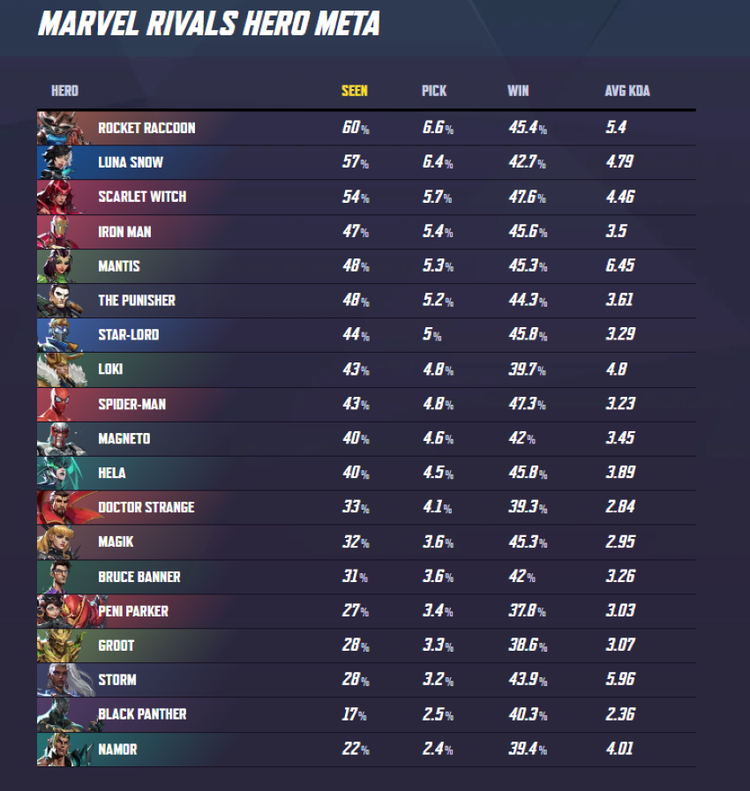
– Hero Performance Insights: Discover hero pick and ban rates and how different heroes perform within the current meta. This information can be pivotal in aiding your hero selection.
– Performance Trends: Track changes in your overall ranking and monitor your performance in both competitive and quick play modes, providing a comprehensive overview of improvement trajectories.
2. RivalsTracker:
– In-Depth Hero Analysis: Gain access to detailed hero stats, including win rates and performance metrics. This also encompasses match tracking and map performance.
– Competitive Benchmarking: Use RivalsTracker to compare your statistics against top players, enabling you to set performance benchmarks for your growth.
Improving Individual Performance
Once your stats are collected and analyzed, implement the following strategies to optimize your gameplay:
– Focus on Key Stats: Identify metrics pertinent to your character and playstyle. For instance, if your accuracy is lacking, dedicate time in training modes to refine aiming techniques or improve the usage of character-specific abilities.
– Collaborate with Teammates: Leverage insights from third-party tools regarding team dynamics. Understanding which combinations yield the best results can fine-tune your strategies during team matches.
– Adapt to the Current Meta: Stay informed about the shifting hero meta using resources like RivalsMeta. This knowledge will help you choose effective characters that can counteract current trends in the competition.
– Regular Practice: Use your tracked insights to focus on playing heroes where there’s room for improvement. Increased playtime with these characters can lead to significant growth over time.
Conclusion
By integrating the in-game tracking capabilities with external resources, you can develop a holistic understanding of your performance in Marvel Rivals. Should you diligently monitor your stats and proactively address areas needing improvement, you’ll be well on your way to becoming a more skilled and strategic player in the competitive landscape of Marvel Rivals.


Leave a Reply