
Navigating with GPS and Flight Plans in Flight Simulators (MSFS 2024/2025)
Navigating in modern flight simulators, especially with updates like Microsoft Flight Simulator 2024/2025, involves a mix of traditional flight planning and advanced GPS integration. Here’s a detailed guide on how to create and use flight plans, manage autopilot modes, and troubleshoot common issues in these updated systems.
Creating and Using Flight Plans
1. Flight Plan Creation:
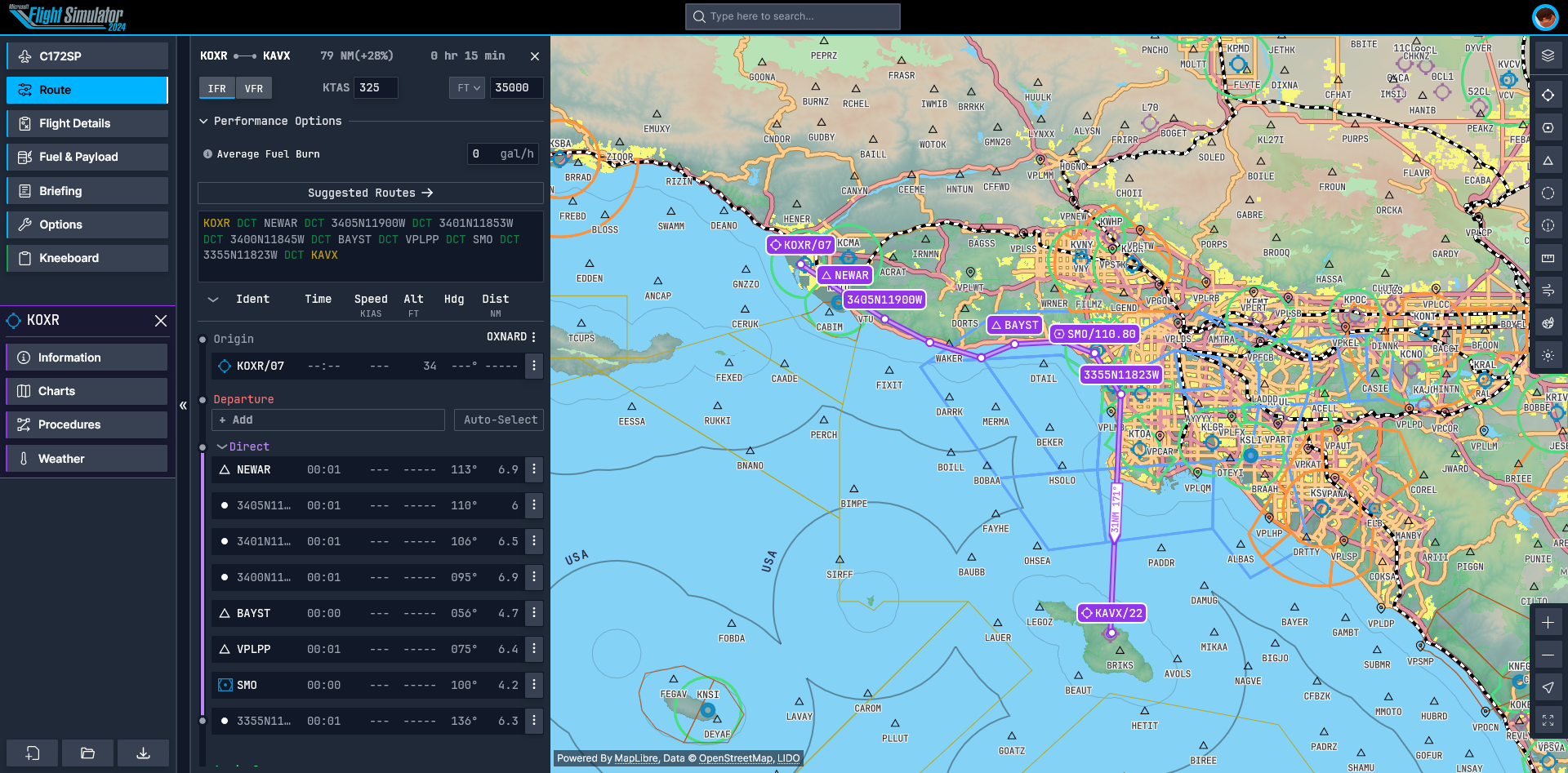
– World Map Interface: Begin your journey by accessing the World Map in the simulator. Input your chosen departure and destination airports to establish your route.
– Adding Waypoints: You can enhance your route by including waypoints such as VORs (VHF Omni-directional Range), NDBs (Non-Directional Beacons), or GPS fixes. Utilize tools inspired by platforms like SkyVector to find and insert these waypoints effectively.
– Exporting/Importing Plans: For those who prefer using external tools for planning, you can export your flight plans as .PLN files, allowing for seamless integration with third-party route planners.
2. GPS Integration:
– G1000/G3000 Systems:
– Press the FPL button to view and activate your established route.
– Utilize the Direct-To (DCT) function for any immediate course changes.
– Engage the “Activate Leg” feature for navigating through each sequential waypoint.
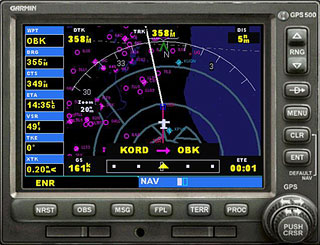
– Legacy GPS Systems (430/530):
– Rotate the large knob to scroll through and select different waypoints.
– Press ENT to confirm your selection changes.
Autopilot Modes and Navigation
– NAV Mode: When engaged, this mode automatically follows the GPS flight plan through the remainder of the route.
– Heading Mode: Use this mode temporarily for manual course adjustments; be sure to re-engage NAV when finished.
– GPS-VOR Hybrid Navigation:
– Set the Course Deviation Indicator (CDI) source to GPS for standard navigation.
– For precision approaches, switch to VOR/LOC mode to utilize VOR signals.
Practical Navigation Workflow
1. Pre-Flight:
– Always cross-check the magnetic variation (MAG VAR) against charts.
– Check the RAIM (Receiver Autonomous Integrity Monitoring) status to ensure GPS reliability.
– Confirm that your TERM and ENR phases are sequenced correctly for an efficient flight.
2. In-Flight Management:
– Procedure Turns: If you need to perform a course reversal, activate OBS mode effectively.
– Direct Routing: If approved by ATC, you can bypass certain fixes using the Direct-To function.
– Altitude Constraints: Properly set any altitude constraints in the PROC page, especially while preparing for final approaches.
Troubleshooting Common Issues
– Mismatched Displays: Ensure that all navigational systems show the same source; discrepancies can lead to confusion.
– Autopilot Disconnects: Investigate for conflicting engagements that may cause the autopilot to disengage unexpectedly.
– Course Deviations: Verify sensitivity settings on your CDI (Course Deviation Indicator), ensuring they match the phase of flight (terminal vs. en-route).
Recommended Tools
– SkyVector: An essential tool for accessing real-world navigational charts and waypoints.
– Little Navmap: This versatile external flight planning tool enhances situational awareness with terrain overlays.
– Navigraph: For users who wish to have the most updated navigation databases, a subscription to Navigraph provides this critical resource.
Advanced Techniques
For those looking to enhance their experience and proficiency, consider the following:
– Custom Waypoints: You can create personalized fixes based on radial and distance from VORs to tailor your navigation.
– Hybrid Navigation: Employ a hybrid system combining GPS data with raw instrument readings from VOR radials to increase accuracy and redundancy.
Enhanced Features in MSFS 2024/2025
As the simulator advances, expect improved Synthetic Vision features and adherence to ARINC 424 compliant procedures for legacy systems. Always reference the Pilot Operating Handbook (POH) for aircraft-specific details and operational nuances.
Conclusion
Navigating using GPS and flight plans in upcoming flight simulator versions like MSFS 2024/2025 can be a straightforward process if the proper procedures are followed. By creating detailed flight plans, effectively using GPS systems, managing autopilot settings, and addressing any challenges that arise, you’ll enhance your simulation experience significantly. Whether you’re a novice or an experienced pilot, these tips will help streamline your navigation workflows.



Leave a Reply