
Comprehensive Guide to Accessing and Playing Limited Time Modes (LTMs) in Fortnite
Limited Time Modes (LTMs) in Fortnite are designed to offer players a unique and refreshing gameplay experience that deviates from the standard Battle Royale format. Here’s a detailed guide on understanding LTMs, accessing them, and effectively engaging with the gameplay they offer.
What are Limited Time Modes?
– Definition: Limited Time Modes are special, time-sensitive game modes introduced by Epic Games, designed to create varied gameplay experiences. These modes often modify traditional game mechanics and rules, allowing players to enjoy different aspects of Fortnite that may not be present in standard gameplay.
– Purpose: The primary aim of LTMs is to maintain player interest by frequently introducing new mechanics and themes, often coinciding with seasonal events, collaborations, or other significant updates both within the Fortnite universe and beyond.
How to Access Limited Time Modes
1. Game Menu Navigation:
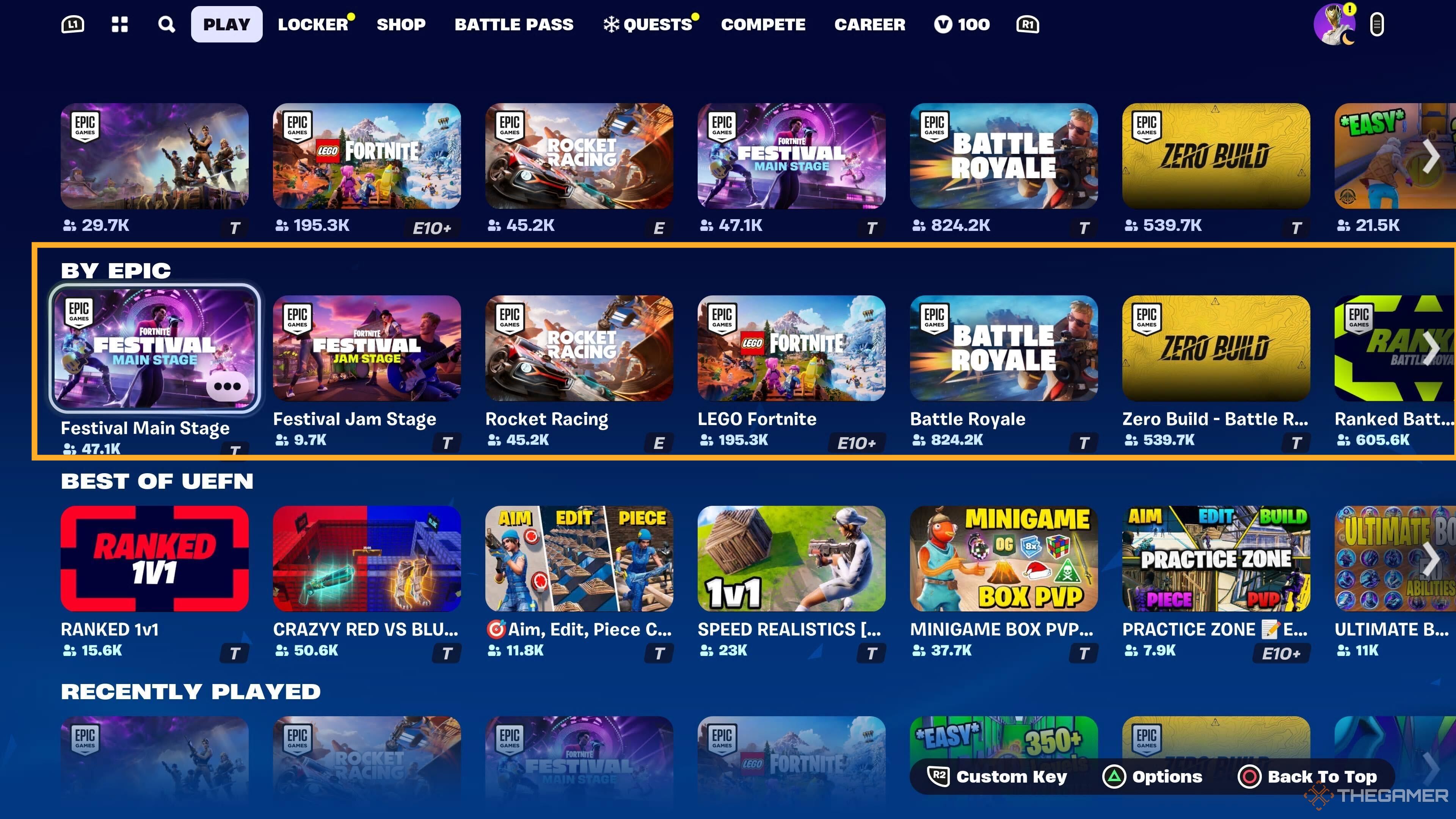
– When an LTM is currently active, you can find it prominently displayed on the game’s mode selection screen, which sits alongside the main Battle Royale option.
– Navigate to this section when you first enter the game to see the available modes, including any active LTMs.
2. Discover Tab:
– For additional LTMs, particularly those that are community-driven or custom-created, look under the Discover tab accessed from the main menu.
– Within this area, you can find various curated games, including those developed by Epic and other users that may feature LTMs not directly listed in the main menu.
3. Event-Related Modes:
– LTMs often coincide with special in-game events, so keeping abreast of Fortnite news and social media updates is crucial. Epic Games frequently announces upcoming LTMs through official channels.
How to Play Limited Time Modes
1. Mode Selection:
– After identifying the LTM you wish to play, select it from the main selection interface.
– In cases where it is not available directly on the main menu, remember to check the Discover tab for possible options.
2. Understanding Mode Rules:
– Before a match initiates, you will receive a brief overview of the rules and any unique game mechanics for that LTM.
– Familiarizing yourself with these rules is critical, as they can significantly alter how the match plays out compared to traditional Battle Royale gameplay.
3. Starting the Match:
– After choosing your preferred LTM, you can begin the match by clicking the “Play” or “Start Match” button.
– Pay attention, as some LTMs may have specific team configurations, requiring you to select whether you want to play solo, in duos, or in squads.
4. Customizing Your Experience:
– Certain LTMs might offer options to create custom matches, especially if you have a supporter creator code or other means to access custom settings.
– This aspect may require additional preparation and is not universally available across all LTMs.
Tips for Playing LTMs
– Community Engagement: Connecting with fellow players via forums, Discord, or social media can enhance your understanding of new LTMs and the recommended strategies for success in each unique mode.
– Experimentation: Approach each LTM with an adaptable mindset, as they often introduce novel mechanics that may require a shift in your usual playstyle. Embrace the opportunity to learn and experiment.
– Flexibility: Be open to trying various strategies and tactics that the evolving rules of each LTM necessitate, as they can often provide entirely new challenges that differ from what you may be accustomed to in standard gameplay.
By following these structured steps and utilizing the provided strategies, you can fully engage with and enjoy the vibrant and diverse array of Limited Time Modes that Fortnite has to offer.



.jpg)
Leave a Reply