
Keeping Track of Coordinates and Navigating in Minecraft
Navigating the expansive world of Minecraft can be both exciting and daunting. With its countless landscapes and structures, players sometimes find themselves lost. Understanding how to keep track of coordinates and employing effective navigation techniques can significantly enhance your gaming experience. Here’s a detailed guide on managing coordinates and navigating in Minecraft.
Understanding Minecraft Coordinates
Minecraft uses a three-dimensional coordinate system consisting of three axes: X, Y, and Z. This system allows players to pinpoint their location in the game world:
– X-Axis: Indicates your east-west position. Moving east increases the X value (positive), while moving west decreases it (negative).
– Y-Axis: Represents your vertical position, or elevation. Increasing the Y value raises your altitude, while decreasing it takes you below.
– Z-Axis: Shows your north-south position. Moving north increases the Z value (positive), while moving south decreases it (negative) [2][3].
Displaying Coordinates
For Minecraft Java Edition:
– Press the F3 key to bring up the debug screen, where your current coordinates are displayed alongside other vital information like your current biome and the block you’re looking at [2][5].
For Minecraft Bedrock Edition (including Xbox, PlayStation, and Mobile):
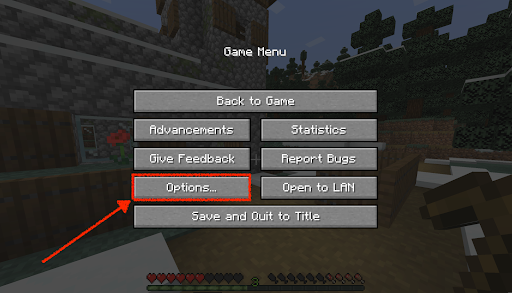
– Access the Settings menu, navigate to World Options, and toggle Show Game Info. This will enable coordinates to be displayed on your screen, offering a distraction-free view [2][5].
Managing and Recording Coordinates
1. Record Important Locations: Make a note of the X and Z coordinates for critical places like your base, villages, or resource deposits. While Y coordinates are less important for navigation, they are crucial for building and mining at the correct levels.
2. Use Screen Capture: Taking screenshots of your coordinates or the debug screen can be invaluable for future reference. This is particularly effective for remembering temporary locations or significant discoveries [4].
3. Minimaps and External Tools: For Java Edition players, consider using mods like Zan’s Minimap. This mod allows you to set waypoints for easy navigation, but remember that some features might be version-specific [4].
Navigation Techniques
1. Directional Awareness: Utilize the sun’s position for navigation; it rises in the east and sets in the west, helping you maintain orientation.
2. Markers: Create small landmarks or place torches along your route. This is particularly useful for long journeys or exploring cave systems.
3. Exploration Strategy: Systematically explore your surroundings by moving in designated directions (e.g., consistently heading east or north). Keep key features marked to build a mental map of the area.
4. Use the F3 Screen: While exploring, reference the debug screen to stay informed of your coordinates and directional facing. This can help you navigate back to known locations.
5. Coordinate Notation for Specific Spots: When you encounter notable landmarks (temples, villages, etc.), jot down their coordinates. This practice ensures that you can return to interesting spots without extensive searching.
Tips for Efficient Navigation
– Large-Scale Building: When constructing large projects, use coordinates to ensure symmetry and precise scaling for your structures.
– Resource Hunting: Pay attention to Y-coordinates for optimal resource gathering. For instance, diamonds typically spawn between Y-levels 5 and 12.
– Exploration and Building Planning: Coordinates are crucial not just for navigation but also for organizing major builds and traversing vast terrains effectively [5].
Conclusion
By incorporating these strategies into your gameplay, you’ll significantly improve your ability to navigate and explore the vast world of Minecraft, reducing the likelihood of getting lost. Whether you’re constructing elaborate builds or venturing into the unknown, understanding how to track and utilize coordinates will undoubtedly enhance your overall gaming experience. Happy exploring!

Leave a Reply