
In Diablo IV, trading items between players is facilitated through an in-game system, although it is accompanied by certain restrictions and requires specific steps. Here’s a comprehensive guide on how to trade items in-game and navigate the trading landscape, including the use of third-party marketplaces.
How to Trade Items In-Game
1. Find a Trading Partner and Party Up
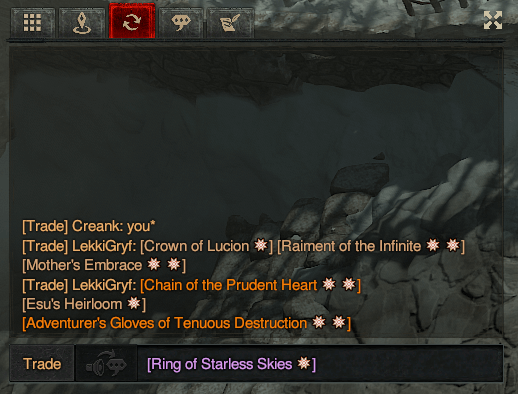
– Begin by utilizing Diablo IV’s chat channels available on the Battle.net platform. Look for players who are interested in trading.
– Once you find a potential trading partner, invite them to join your party. Agreeing to party up is essential, as both players need to be in the same world state for trading to be enabled.
2. Initiate the Trade
– Approach the player you wish to trade with.
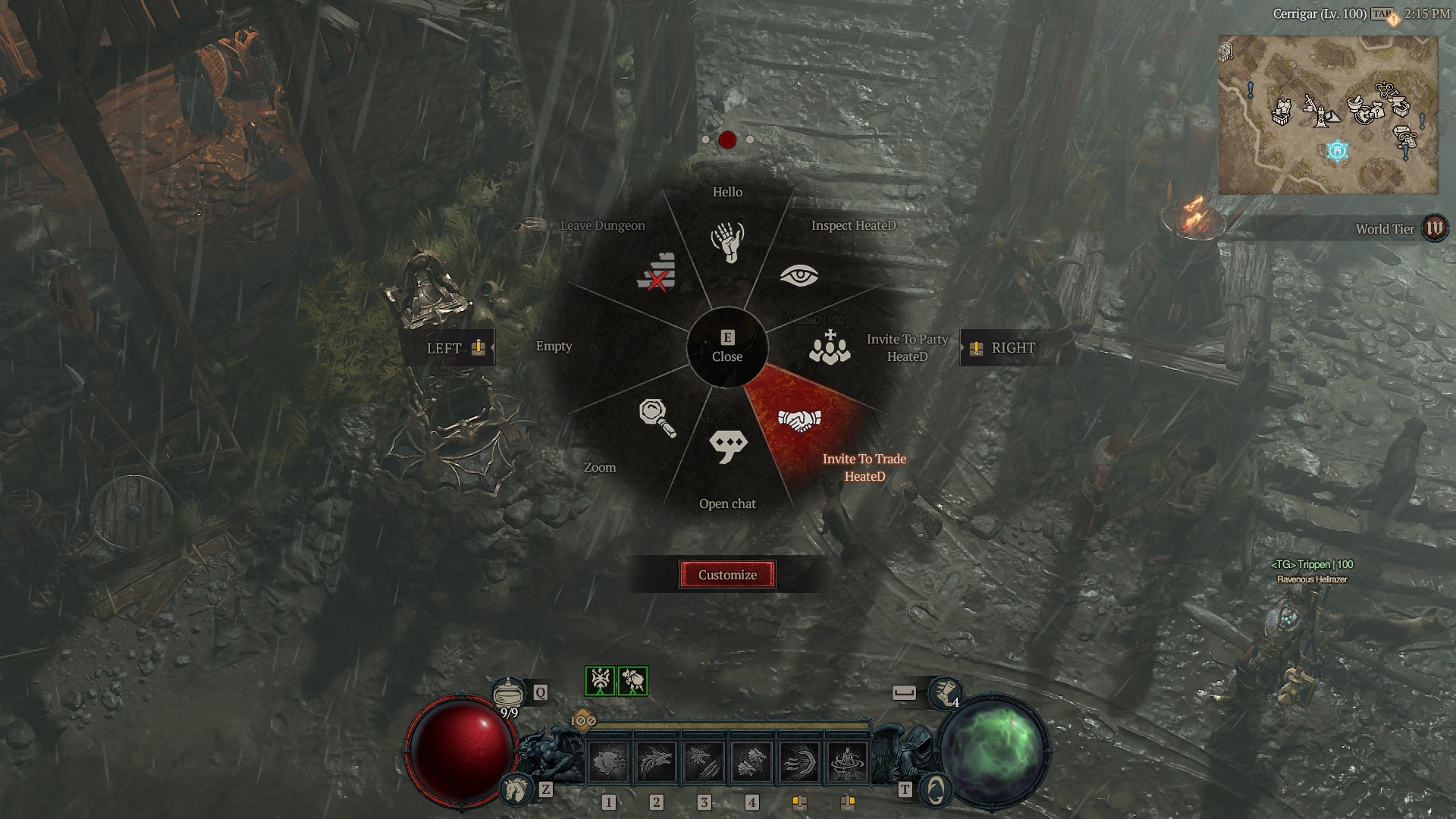
– Open your action wheel and select the “Invite to Trade” option. The other player must accept this invitation for the trade window to open.
3. Exchange Items
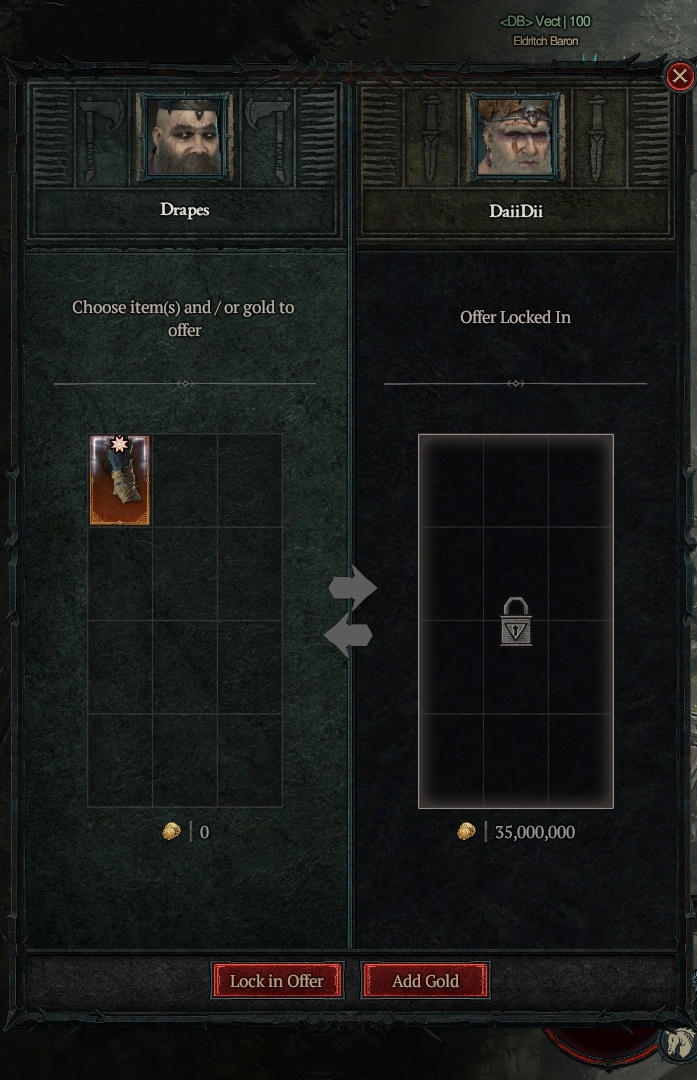
– In the trade window, both players can place the items they wish to exchange. Keep in mind the following critical restrictions:
– Items that are currently equipped cannot be traded.
– Items cannot be taken directly from your stash; you must first move them to your inventory.
4. Confirm the Trade
– After both players have added their items to the trade window, each must click the “Lock In Offer” button to finalize their offers.
– Once locked, both players should click “Accept Trade” to complete the transaction.
Restrictions on Trading Items
– Equipped and Stashed Items: Items that are equipped or stored in your stash cannot be traded directly; they must be located in your inventory.
– Currency Restrictions: Gold is the only freely tradable currency. Other currencies and specific item types may have trading restrictions to prevent economic exploitation.
– Item Type Restrictions: While many items can be traded, certain rare items or those with special affixes might have limitations. It’s wise to check specific item details for any restrictions prior to engaging in a trade.
Using the Marketplace
While Diablo IV does not feature an official auction house or marketplace within the game, players often turn to third-party websites such as diablo.trade to facilitate broader trade options. Here’s how these platforms work:
– Account Integration: Players log in using their Battle.net ID to access listing features.
– Listing Items: Users can create listings for items they want to sell or trade, setting prices that reflect current market trends.
– Searching for Items: Buyers can browse through various listings, filtering by item type, rarity, and specific attributes to find what they need.
Despite the limitations of finding buyers or sellers directly, third-party websites have emerged as valuable resources for players looking to trade items outside of the in-game system. These tools enable a more structured approach to trading, even if they do not offer the convenience of an in-game centralized trading post.
Conclusion
In summary, Diablo IV provides a framework for direct trading between players through an invite and confirmation process, but it is essential to navigate the various item restrictions. For more extensive trading needs, players frequently utilize external websites to list and search for items, as the absence of an official marketplace influences trading dynamics. Understanding these systems can enhance your trading experience and help you engage more effectively with the game’s economy.


Leave a Reply