
Upgrading weapons in Resident Evil 4 is a crucial aspect of enhancing your overall gaming experience. By strategically increasing firepower, accuracy, and efficiency, you can tackle the game’s challenges with more confidence and effectiveness. Below is a comprehensive guide on how to upgrade your weapons and what to prioritize for maximum impact.
Upgrading Weapons
Process of Upgrading
1. Purchase and Upgrades: Throughout the game, you’ll encounter the Merchant, who serves as your primary source for buying, selling, and upgrading weapons. Visit him frequently to manage your inventory and currency wisely.
2. Exclusive Upgrades: These upgrades provide significant boosts to your weapons. You can unlock them in two ways:
– Complete Standard Upgrades: Fully upgrade all other aspects of a weapon to unlock its Exclusive Upgrade option.
– Use Spinel Tickets: For 30 Spinel, you can purchase an Exclusive Upgrade for a weapon before completing all other upgrades.
—
Prioritizing Upgrades
Handguns
– SG-09 R:
– Exclusive Upgrade: Increases critical hit rate by 5x for 80,000 Pesetas.
– Recommendation: While it boosts damage consistently, consider it after other critical weapons.
– Punisher:
– Exclusive Upgrade: Allows penetration through 5 targets for 70,000 Pesetas.
– Recommendation: Excellent for crowd situations where enemies are lined up.
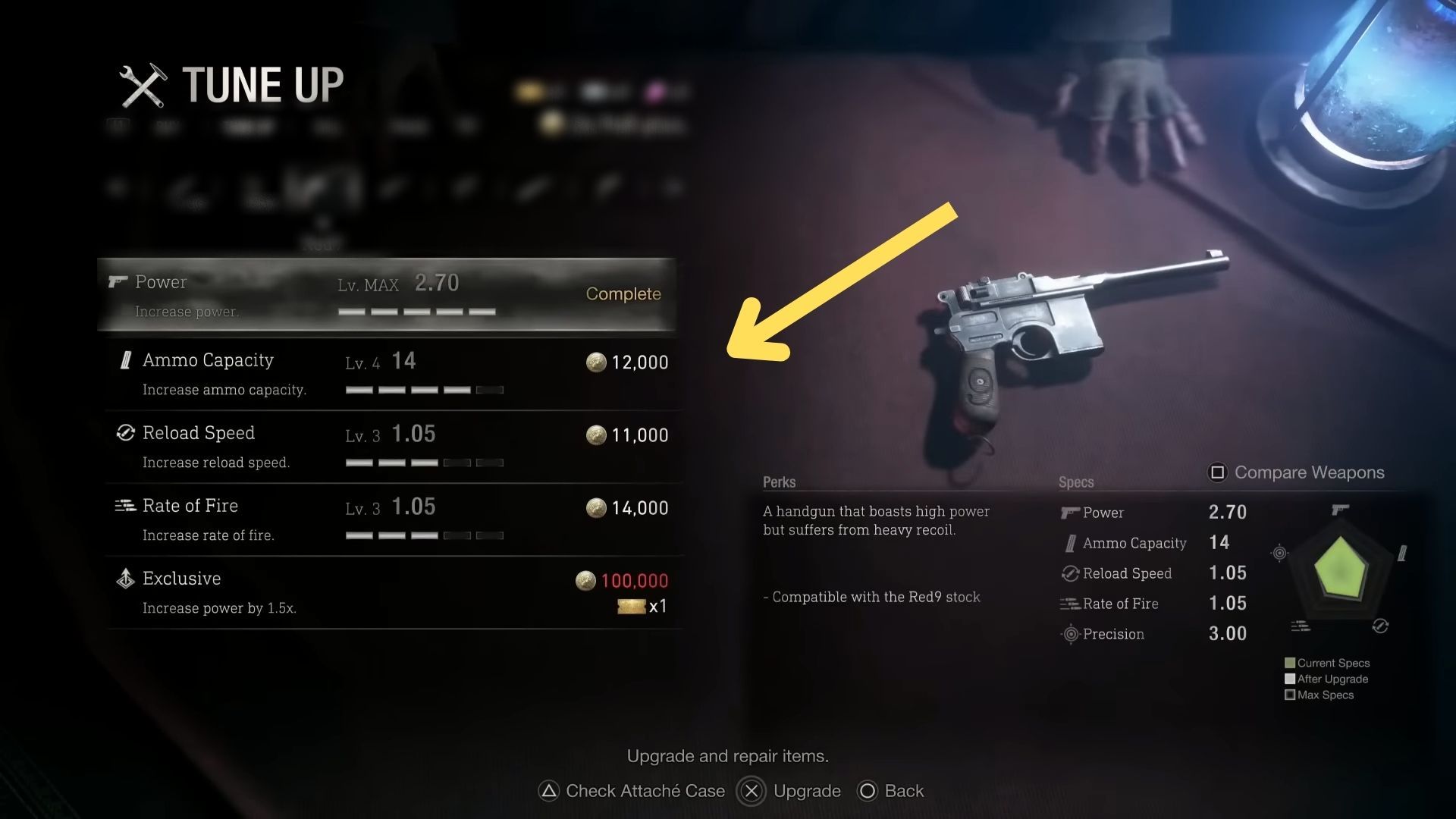
– Red 9:
– Exclusive Upgrade: Increases power by 1.5x for 100,000 Pesetas.
– Recommendation: Ideal for players wanting a stronger sidearm.
– Blacktail:
– Exclusive Upgrade: Similar power increase to the Red 9 for 100,000 Pesetas.
– Recommendation: Choose based on personal shooting style and preference.
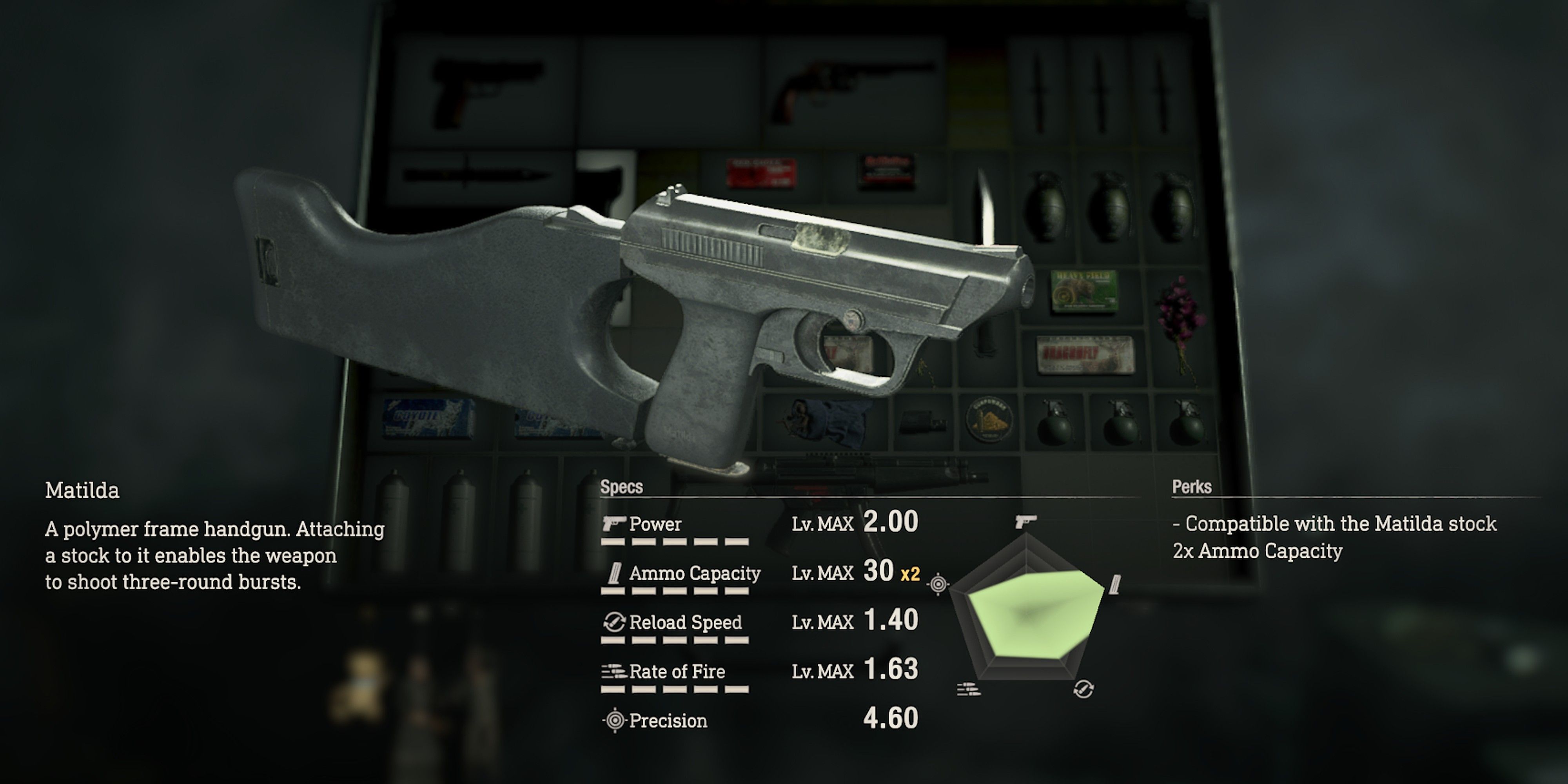
– Matilda:
– Exclusive Upgrade: Doubles ammo capacity for 70,000 Pesetas.
– Recommendation: Highly recommended if you prefer to maintain high fire volume.
Shotguns
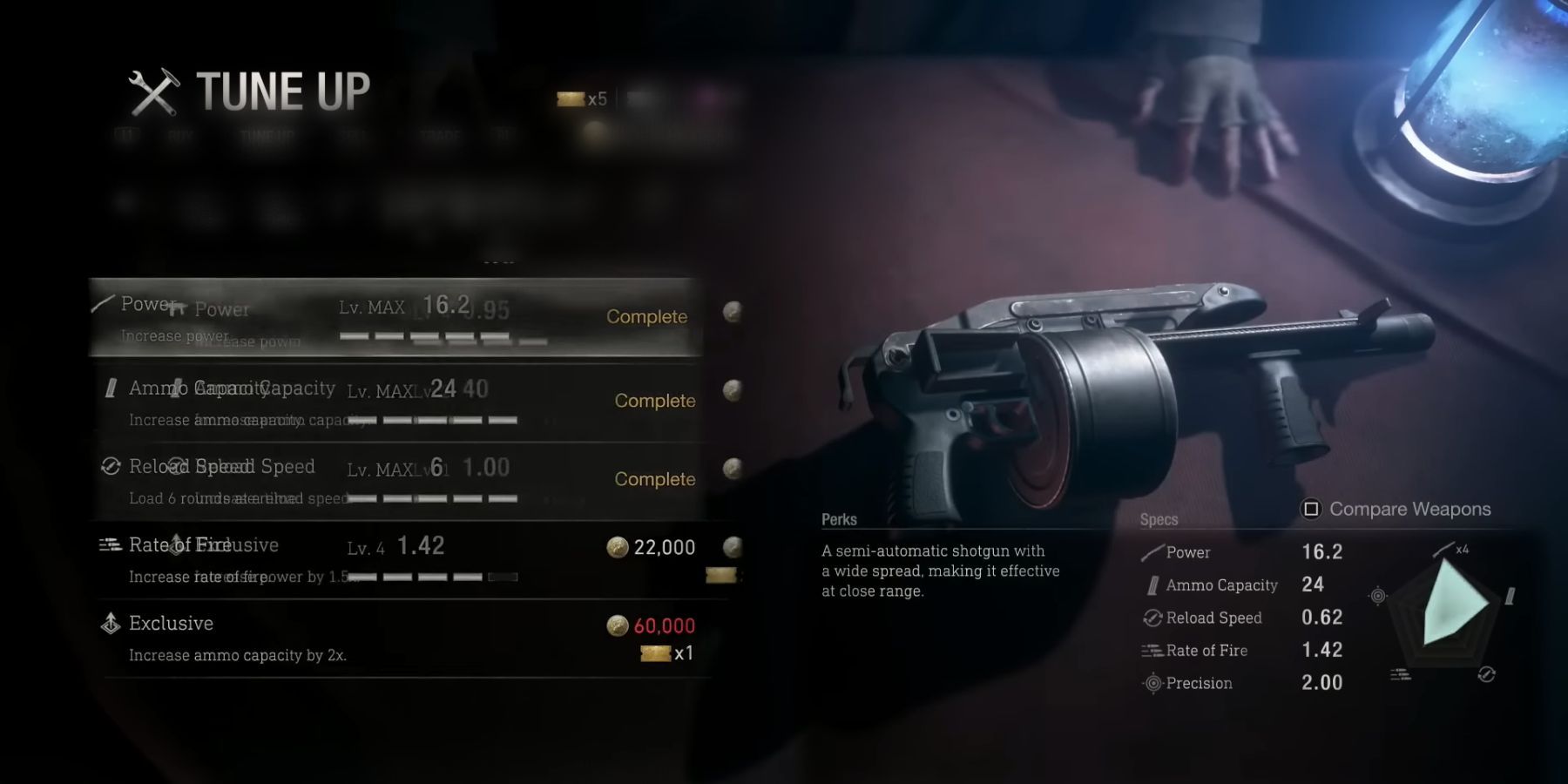
– Riot Gun:
– Priority: With its higher damage output and better handling, it should be prioritized for crowd control.
Rifles
– SR M1903:
– Exclusive Upgrade: Doubles power for 100,000 Pesetas.
– Recommendation: Top choice for sniper players; power boost is essential, especially against tough enemies.
– Stingray:
– Exclusive Upgrade: Doubles the rate of fire for 60,000 Pesetas.
– Recommendation: Great upgrade if fast engagement is your style.
Other Considerations
– Rocket Launcher: As a one-time-use weapon, while it cannot be upgraded, it’s a strategic asset against tough bosses and situations—purchase it when financially feasible.
– Magnums: These weapons provide high firepower but come at a steep cost. Ensure you have enough resources before committing to their upgrades.
Hardcore Mode Considerations
In Hardcore Mode, prioritize weapons that offer consistent damage output to manage limited resources effectively. The SR M1903 is particularly recommended for its impressive power and accuracy, especially against stronger enemy variants.
—
General Tips
– Focus on Damage and Rate of Fire: Aim to enhance these attributes in your primary weapons early in the game for a smoother experience.
– Use Exclusive Upgrades Strategically: They are powerful but costly; save them for when you have amassed enough resources and identify the right weapon.
– Experiment with Different Weapons: Take the time to test various weapons and upgrades to determine what complements your playstyle best.
By following these guidelines, you can enhance your weapon efficiency and overall gameplay in Resident Evil 4, making every encounter more manageable and enjoyable. Embrace the upgrades, strategize your purchases, and get ready to face whatever challenges come your way!

Leave a Reply