
Comprehensive Guide to Crafting and Using Advanced Tools in Subnautica: Below Zero
In Subnautica: Below Zero, advanced tools such as the Laser Cutter and Propulsion Cannon are vital for deep exploration and resource management. Below is a detailed guide to help you unlock, craft, and utilize these tools effectively.
1. Crafting Advanced Tools
Unlocking Blueprints
To craft advanced tools, you need to first unlock their blueprints:
– Scan Fragments: Locate and scan fragments of the tools found in various biomes and locations like the Phi Robotics Lab or Outpost Zero. Each tool has specific fragments that must be scanned.
– Blueprints in PDA: After scanning sufficient fragments (usually three), the blueprint will be available in your PDA under the “Blueprints” section.
Required Materials and Crafting Locations
| Tool | Materials Needed | Crafting Location |
|——————|——————————————————————|————————–|
| Laser Cutter | Ruby, Battery, Titanium, Diamond | Fabricator |
| Propulsion Cannon| Wiring Kit, Battery, Titanium | Fabricator |
– Fabricator: Craft both advanced tools at the Fabricator, found in your initial Drop Pod and throughout various bases across the map.
Material Sources
– Ruby and Diamond: Extracted from caves or specific biomes.
– Battery: Crafted using two Ribbon Plants and one Copper Ore.
– Titanium: Acquired by breaking scrap metal or collecting from outcrops.
– Wiring Kit: Created by combining two Silver Ore.
Crafting Steps
1. Access the Fabricator: Approach the Fabricator interface.
2. Navigate: Go to the “Tools” section.
3. Select Tool: Choose the tool you wish to craft, ensuring you have scanned its fragments and possess the required materials.
4. Craft and Equip: Complete the crafting process and equip the tool to your toolbar for use.
2. How to Use Advanced Tools
Laser Cutter
– Purpose: Essential for cutting through locked doors and sealed compartments found in wrecks and bases.
– Usage:
– Equip the Laser Cutter from your toolbar.
– Target a sealed door marked with a “Cut” icon.
– Press and hold the primary use button to begin cutting, keeping the crosshair steady until the cut is successfully completed.
– Battery Management: The Laser Cutter consumes energy from its built-in battery. You can recharge it using a Battery Charger or replace the battery when required.
Propulsion Cannon
– Purpose: Lets you manipulate objects from a distance, useful for clearing debris, moving materials, or pushing away hostile creatures.
– Usage:
– Equip the Propulsion Cannon.
– Aim at the object you wish to manipulate.
– Use the primary button to pull objects towards you, and the secondary button to push them away.
– Battery Management: Like the Laser Cutter, it also relies on battery power, so ensure to recharge or replace batteries as necessary.
3. Additional Tips for Efficient Gameplay
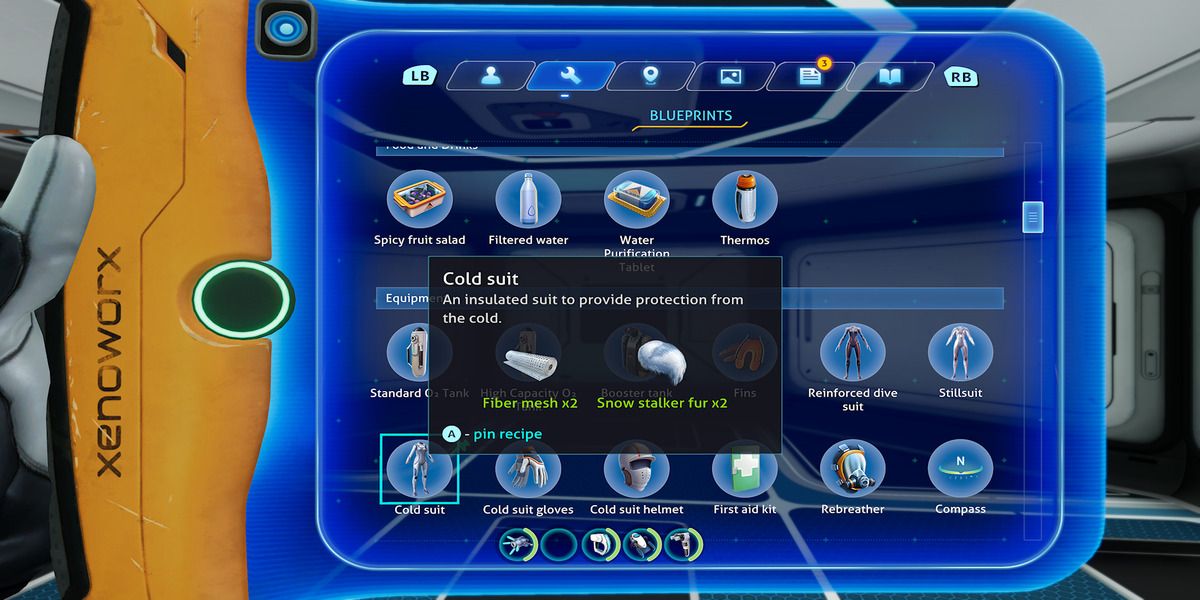
– Pinning Recipes: Pin recipes to your PDA to keep track of necessary materials and simplify the crafting process.
– Fragment Exploration: Explore various biomes, primarily around Alterra outposts and labs, to efficiently find fragments required for blueprints.
– Inventory Management: Maintain sufficient inventory space to carry newly gathered materials and crafted tools, key for surviving in the depths.
Summary Table
| Tool | Unlock Method | Key Uses | Crafting Requirements |
|——————|————————|————————-|————————————–|
| Laser Cutter | Scan fragments | Cut through sealed doors| Ruby, Battery, Titanium, Diamond |
| Propulsion Cannon| Scan fragments | Push/pull objects | Wiring Kit, Battery, Titanium |
By leveraging this guide, you’ll be able to efficiently craft and use advanced tools in Subnautica: Below Zero, significantly enhancing your exploration and survival capabilities within this captivating underwater world. Happy exploring!
Leave a Reply