
In Metro Exodus, effective navigation through its expansive open-world environment relies heavily on a combination of a dynamic map and a compass. Understanding how to utilize these tools can significantly enhance your exploration and overall gameplay experience. Below is a detailed guide on how to efficiently use the map and compass for navigation in Metro Exodus.
Dynamic Map Overview
Access and Functionality
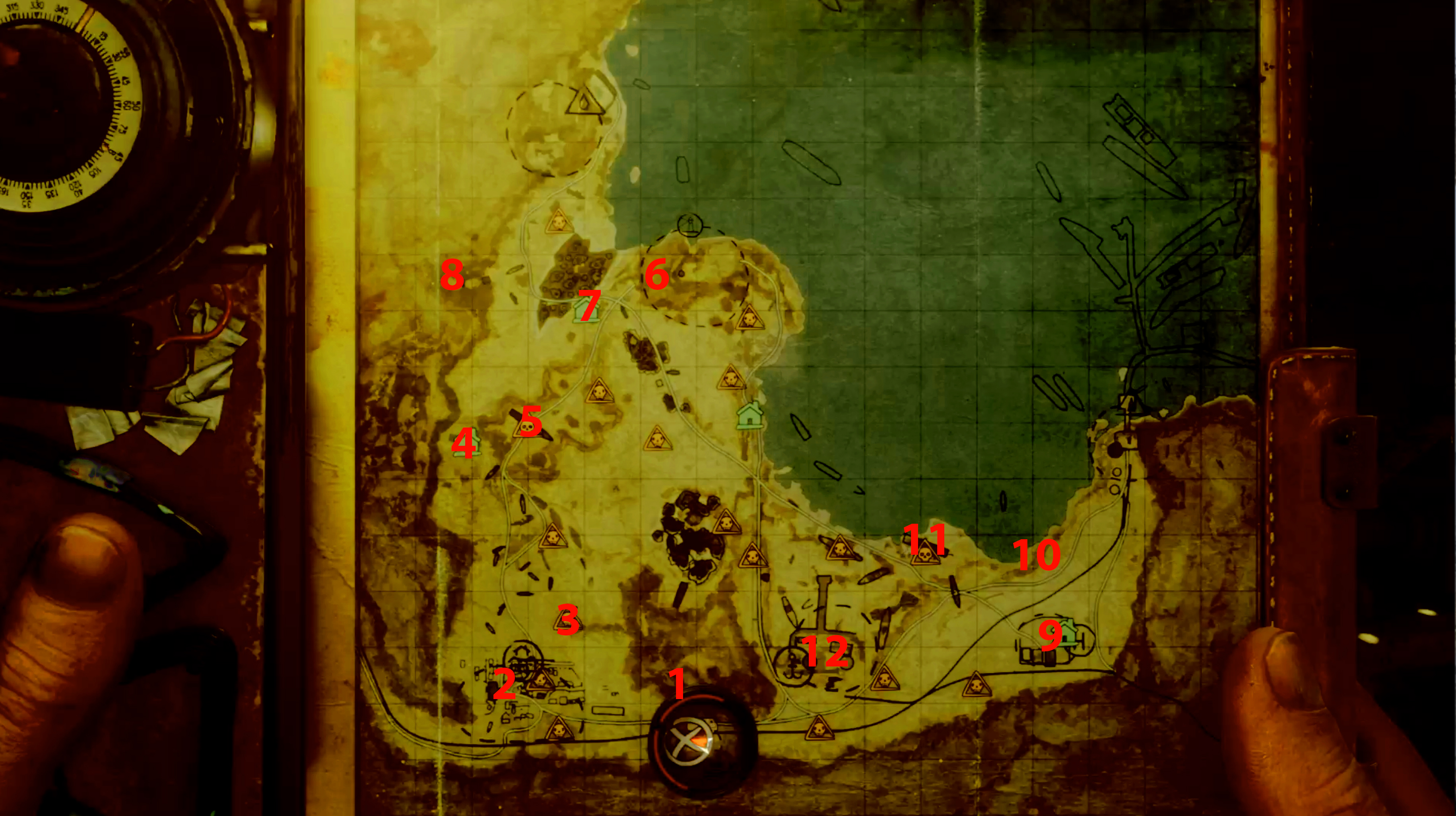
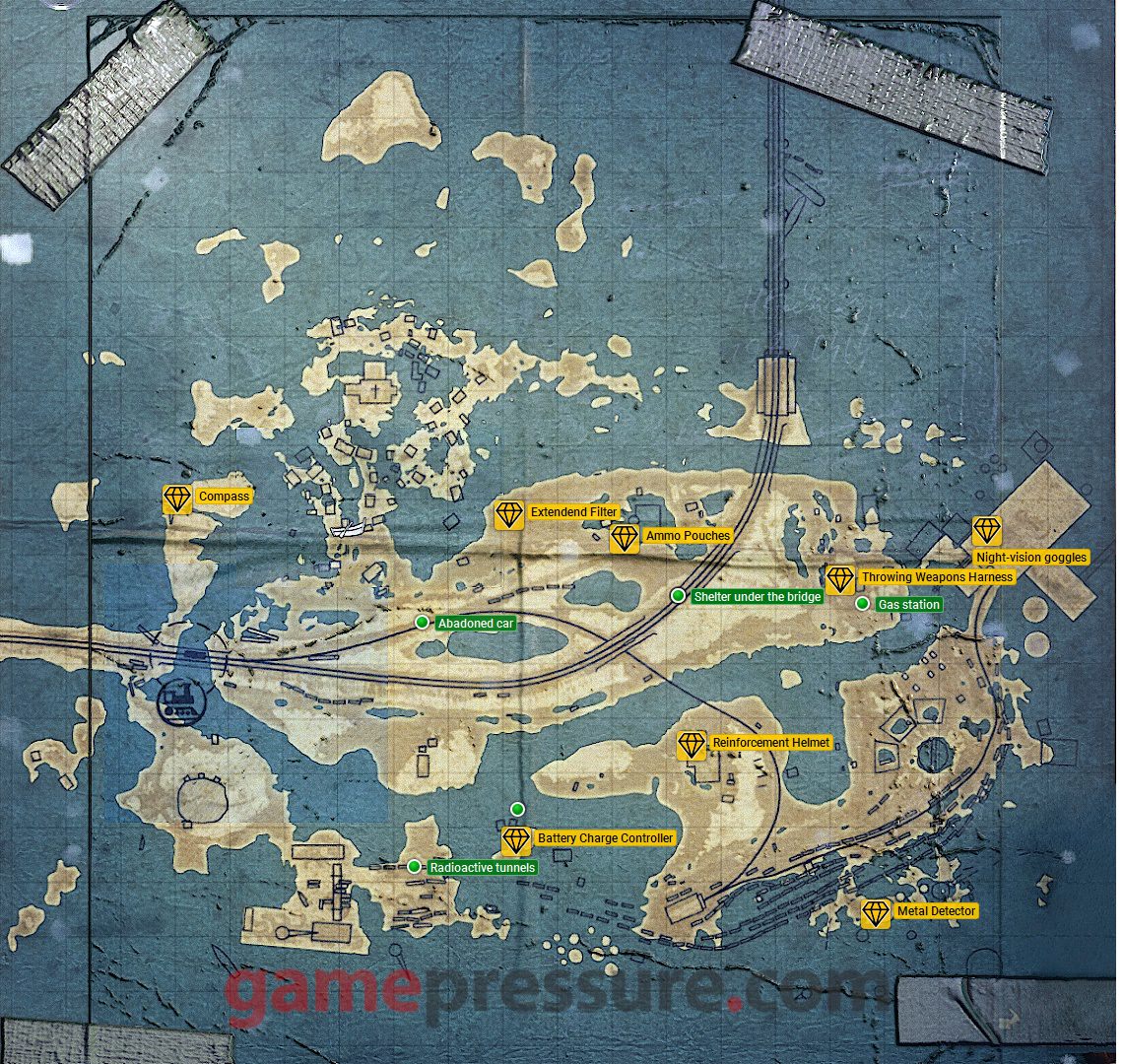
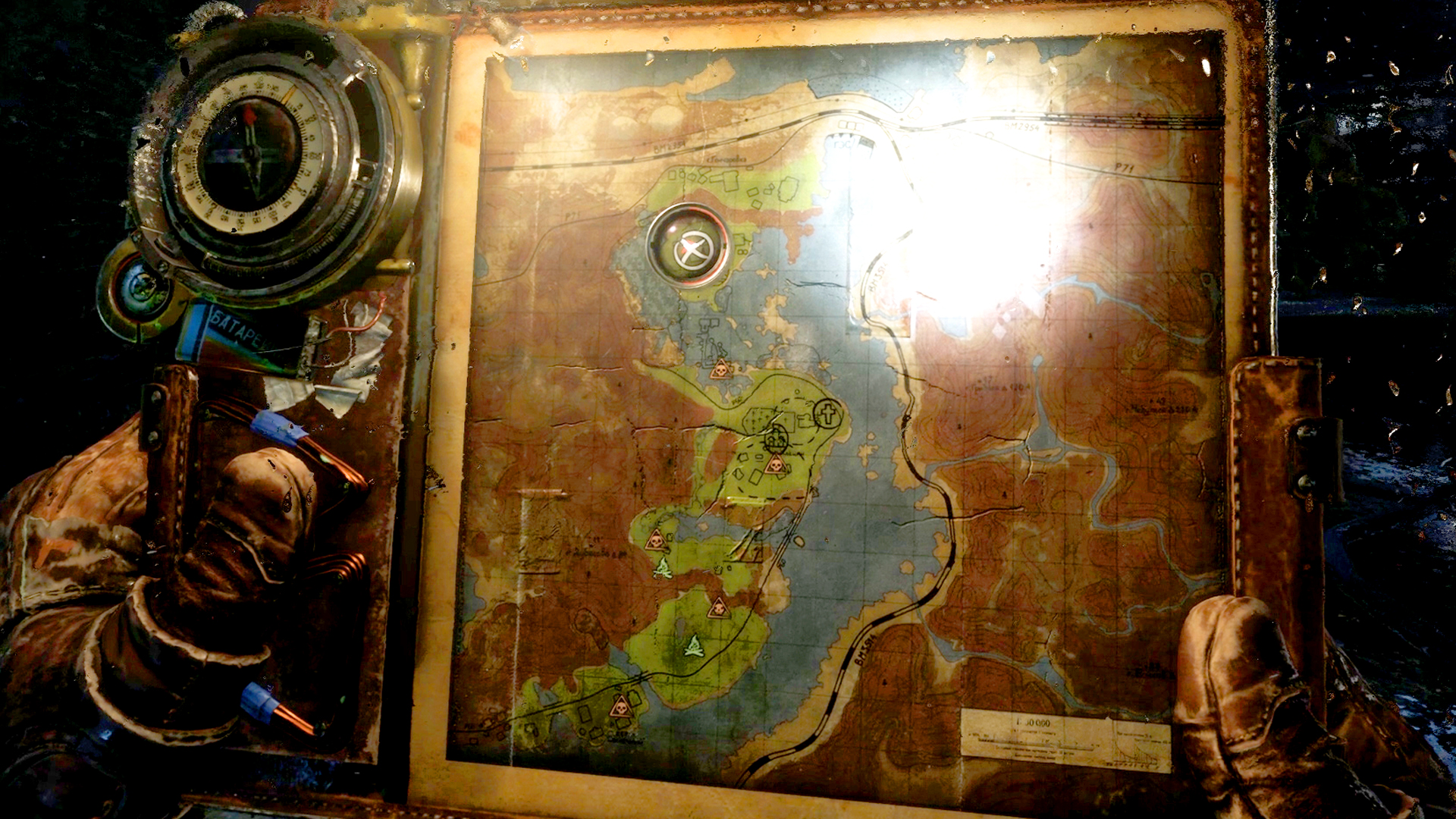
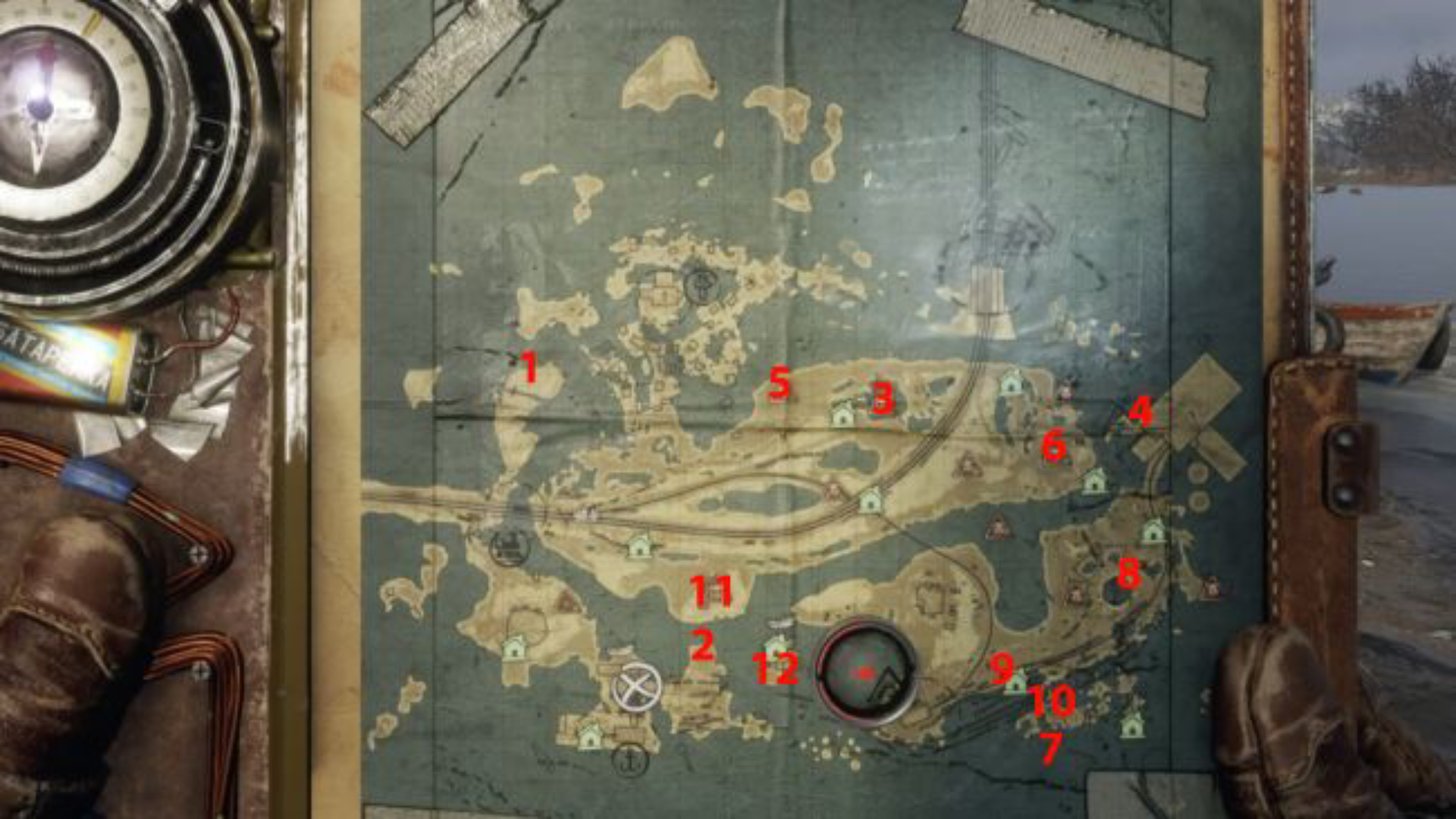
– Display: The map is shown on a tablet device that Artyom carries with him. It becomes particularly crucial when traversing open areas, as traditional linear paths do not exist.
– Current Position: Your present location is represented by a red triangle that rotates, indicating your facing direction.
– Objectives: Key objectives are marked clearly with a large circle and an X, while optional missions are indicated through smaller icons.
– Orientation: As you move through the game, the red triangle rotates according to your character’s turn, allowing for better alignment with objectives on the map.
– Scanning for Information: Utilizing binoculars allows you to identify and scan notable points of interest or threats, which are then marked on your map to assist with exploration.
Compass Mechanics
Obtaining the Compass
– Crafting: You acquire the compass after meeting the character Krest early during the Volga chapter. It is a vital tool positioned on Artyom’s left wrist.
Functionality
– Direction Indication: The compass features a red arrow that always directs you toward your current main objective. It includes a green mark for bearings, although understanding this feature is not necessary for effective navigation.
– Relative Navigation: Unlike traditional compasses that indicate absolute geographic directions, the Metro Exodus compass is relative—its red arrow points towards the objective based on your character’s current facing direction.
Map Compass Dial
– Additional Reference: The map itself also displays a large compass dial that behaves similarly to the wrist compass, providing directional guidance towards your main objective.
Practical Navigation Steps
1. Open the Map: Begin by checking the location of your current objective (indicated by an X) and your position (represented by the red triangle).
2. Adjust Character Orientation: Rotate your character until the red triangle on the map is directly aligned with the objective.
3. Check Compass Orientation: At this point, both the wrist compass and the map’s compass dial should point either straight up or forward, indicating that you are facing in the correct direction.
4. Follow the Compass: As you progress, watch the wrist compass ensuring the red arrow remains pointed forward. This will help maintain the correct heading toward your goal.
5. Use Binoculars Strategically: Regularly use binoculars to scout your surroundings and mark important areas or threats on your map for more informed exploration.
Additional Tips for Navigation
– Tool Utilization: The wrist compass is ideal for quick directional adjustments while the map is essential for a comprehensive understanding of your environment.
– Using Optional Equipment: As the game progresses, you may encounter a radar device that can replace the compass. This device beeps to alert you to nearby lifeforms, enhancing stealth and combat strategy.
– Time Management: Take advantage of bed locations to sleep and alter the time of day. The game’s day-night cycle affects enemy behavior and visibility, allowing for tactical variations in your approach.
Summary Table
| Tool | Function | How to Use |
|—————-|—————————————————————————————|————————————————-|
| Map | Displays location, main objective (X), side objectives, and orientation | Rotate until red triangle points at objective |
| Wrist Compass | Shows direction to the main objective on your wrist | Keep the red arrow pointing forward (toward fingers) |
| Map Compass | Large dial on the map that indicates the direction to your main objective | Align with map rotation for navigation |
| Binoculars | Allows you to scan and mark points of interest and enemies on the map for guidance | Use to identify and mark objectives |
Implementing these strategies will greatly aid you in navigating the intricate landscapes of Metro Exodus while successfully tracking main and optional objectives. Happy exploring!

Leave a Reply