
Creating aesthetically pleasing and functional water features in Planet Zoo is essential for enriching animal habitats, enhancing the overall aesthetics of your zoo, and improving guest experiences. Below is a comprehensive guide that elaborates on how to effectively create and utilize water features in habitats.
Creating Water Features in Habitats
1. Terrain Preparation:
– Lowering the Terrain: Begin by using the terrain editing tools to lower the desired area where you want the water feature. Creating a basin or sunken area allows you to define the shape and size of the water body effectively. The terrain push tool can help achieve varied depths and slopes to create more naturalistic water features.
– Plan Placement: It is advisable to place the water features before constructing paths or barriers. Once water is in place, moving it can become complicated due to nearby infrastructure, so it’s best to finalize the water placement first.
2. Adding Water:
– Using the Water Tool: Access the water tool in the habitat editing menu, which provides four options: calm water, rough water, select existing water, and remove water.
– Calm Water: Ideal for creating serene lakes, ponds, and lagoons.
– Rough Water: Best suited for simulating rivers and waterfalls, conveying movement and energy.
3. Water Movement and Effects:
– Creating Waterfalls: If you’re designing a waterfall, incorporate waterfall top pieces, which ensure the visual effect of water cascading over rocks.
– Flow Dynamics: Utilize form pieces to manipulate the flow of water, ensuring it moves realistically and adds to the ambience.
– Special Effects: Enhance the effects around water features with mist and bubble effects, which create a vibrant atmosphere. These elements add realism, simulating natural ecosystems.
4. Water Properties and Cleanliness:
– Adjusting Water Properties: Customize the properties of the water, such as cleanliness, color, and transparency, to reflect the type of aquatic environment that best suits your animals. Different species might thrive in varied water conditions, influencing their happiness and health.
– Maintenance of Water Quality: Regular checks on water cleanliness are crucial to promote the health of animals living in or around the water. Dirty water can lead to health issues for the inhabitants.
5. Decorating Around Water:
– Natural Coverage: Use rocks, plants, and various terrain details to conceal the initial alterations made to the landscape when creating water features. This helps in presenting a more organic look, mimicking natural habitats.
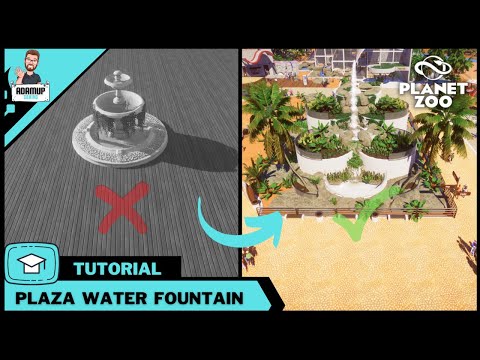
– Enhancing Visual Appeal: Utilize building pieces such as plaster to sculpt the environment around lakes and fountains, enhancing the aesthetic appeal and providing a professional finish to your designs.
Practical Tips
– Avoid Removing Water: Once you’ve placed water, try not to remove it unless necessary. Obstacles like paths or barriers may prevent you from accurately replacing the water later.
– Experiment with Water Settings: When building waterfalls or conveying movement in water, don’t hesitate to mix and match rough vs calm water settings to achieve the desired feel for your habitat.
– Order of Operations: Always introduce water features first and then sculpt the terrain and introduce animals that depend on the water. This helps ensure that the habitat conditions are met without compromising animal welfare.
By following these guidelines, you can successfully design naturalistic and functional water features like lakes, rivers, and waterfalls in Planet Zoo. These enhancements not only cater to the requirements of the animals but also significantly uplift the visual dynamics of your zoo, offering a better experience for both the animals and visitors.


Leave a Reply