
Creating engaging levels in Super Mario Maker 2 that effectively utilize verticality requires a well-thought-out approach to level design. By focusing on camera control, player visibility, and a smooth flow between vertical and horizontal gameplay, you can enhance the overall player experience. Below are detailed techniques that can help you master the use of vertical space in your levels.
Key Techniques for Using Verticality
1. Control Camera Limits Vertically
– Technique: Employ horizontal rows of blocks across the width of your level to restrict the camera’s upward movement.
– Benefit: This isolates vertical sections or “rooms,” preventing players from seeing what lies above and allowing you to craft surprising vertical challenges. Use this method sparingly to maintain focus on specific segments and enhance tension in your level design.
2. Use Full View Mode to Visualize Camera Boundaries
– Technique: Activate full view mode by pressing in on the joystick. This shows the camera’s vertical and horizontal boundaries as dark lines.
– Benefit: Designing vertical sections within these predetermined limits ensures that players only view what you intend them to see. This clarity enhances the impact of vertical elements in your level, making them feel purposeful and engaging.
3. Design Vertical Sub-Areas Thoughtfully
– Technique: Create vertical sub-areas where players navigate by ascending or descending rather than advancing horizontally. Make use of platforms, ladders, pipes, and enemies for varied traversal options.
– Benefit: Effective vertical designs should provide enough space for movement without overwhelming players. By understanding the size and layout of these sections, you can ensure a seamless progression that maintains player interest.
4. Avoid Overusing Mixed Vertical and Horizontal Transitions
– Technique: While mixing vertical and horizontal gameplay can provide variety, avoid excessive transitions in a single level.
– Benefit: Frequent switches can lead to player confusion and fatigue. Instead, aim for a balanced combination, or securely separate areas dedicated purely to vertical or horizontal movement. This approach ensures a smoother flow and enhances player understanding of the level structure.
5. Use Visual Indicators and Simple Design to Guide Players
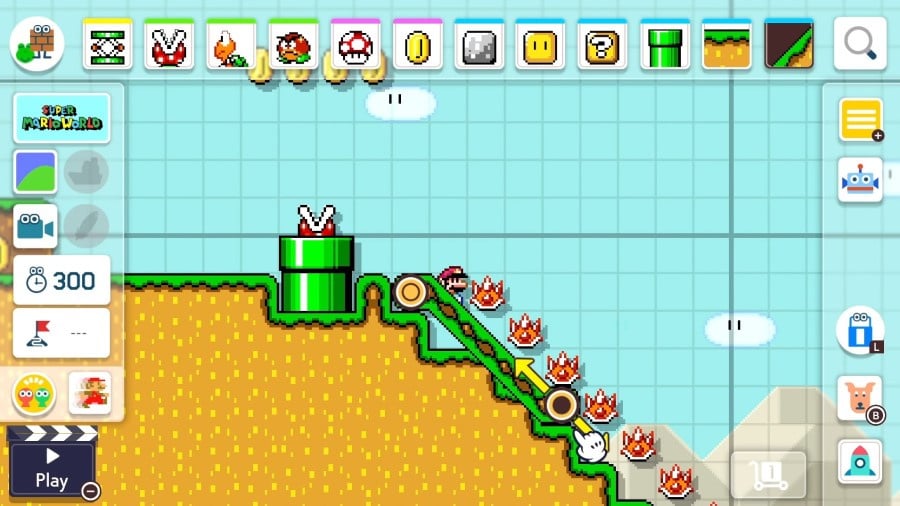
– Technique: In vertical levels, utilize coins, arrows, and track pieces as indicators to guide players intuitively through vertical challenges.
– Benefit: Since vertical designs can obscure the path ahead, clear visual cues help players navigate challenges without frustration. Intuitive jump placements and platform arrangements further support player confidence as they traverse vertical spaces.
Summary
To design compelling vertical levels in Super Mario Maker 2, leverage camera boundary blocks to isolate specific areas, utilize full view mode for optimal layout, and create well-structured vertical sub-areas. Maintain clarity by balancing the flow between vertical and horizontal segments while utilizing visual indicators to assist players. By combining these techniques, you will not only make your levels more engaging but also more enjoyable, ultimately creating dynamic experiences that players will love to explore.




Leave a Reply