
In The Outer Worlds, the fast travel system is an essential feature that enhances gameplay by allowing players to traverse the vast game world efficiently. Understanding how to effectively use this mechanic is crucial for optimizing your exploration and mission completion. Here’s a comprehensive guide to fast travel in the game:
How to Fast Travel Between Locations and Planets
1. Unlocking Fast Travel:
To utilize fast travel, you must first explore and discover a location within the game world. Fast travel points typically include various towns, outposts, and significant landmarks that are denoted on your in-game map. Each time you discover a new area, it becomes available for fast travel, facilitating easier movement across the expansive environment.
2. Using the Map:
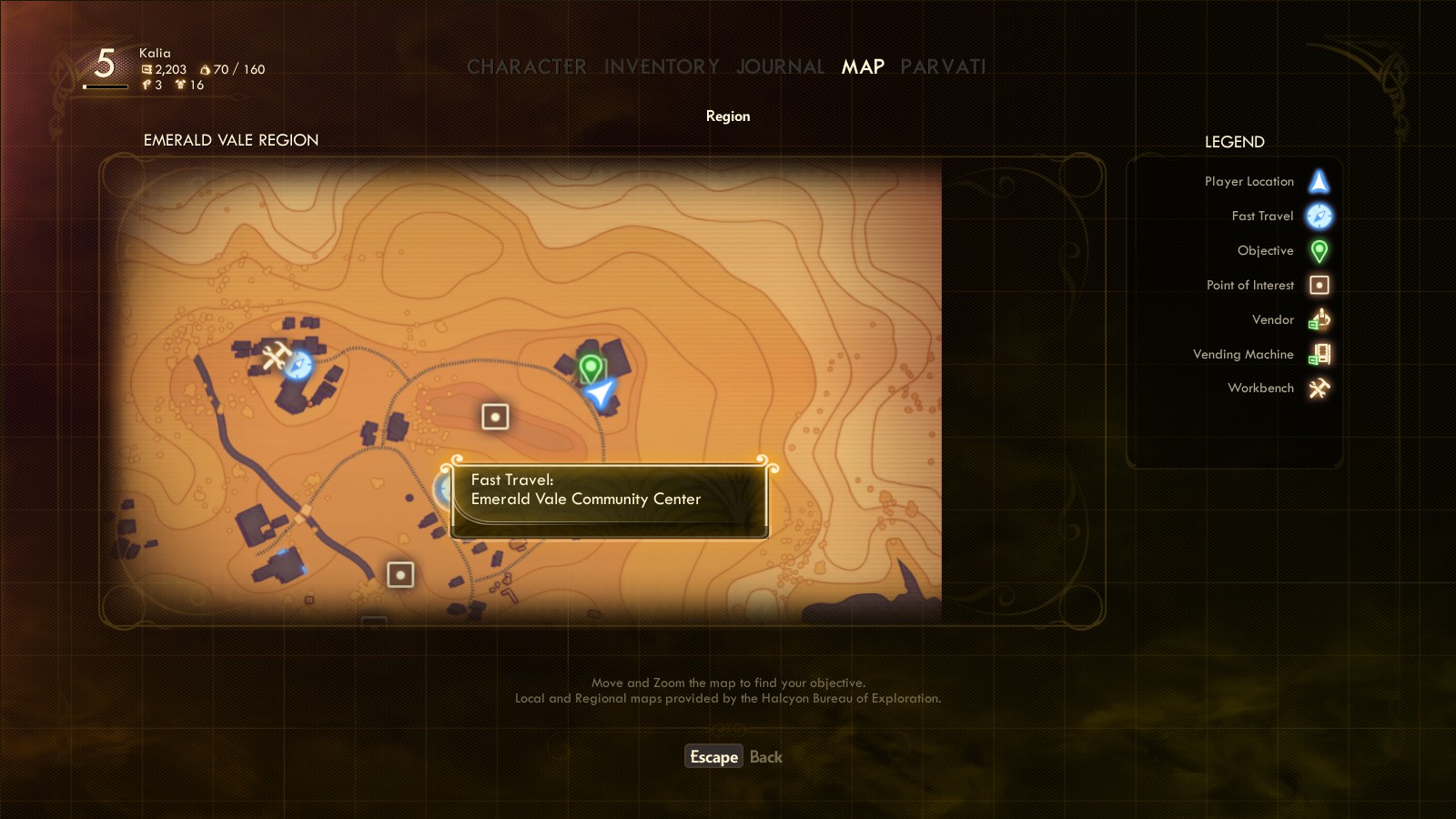
Access the map via the menu to view your available fast travel points. These points are clearly marked with blue and white compass symbols. By navigating your cursor over these symbols, you can select your desired location for fast travel. This interface makes it simple to identify where you can instantly teleport to once you’ve uncovered new locations.
3. Fast Travel Restrictions:
While fast travel greatly aids in navigation, it does come with limitations:
– Non-supportive Locations: Not all discovered areas allow for fast travel. Certain locations require you to make the journey manually, which can add layers of challenge and exploration.
– Difficulty Settings: If you are playing on Supernova difficulty, the game imposes additional restrictions. Fast travel is disabled except when returning to your ship, reinforcing the game’s challenging nature.
4. Fast Travel Between Planets:
Your spaceship acts as a central hub for interplanetary travel. To move between the various planets, you must first return to your ship. Here’s how to do it:
– Once aboard your spaceship, you’ll have the option to fast travel to any planet or major location you’ve previously discovered. This two-step process—returning to the ship and then selecting a destination—integrates the concept of exploring multiple worlds while ensuring that players engage with the game’s intricate lore and geography.
Summary Steps to Fast Travel
1. Discover a Location: Explore the world and uncover various fast travel points.
2. Open the Map: Access the map through the menu to view your available fast travel options.
3. Select Location: Choose a discovered locale marked with a blue/white compass icon.
4. Confirm Travel: Confirm your selection to teleport instantly to that spot.
Conclusion
Fast travel in The Outer Worlds is designed to enhance gameplay by enabling players to navigate the world seamlessly after initial exploration. However, the system strikes a balance between convenience and the thrill of discovery. By requiring players to physically discover locations and applying restrictions based on difficulty settings, the game maintains an adventurous spirit while still providing a helpful travel option. Whether you’re moving within a planet or hopping between celestial bodies, understanding and utilizing fast travel effectively will significantly enrich your gaming experience.




Leave a Reply