
Certainly! Here’s a structured guide to completing the “Fix Weather Node” and “Reboot Wifi” tasks on the Polus map in Among Us, detailing the steps involved for each.
1. Fix Weather Node Task
Location: Weather Node locations outside the map.
Steps to Complete:
1. Start the Task: Approach a broken weather node, which is typically marked with a visibly damaged appearance.
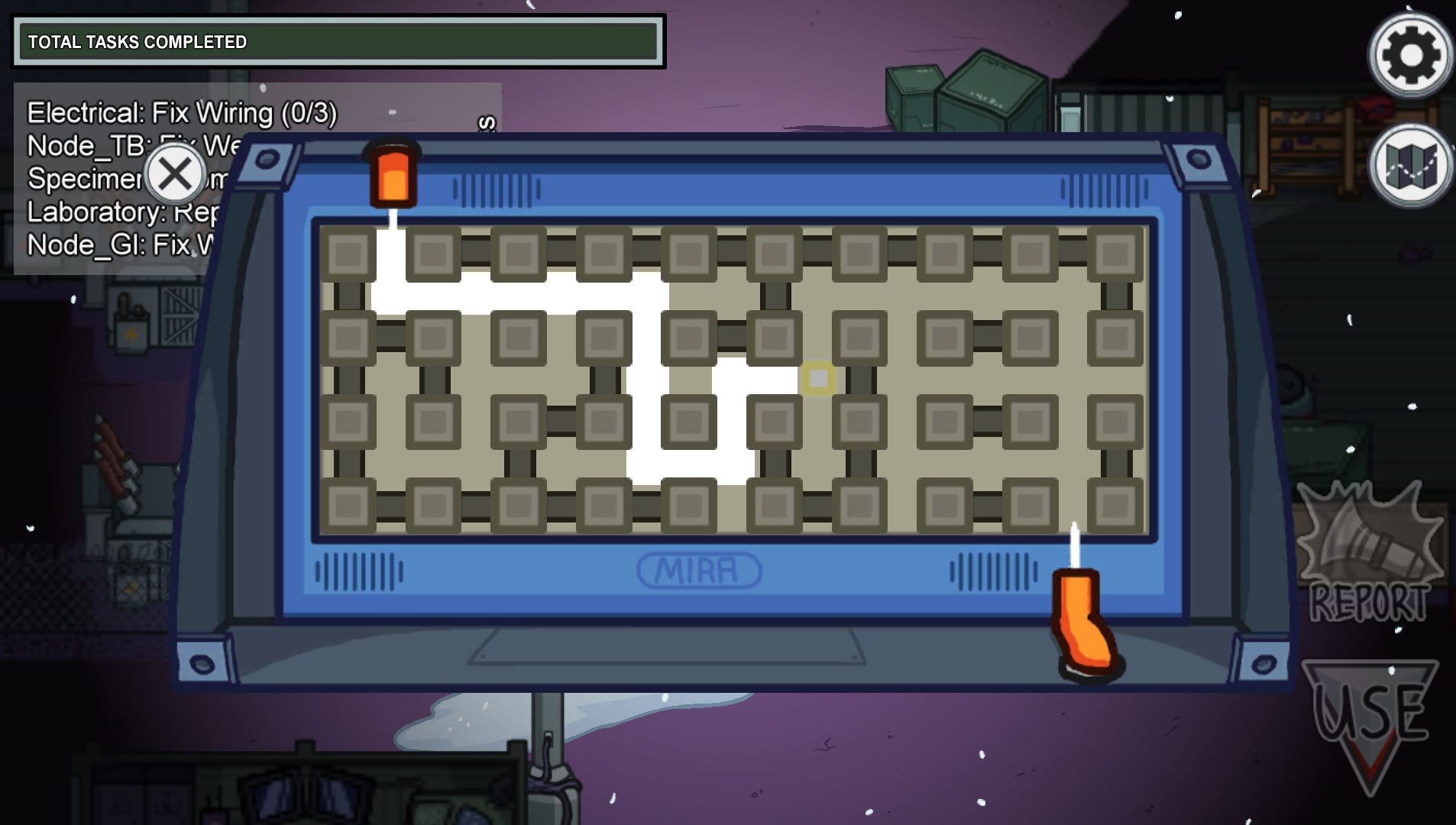
2. Access the Maze Interface: Upon starting the task, a maze will appear on your screen with a yellow dot representing your starting position.
3. Navigate the Maze:
– Use your mouse or controller to drag the yellow dot from the start point to the endpoint.
– Carefully maneuver through the pathways without hitting the edges or dead ends.
– Note: If you hit a dead end, you must restart the maze. This can be frustrating; take your time to find the right path.
4. Complete the Maze: After successfully guiding the yellow dot to the endpoint, the maze will disappear.
5. Interact with the Laboratory Panel: Head into the Laboratory.
6. Calibration: Go to the left panel inside the Laboratory and interact with it to recalibrate the weather node you have just fixed.
7. Task Completion: Once you confirm the calibration, your task will be marked as complete.
2. Reboot Wifi Task
Location: Communications room.
Steps to Complete:
1. Start the Task: Go to the Communications room and find the router at the back.
2. Interact with the Router: Click on the router to begin the reboot process.
3. Flip the Switch Down: You’ll see a switch on the router. Flip it down to initiate the reboot.
4. Wait for the Timer:
– This task involves a one-minute wait period. During this time, you can complete other tasks around the map.
– Keep an eye on the timer; you can check your task list to monitor progress.
5. Flip the Switch Back Up: After the timer runs out, return to the router and flip the switch back up to complete the reboot.
6. Task Completion: The task will be marked as complete after you flip the switch back.
Summary
Both the Fix Weather Node and Reboot Wifi tasks involve specific interactions and mini-puzzles. Successful completion of these tasks not only contributes to your team’s goals but also helps in securing the crew’s victory against impostors. Make sure to keep an eye on your surroundings while doing these tasks, as they can make you vulnerable to being caught by impostors. Happy gaming!


Leave a Reply