
In “Among Us,” completing the “Chart Course” task in the Navigation room on the Skeld map is essential for helping your team progress and ultimately win the game. Here’s a detailed guide on how to successfully perform this task:
Step-by-Step Instructions for the “Chart Course” Task
1. Enter the Navigation Room: Start by moving your character to the Navigation room, which is located towards the upper side of the Skeld map.
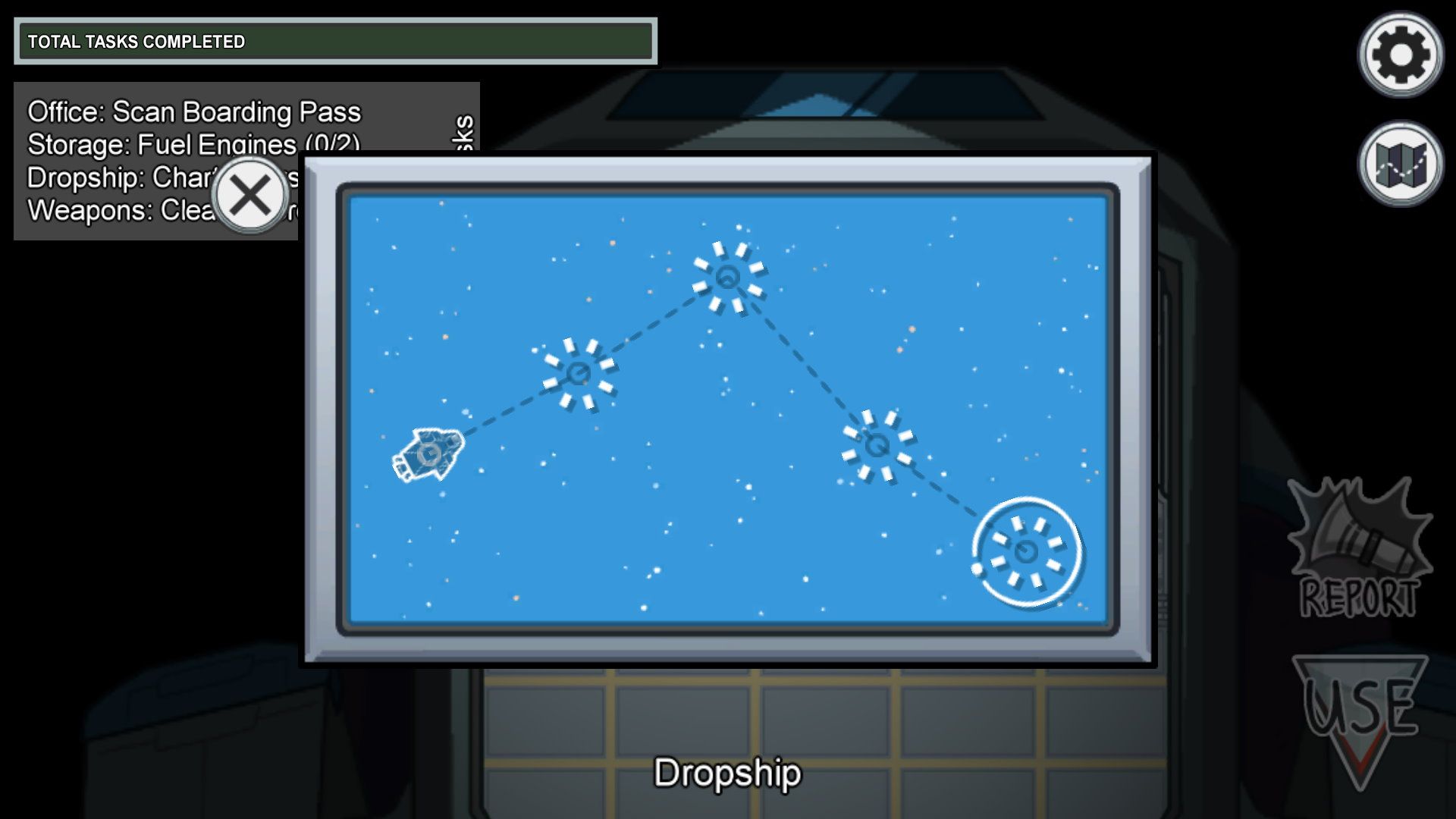
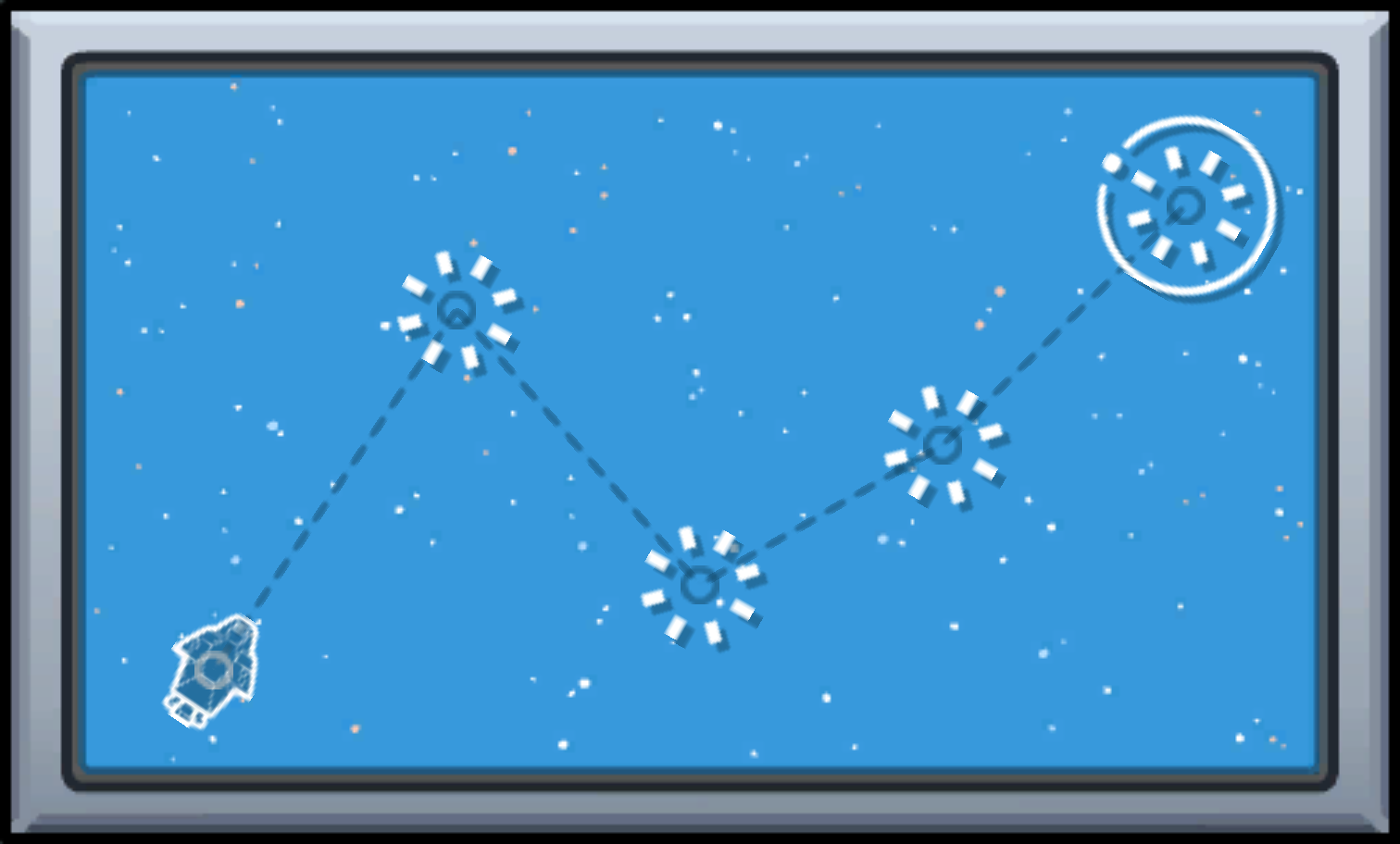
2. Locate the Chart Course Panel: Once inside the Navigation room, look for the “Chart Course” panel. This will typically be on the right side of the room. The panel displays a navigation interface with a spaceship icon.
3. Observe the Flight Path: On the screen, you will see a spaceship icon at a designated starting point. There is also a dotted line that indicates the correct path for the spaceship to follow. Pay attention to the path, as deviating from it will require you to restart.
4. Click and Drag the Spaceship Icon: To begin the task, click on the spaceship icon and hold down the mouse button (or tap and hold on a touchscreen). Carefully drag the spaceship along the dotted line, ensuring you stay as close to it as possible.
5. Complete the Path: Continue dragging the spaceship until it reaches the end point of the dotted line pathway. It’s important to maintain control and precision throughout this process; any significant deviation may lead to needing to restart the task.
6. Task Completion: Once the spaceship reaches the designated destination, the task will be marked as complete. You will receive visual confirmation (typically a task completion notification), and this will help your crewmates in their ultimate goal of finishing all tasks.
Importance of the Task
This specific task not only contributes to the overall completion of tasks needed for victory but also allows crewmates to gather around in the Navigation room, potentially creating an opportunity for discussions on suspicious behavior or observations while keeping an eye out for impostors.
Other Navigation Tasks
While the “Chart Course” task is a critical component of Navigation, it’s worth noting that there are additional tasks within this room:
– Downloading and Uploading Data: Involves gathering data from various sources and transmitting it.
– Diverting Power to Navigation: Requires you to transfer power to ensure the navigation systems are operational.
– Stabilizing Steering: This task involves minor interactions to keep the spaceship on course.
Completing all these tasks, including the “Chart Course,” moves the crewmates closer to victory while also ensuring that everyone remains vigilant against any impostors lurking among them.


Leave a Reply