
In Frostpunk, scouting and sending expeditions from the Beacon is an essential gameplay mechanic that enables players to explore the unforgiving frozen wasteland, gather critical resources, and rescue survivors. Here’s a detailed guide on how to effectively scout and send expeditions from the Beacon:
1. Build and Unlock the Beacon
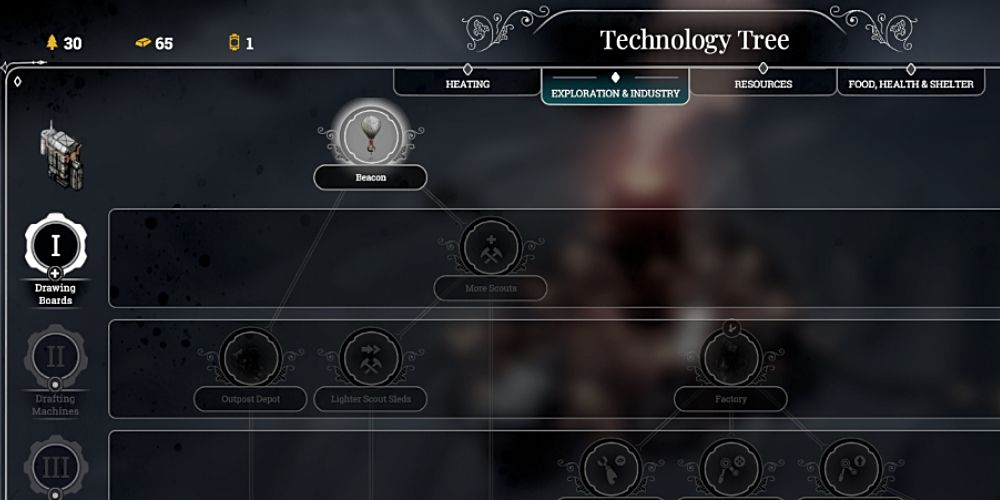
– Research: At the beginning of the game, research the Beacon technology in the Workshop. This is a crucial first step that allows you to set up a scouting mechanism for your settlement.
– Construct the Beacon: Once the research is complete, proceed to build the Beacon structure within your settlement. This is the foundation for all your scouting activities.
2. Create Scouting Teams
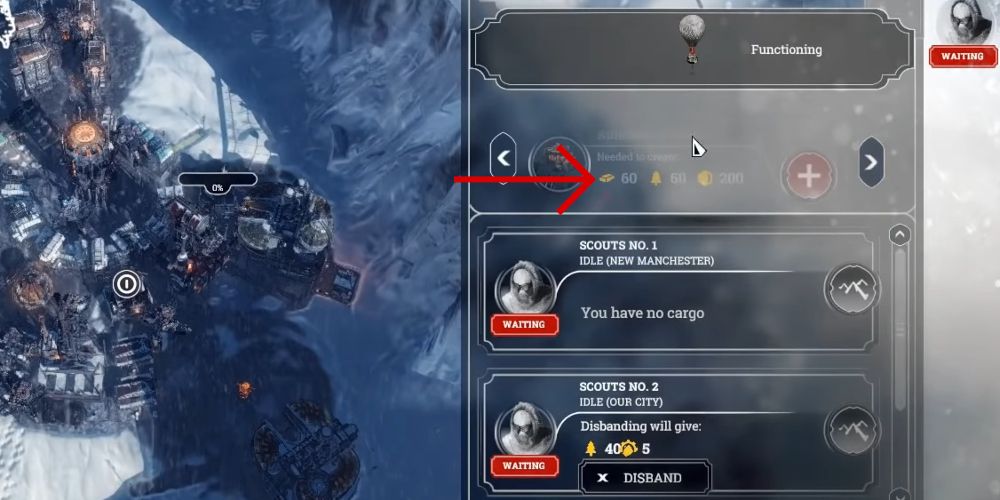
– Access the Beacon Menu: Click on the Beacon to bring up its menu interface.
– Assemble a Team: If you meet the necessary resource requirements, you will have the option to create a new scouting team. Clicking the corresponding button will initiate the formation of the team.
– Team Limit: You can have up to approximately three scouting teams operating from a single Beacon, allowing for diverse expeditions across the map.
3. Select Locations to Scout
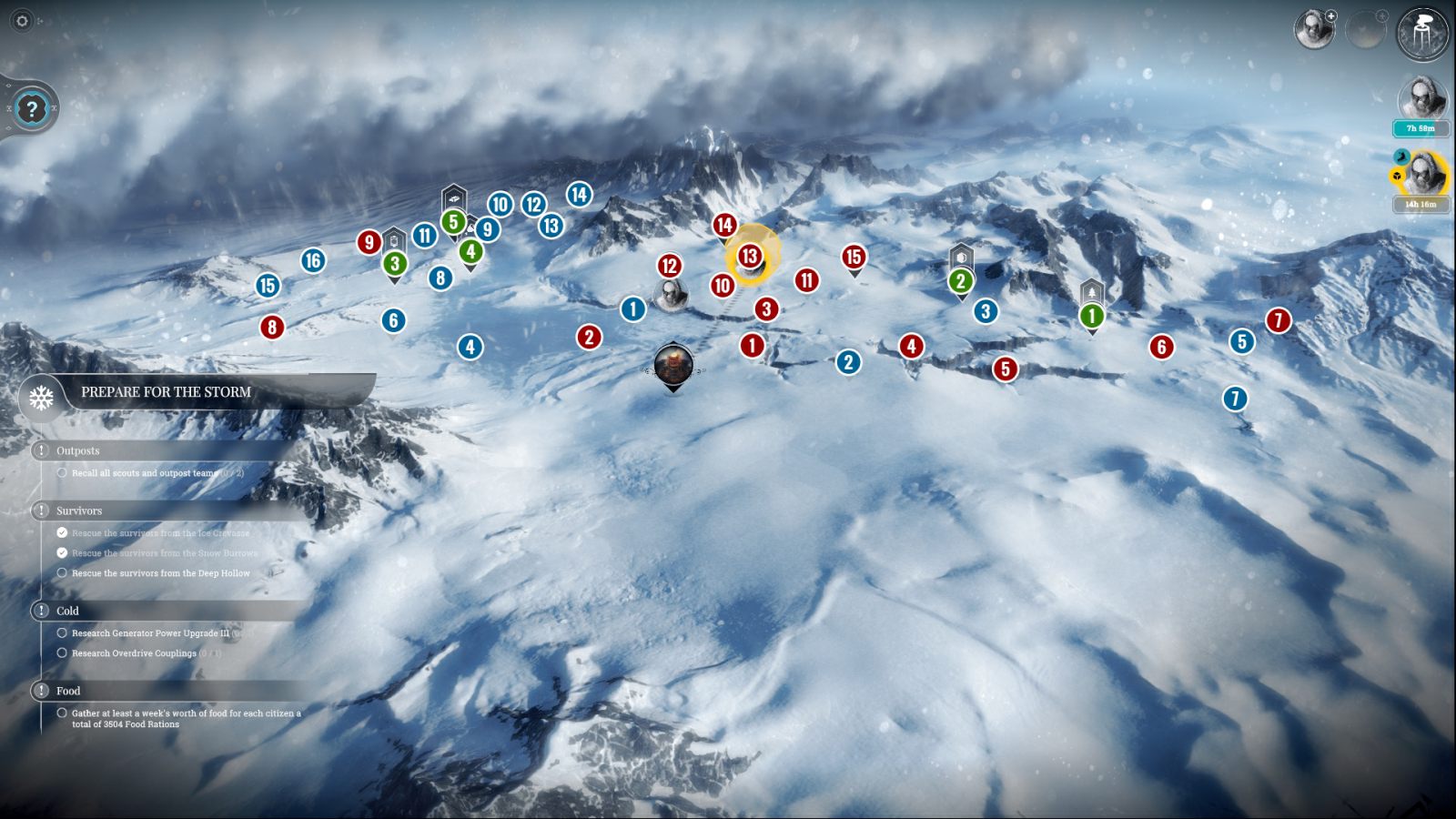
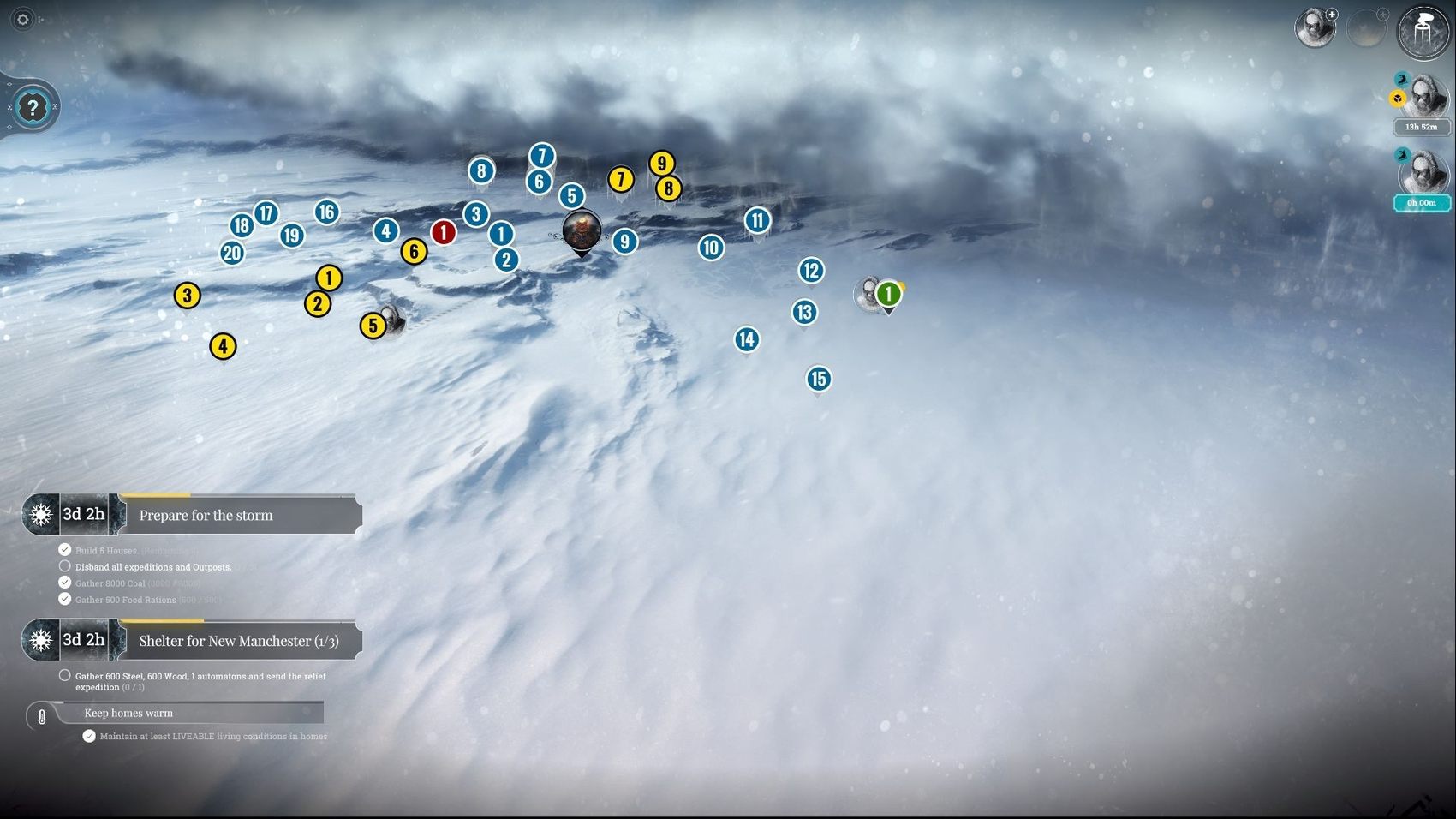
– Explore the World Map: After creating a scouting team, a world map displays various markers indicating potential locations to explore.
– Identify Unexplored Areas: Markers showing question marks denote unexplored territories. Dispatching scouts to these locations will reveal new areas and valuable information.
– Prioritize Nearby Locations: It is generally beneficial to send scouts to areas they have previously visited first since the travel time to these sites is considerably shorter.
4. Sending Scouts on Expeditions
– Choose a Destination: Click on the scouting team, then select your desired location on the map.
– Confirm Your Expedition: After selecting the location, confirm the expedition by clicking the green arrow. Before confirmation, the estimated travel time will be displayed, allowing for strategic planning.
– Continuity in Gameplay: While the scouting teams are out exploring the wilderness, gameplay continues in your city. You can focus on managing resources and keeping your citizens alive.
– Track Progress: The scouts’ progress can be monitored via the user interface, with updates displayed in the upper right corner of the screen.
5. Receiving Expedition Reports
– Access Reports: Once the scouts have reached their destination, return to the world map and click on the team to view the expedition report.
– Decision Making: These reports will inform you about what the scouts discovered, including valuable resources, potential survivors, or new locations. Some reports may require you to make critical decisions, such as whether to escort survivors back to your settlement.
6. Relief Expeditions (Optional and Quest-Related)
– Quest-Specific Expeditions: In addition to regular scouting missions, you can also create Relief Expeditions that are tied to specific quests within the game.
– Automatic Travel: Unlike regular scouting, these expeditions automatically travel to designated quest locations, like New Manchester, without needing manual location selection.
– Resource Requirements: Relief expeditions will require a specific set of resources and can be selected through the expedition type options available in the Beacon menu.
Summary Table
| Step | Action | Notes |
|——————————|——————————————————-|—————————————–|
| Research & Build Beacon | Research in Workshop, then build Beacon | Prerequisite to scouting |
| Create Scout Team | Open Beacon, click “Create Scout Team” | Max ~3 teams per Beacon |
| Choose Location | Select world map marker (explore “?” for new areas) | Nearby visited sites reduce travel time |
| Send Scouts | Confirm expedition with green arrow | Estimated travel time shown |
| Monitor Progress | Track progress via UI and world map | Can continue managing city |
| Receive Report & Decide | Read findings, decide on survivors/resources | Important for town growth |
| Optional Relief Expeditions | Select special expedition in Beacon menu (quest-based) | Requires materials; auto-travels to quest areas |
By following these steps, you can skillfully manage your scouting efforts in Frostpunk, ensuring a steady influx of vital resources and the potential for new citizens to bolster your struggling settlement.

Leave a Reply