
In Tetris Effect, players have the ability to tailor their visual experience to maximize clarity and gameplay comfort through various controls and settings. Here’s a detailed overview of the options available:
1. Camera Angle Adjustment
To adjust the perspective from which you view the Tetris playing field, the following controls are available:
– Right Stick: Use this stick to rotate the camera, allowing you to observe the game from different angles.
– R3 Button: Clicking the Right Stick will revert the camera back to its original default position.
– Left Stick: For vertical adjustments, pressing Up or Down allows you to move the camera up or down.
– L3 Button: Click the Left Stick to reset the vertical camera angle to its default setting.
If you find the ability to adjust the camera distracting during gameplay, you can disable the adjustable camera feature entirely, providing a stable and fixed viewpoint to enhance focus on the game.
2. Zoom Options
To improve visibility, you can select from various preset zoom levels:
– Zoomed In: This option brings the camera closer to the playing field, making it easier to see individual blocks.
– Zoomed Way In: For an even closer view, this setting ensures excellent clarity, particularly useful for precise placements.
3. Theme and Color Settings
Visual clarity can also be enhanced by modifying color schemes:
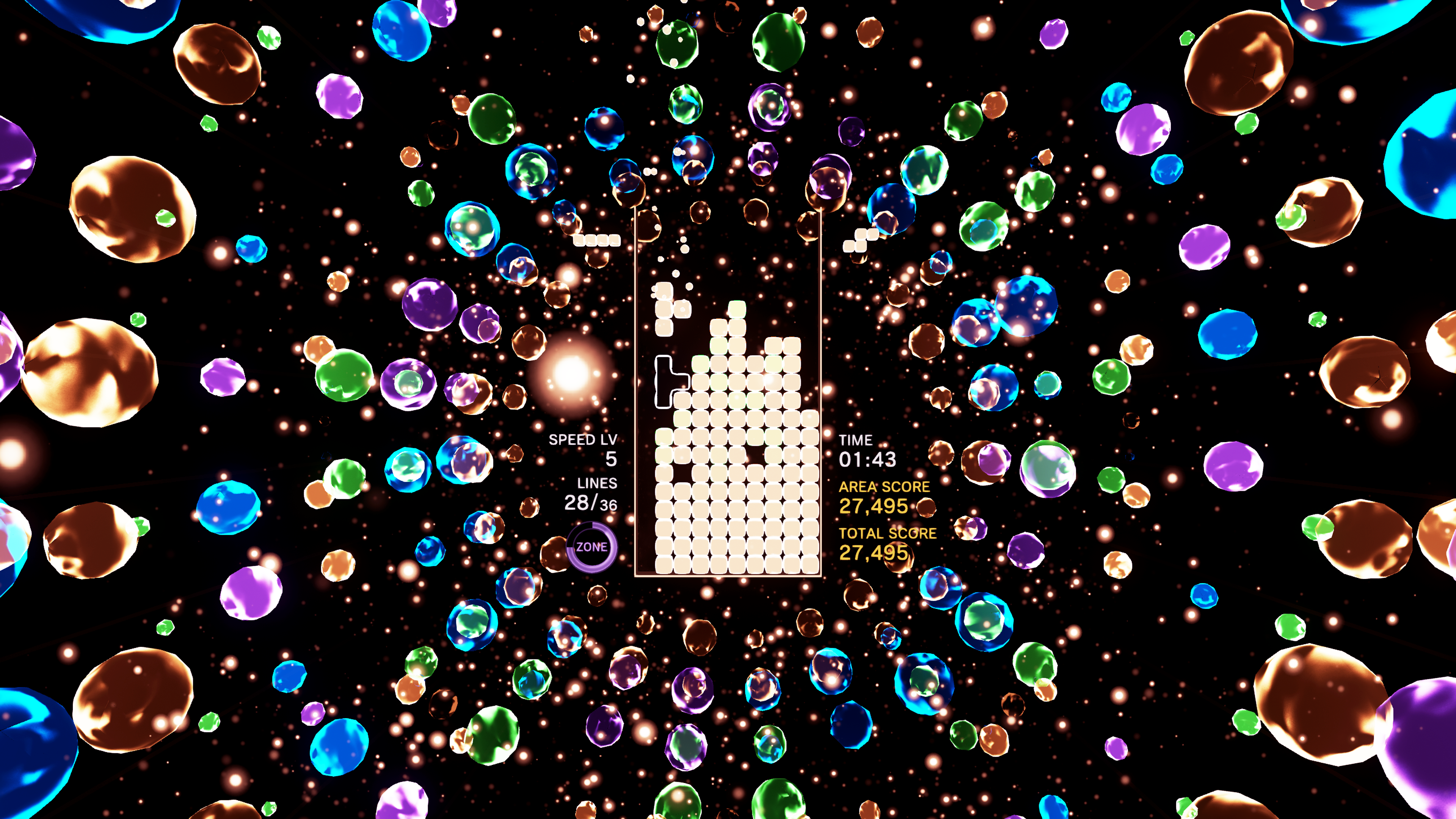
– Customized Colors: These are often elaborate and can sometimes be distracting. You might consider switching this setting off to revert to high-contrast colors.
– Classic Colors: By turning off the customized colors, blocks will display in their traditional bright colors, enhancing visibility and making it easier to distinguish between different shapes.
4. Visual Effect Adjustments
If the visual effects are too intense, you can modify them to your liking:
– Brightness Reduction: Decreasing brightness of effects such as line clears and pulsating blocks can create a more serene visual environment.
– Effect Toggle: There’s also the option to turn off certain effects entirely, which can significantly declutter the visual experience and help maintain focus on gameplay without overwhelming distractions.
Conclusion
By effectively utilizing the combination of camera adjustments, zoom settings, simplified color themes, and control over visual effects, players can customize their experience in Tetris Effect to enhance clarity and reduce distractions. This not only supports personal preferences but can also improve overall performance in gameplay. Whether you’re a new player or a seasoned veteran, these settings can help you find the perfect balance between aesthetic enjoyment and gameplay clarity.



Leave a Reply