
Course IDs in Super Mario Maker serve as foundational elements for sharing and discovering user-created courses. Here’s a comprehensive overview of how to find and share Course IDs, along with crucial details about their functionalities:
Finding and Sharing Course IDs
To share your unique course with others after uploading it in Super Mario Maker 2, follow these steps:
1. Access Course World: From the main menu, select the Course World option.
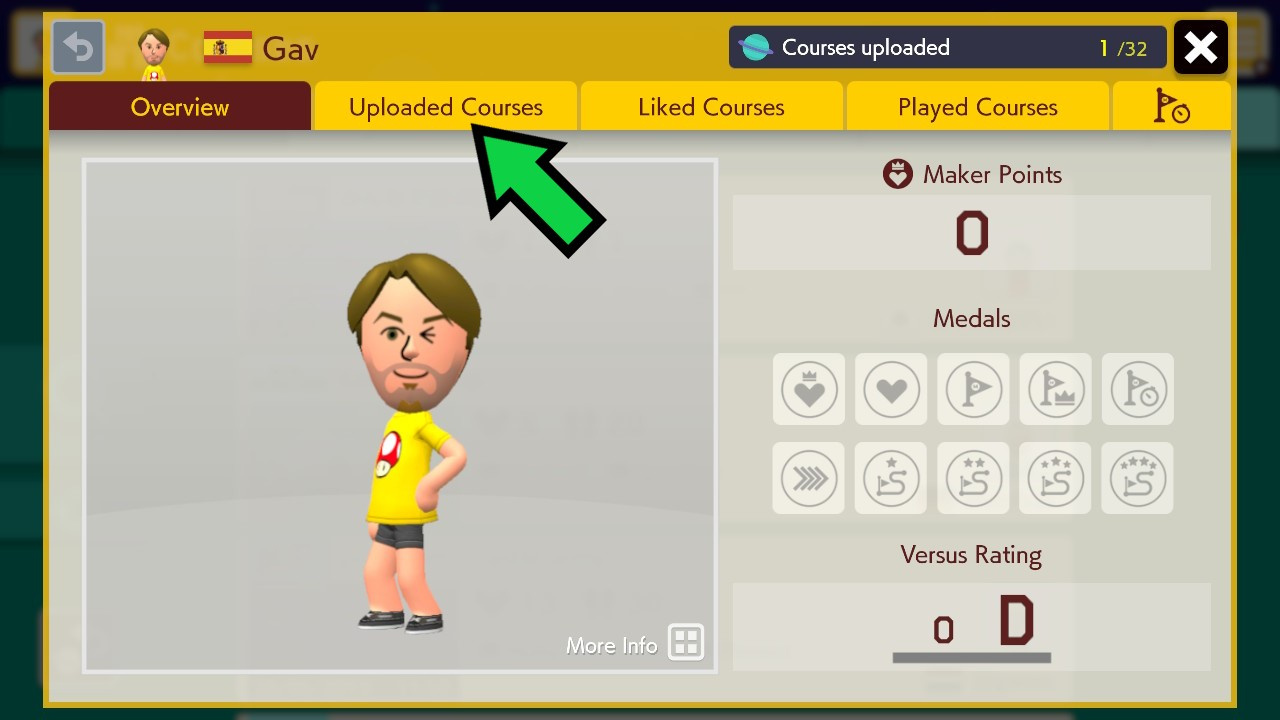
2. View Maker Profile: Press the ‘Y’ button or tap on the profile icon located in the corner of the screen to access your Maker Profile.
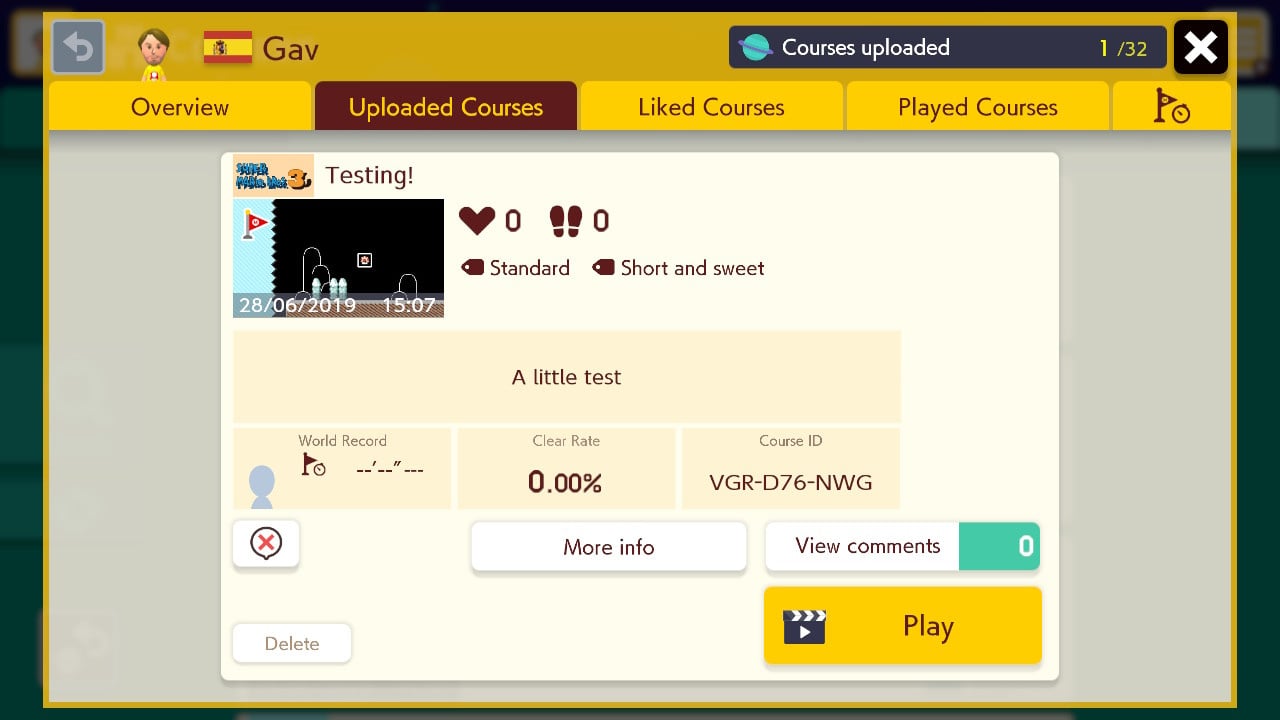
3. Navigate Uploaded Courses: In your Maker Profile, find the section dedicated to your Uploaded Courses.
4. Reveal Course ID: Select the specific course you wish to share. This action will display its unique Course ID, a distinct alphanumeric code that identifies it in the system.
5. Share the Course ID: You can now share this Course ID with friends or the broader community so they can locate and play your course online.
Important Considerations Regarding Course IDs and Sharing
– Completion Requirement: Before you can upload a course and receive a Course ID, you must successfully complete it. This rule ensures that only playable and fully tested levels are shared with the community.
– Course Modifications: While others can download, play, and modify your course, altered versions cannot be re-uploaded as new courses with their own Course IDs. This restriction is in place to protect against content theft and unauthorized sharing of creations.
– Course Removal Policies: Nintendo enforces certain policies regarding course visibility. If a course does not receive enough player stars within a designated period, it may be removed from the online platform. Once deleted, the Course ID becomes invalid, and the course can no longer be accessed.
– Upload Limitations: Initially, players face restrictions on the number of courses they can upload. However, this limit can be increased by earning stars from other players, encouraging creators to design engaging and enjoyable levels.
Conclusion
Course IDs are essential tools within Super Mario Maker 2 for sharing custom levels. They not only facilitate direct access to your creations but also play a key role in the sharing community. By understanding how to effectively use these identifiers, players can ensure their courses reach a wider audience and contribute to the vibrant world of user-generated content in the game.



Leave a Reply