
Undertale, an innovative RPG, offers players the ability to resolve encounters non-violently through the ACT command during battles. When players opt for this command, they are presented with various interaction options in a sub-menu tailored to the enemy they face. These options may include “Check,” “Talk,” “Compliment,” “Threaten,” and other specific responses. Each choice interacts with the enemy’s mood and behavior, often leading to less aggressive encounters and ultimately setting the stage for a peaceful resolution.
Key Features of the ACT Command:
1. Check Option: This is often the first step in engaging with an enemy. It provides critical information about the enemy’s stats, including their health points (HP) and general mood. Understanding these attributes can guide players in deciding the most effective subsequent action to take.
2. Unique ACT Choices: Each enemy in Undertale has specific ACT options that influence their reactions differently. This variety encourages players to experiment. Success with certain ACTs can change an enemy’s demeanor, making them friendlier or less hostile.
3. Impact on Enemy Behavior: Successfully engaging with the correct ACTs can lead to reduced enemy attacks or a shift in their behavior, often leading to simpler attack patterns that are easier to evade. This dynamic creates a more strategic element to battle.
4. Transition to SPARE: Once an enemy’s HP is sufficiently low, and they show signs of non-aggression due to the right interactions, the SPARE command becomes available. Choosing to spare an enemy allows players to end the confrontation peacefully, reaffirming the game’s emphasis on mercy.
5. Story Influence: Engaging non-violently alters the game’s narrative, promoting the Pacifist route. This path is characterized by the avoidance of conflict and the preservation of all life, which aligns with the overarching theme of empathy and connection.
Steps for Using the ACT Command:
1. Open the Command Menu: During your turn in battle, press the designated button or key to open the menu.
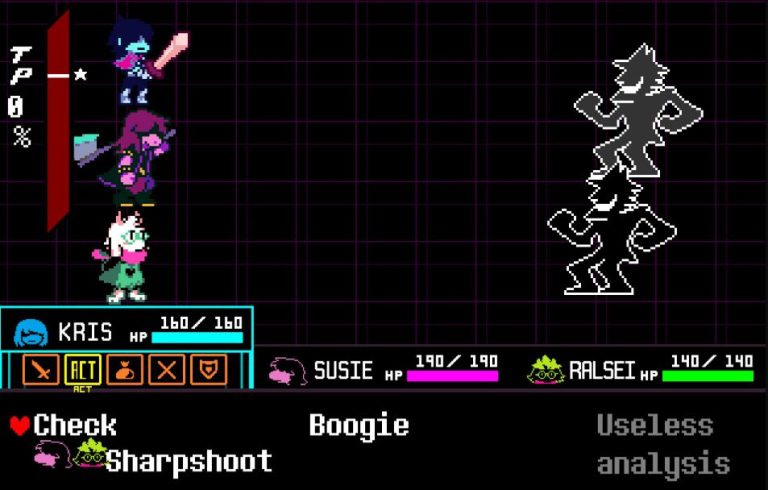
2. Select ACT: Choose the ACT option from the menu to access interactions specific to the enemy.
3. Choose the Enemy (if applicable): If multiple enemies are present, select the enemy you wish to interact with.
4. Select an ACT Option: Choose from the available ACT actions listed in the submenu.
5. Observe Reactions: Pay attention to the enemy’s response to your action, and adjust your strategy based on their mood and behavior.
This gameplay mechanic embodies the core theme of Undertale, advocating for resolution through dialogue and empathy over violence. It encourages players to think critically about their interactions, fostering a more nuanced approach to conflict resolution in gaming. By integrating these concepts into gameplay, Undertale not only delivers an engaging experience but also presents a powerful message about kindness and understanding.


Leave a Reply