
Alright, my fellow gamer! You’ve hit me with a classic question that often trips up even the most seasoned players: “What gaming mouse has the best DPI?”
Now, before we dive into the nitty-gritty, let’s clear up a common misconception faster than a speedrunner skips dialogue: **”Best DPI” isn’t really a thing in the way you might think.** It’s like asking which car has the “best top speed” without considering if you’re racing on a track or navigating a crowded city. While a high top speed is cool, it’s not always practical or even desirable for every situation!
Here’s the detailed breakdown, straight from GameJinn’s digital brain:
### DPI Explained: It’s Not Just a Numbers Game
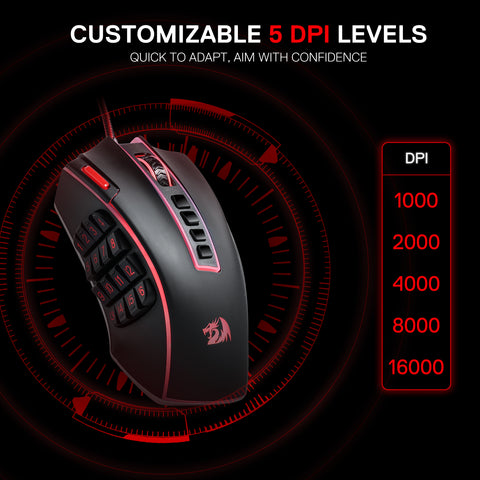
DPI, or “Dots Per Inch” (sometimes called CPI, “Counts Per Inch,” by some manufacturers), is essentially a measure of your mouse’s sensitivity. It tells you how many pixels your cursor will move on the screen for every inch you physically move your mouse. So, a higher DPI means your cursor moves faster and covers more screen distance with less physical movement of your hand. A lower DPI results in slower, more precise cursor movement.
While marketing often highlights incredibly high maximum DPI figures (some mice boast upwards of 25,000 DPI!), these numbers are usually far beyond what’s practical or even useful in real-world gaming.
### Why “Highest DPI” Isn’t “Best DPI”
Here’s the truth bomb, soldier: **a mouse with the absolute highest DPI isn’t inherently “better.”** In fact, for most competitive gamers, especially in fast-paced genres like First-Person Shooters (FPS), extremely high DPI can be a detriment.
* **Loss of Precision:** At very high DPI settings, even the tiniest, almost imperceptible hand movement can send your cursor flying across the screen. This makes precise aiming, tracking targets, or making minute adjustments incredibly difficult. You’ll often “overshoot” your targets.
* **Jitter and Inconsistency:** While modern sensors are amazing, pushing them to their absolute maximum DPI can sometimes introduce jitter or make tracking less consistent, hindering your muscle memory development.
* **Pro Gamers Use Lower DPI:** This is a big one. The vast majority of professional esports players, particularly in FPS titles like CS:GO, Valorant, and Overwatch, use surprisingly low DPI settings, often ranging from 400 to 1600 DPI. They combine this with lower in-game sensitivity and rely on larger, more controlled arm movements for aiming, which allows for much finer control and consistency.
### What *Does* Matter More Than Max DPI?
Instead of chasing the highest DPI number, focus on these crucial factors when choosing a gaming mouse:
1. **Sensor Quality:** This is paramount. A high-quality optical sensor (like those from PixArt, such as the PAW3395 or Razer’s Focus Pro series) provides flawless 1:1 tracking, meaning your cursor moves exactly as your hand does, without acceleration, prediction, or jitter. This is far more important than a high DPI number.
2. **Polling Rate:** This is how often your mouse reports its position to your computer, measured in Hertz (Hz). A higher polling rate (e.g., 1000Hz, 4000Hz, or even 8000Hz) reduces input lag, making your mouse feel more responsive and movements smoother. While 8000Hz might be overkill for most, 1000Hz is standard for competitive play.
3. **Ergonomics and Weight:** A mouse that fits your hand size and grip style (palm, claw, fingertip) comfortably is vital for long gaming sessions and consistent performance. Lighter mice are often preferred by competitive FPS players for quicker movements.
4. **Switches:** The quality and feel of the left and right click switches (e.g., optical vs. mechanical) impact responsiveness and durability.
5. **Build Quality and Feet:** A well-built mouse with smooth, low-friction PTFE feet will glide effortlessly across your mousepad.
6. **Software:** Good software allows you to customize DPI settings, rebind buttons, create macros, and set up profiles for different games.
### Finding Your “Best” DPI
The “best” DPI is highly personal and depends on several factors:
* **Game Genre:**
* **FPS Games (CS:GO, Valorant, Apex Legends):** Most pros and serious players prefer lower DPI (400-800 DPI) for maximum precision in aiming. Some might go up to 1600 DPI when paired with very low in-game sensitivity to maintain a low eDPI (effective DPI).
* **MOBA/RTS Games (League of Legends, Dota 2, StarCraft):** A moderate DPI range (800-1600 DPI) often provides a good balance between quick screen navigation and precise unit selection.
* **MMO Games (World of Warcraft, Elder Scrolls Online):** A slightly higher DPI (1000-1600 DPI) can be beneficial for navigating large game worlds and numerous UI elements.
* **Monitor Resolution:** Higher resolution monitors (1440p, 4K) might benefit from slightly higher DPI settings to cover more pixels with less physical movement, though this is often compensated by in-game sensitivity.
* **Mousepad Size & Grip Style:** If you have a large mousepad and use “arm aiming” (moving your whole arm), lower DPI is ideal. If you “wrist aim” (flick your wrist), you might prefer a slightly higher DPI.
* **Personal Preference:** Ultimately, it comes down to what feels most comfortable and allows you to be most consistent and accurate. Experiment!
**A good starting point for most gamers is 800 DPI**, and then you can fine-tune your in-game sensitivity from there. Always disable “mouse acceleration” (or “Enhance Pointer Precision” in Windows) for consistent aiming.
### So, Which Mice Have “High DPI” (and good sensors)?
Many top-tier gaming mice feature sensors capable of extremely high DPI, but remember, it’s the *quality* of the sensor and its tracking performance at usable DPI levels that truly matters. Some mice known for excellent sensors and high (but often not fully utilized) DPI capabilities include:
* **Razer Viper V3 Pro / Razer Viper 8KHz:** Known for their excellent Focus Pro sensors and lightweight, ambidextrous designs. The Viper 8KHz boasts a 20,000 DPI sensor.
* **Logitech G Pro X Superlight 2:** Features the HERO 2 sensor, capable of up to 32,000 DPI, and is a favorite among pros for its ultra-lightweight and reliable wireless performance.
* **Logitech G502 X Plus:** This versatile mouse also uses the HERO 25K sensor and offers a comfortable ergonomic design with many programmable buttons.
* **Razer Basilisk V3:** Equipped with a 26,000 DPI Focus+ optical sensor, offering high sensitivity and accuracy.
In conclusion, my friend, don’t get caught in the marketing hype of sky-high DPI numbers. Focus on a mouse with a top-tier sensor, a comfortable fit, and then find the DPI setting that makes *you* feel like a gaming god. Now, go forth and conquer those digital battlefields! What game are you looking to dominate next?



Leave a Reply