
## How to Equip Spells in Memory Slots
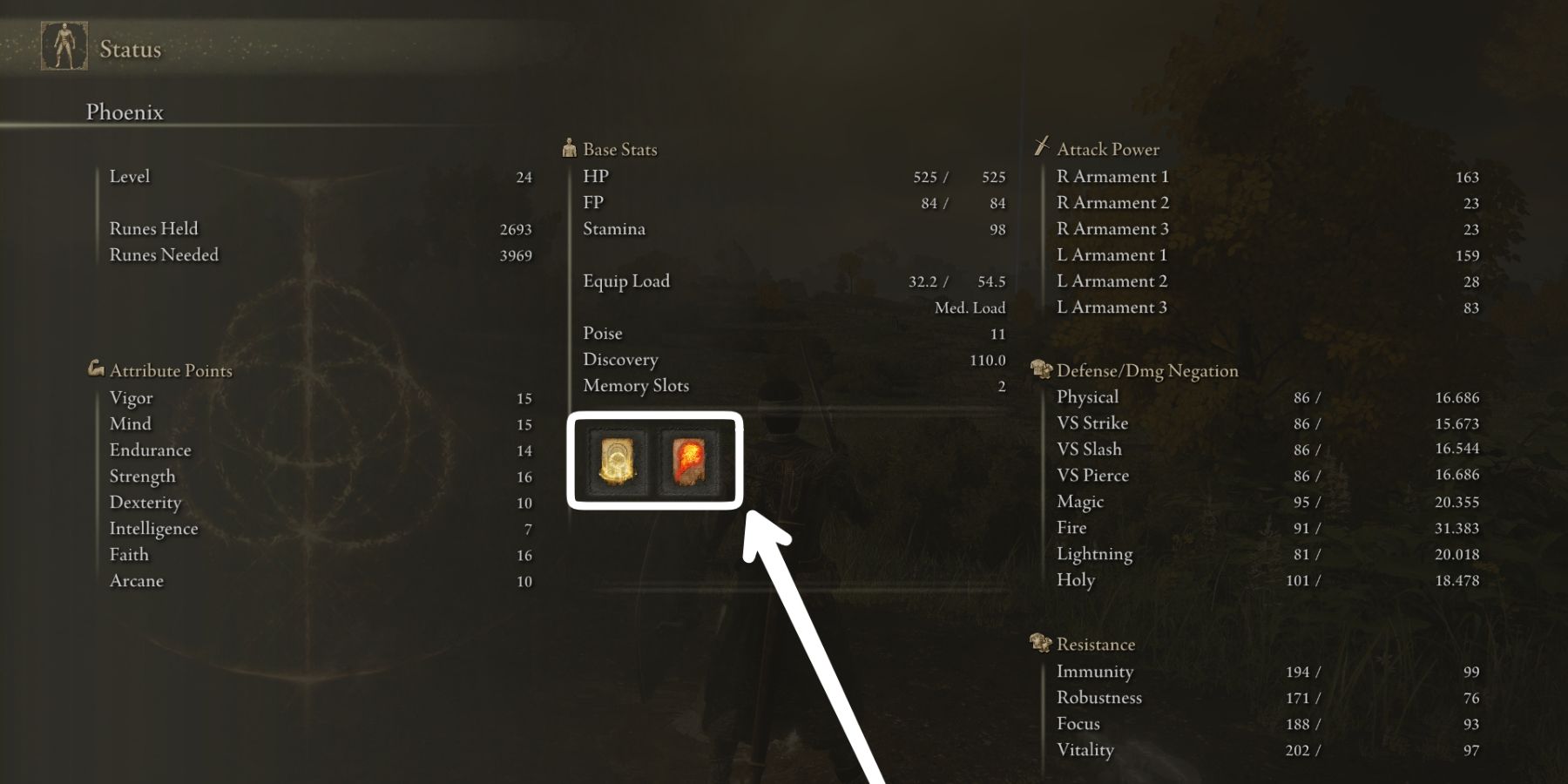
In Elden Ring, Memory Slots are specifically used to hold **Sorceries** and **Incantations**. You cannot place consumable items, weapons, or armor into these slots. To equip spells into your Memory Slots, follow these steps:
1. **Locate a Site of Grace:** Find and interact with any Site of Grace (the glowing checkpoints) scattered throughout the Lands Between.
2. **Select “Memorize Spell”:** Once resting at the Site of Grace, a menu will appear. Select the “Memorize Spell” option.
3. **Choose a Slot:** You will see a row of squares at the top of the screen representing your available Memory Slots. Click on an empty slot (or an occupied one you wish to replace).
4. **Select Your Spell:** A list of all Sorceries and Incantations currently in your inventory will appear. Select the spell you want to equip.
* **Note:** Some powerful spells require two or more Memory Slots to equip. If you do not have enough consecutive empty slots, the spell will be greyed out.
5. **Confirm and Exit:** Once you have filled your slots, simply back out of the menu. Your spells are now “memorized” and ready for use.
## Requirements for Using Memorized Spells
Simply putting a spell in a Memory Slot does not allow you to cast it. You must meet the following three requirements:
### 1. The Correct Catalyst
You must have the appropriate tool equipped in one of your hand slots (Right Hand or Left Hand) to channel the magic:
* **Glintstone Staves:** Required to cast **Sorceries** (usually Intelligence-based).
* **Sacred Seals:** Required to cast **Incantations** (usually Faith-based).
### 2. Attribute Requirements
Every spell has minimum stat requirements. If your stats (Intelligence, Faith, or Arcane) are lower than the required amount, the spell icon will have a small red “X” over it in your HUD, and you will be unable to cast it even if it is equipped.
### 3. Focus Points (FP)
Casting spells consumes FP (the blue bar). If your blue bar is empty, you cannot cast spells. You can replenish FP using the **Flask of Cerulean Tears** or by resting at a Site of Grace.
## How to Increase Your Memory Slots
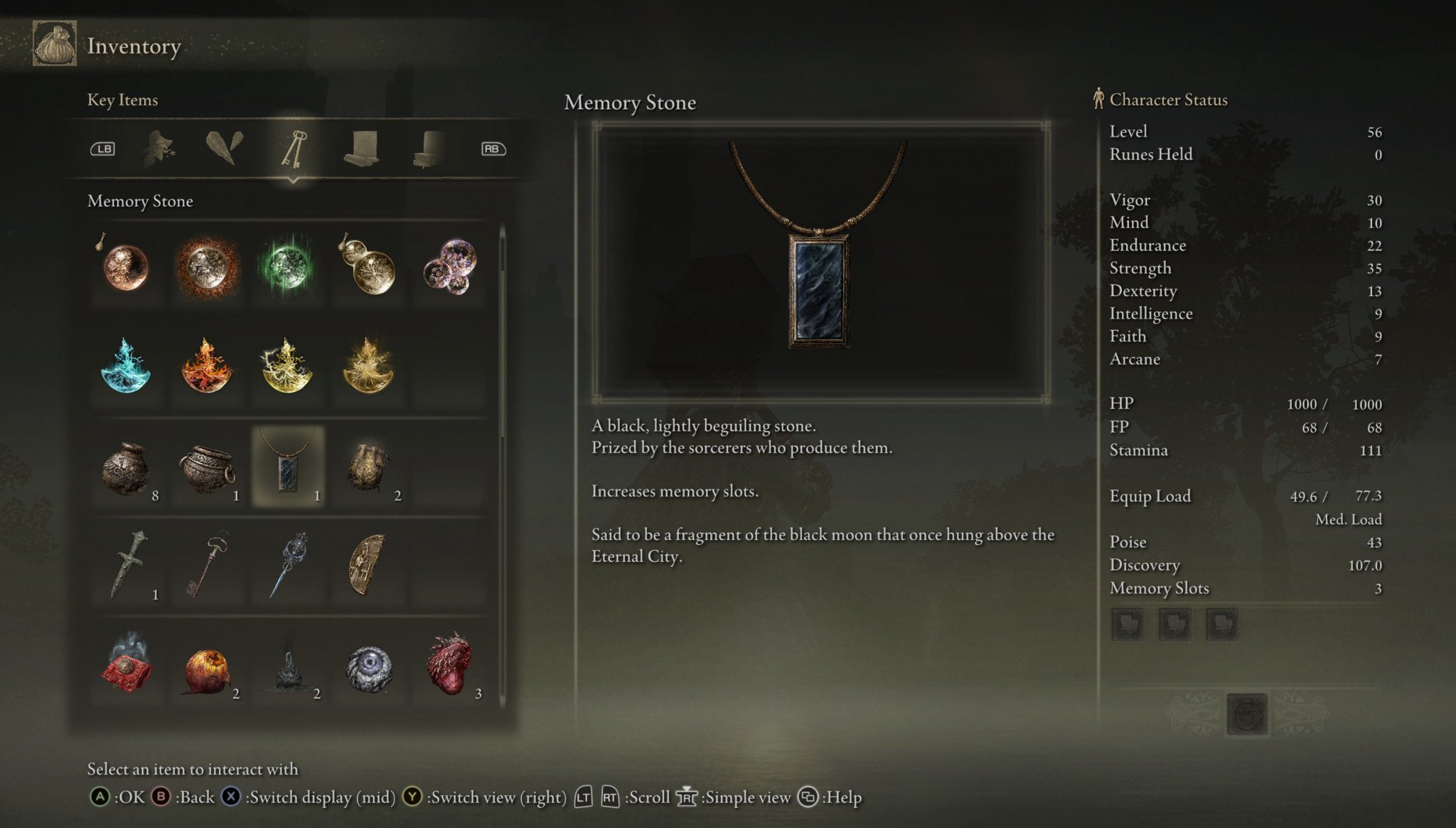
Every character starts with **2 Memory Slots**. To increase this number, you must find **Memory Stones**. These are “Key Items” that automatically increase your slot count by one just by sitting in your inventory; you do not need to “use” or equip them.
There are 8 Memory Stones available in the base game, allowing for a maximum of 10 natural slots.
### Memory Stone Locations
* **Roundtable Hold:** Purchased from the **Twin Maiden Husks** for 3,000 Runes.
* **Weeping Peninsula:** Found in a chest at the top of **Oridys’s Rise**. (Requires finding three “wise beasts” / ghost turtles nearby).
* **Liurnia of the Lakes (West):** Found in a chest at the top of the **Converted Tower**. (Requires using the “Erudition” gesture or jumping up the outside with Torrent).
* **Liurnia of the Lakes (North):** Found in a chest at the top of **Testu’s Rise**. (Requires another “wise beasts” puzzle).
* **Raya Lucaria Academy:** Dropped by the **Red Wolf of Radagon** boss.
* **Caelid (Dragonbarrow):** Found in a chest at the top of **Lenne’s Rise**. (Requires using the nearby Spiritspring to jump onto the balcony).
* **Mt. Gelmir:** Dropped by **Demi-Human Queen Maggie** near the Hermit Village.
* **Three Sisters (Liurnia):** Found in a chest at the top of **Seluvis’s Rise**.
### Additional Slots via Talismans
You can increase your slots beyond the limit of 10 by equipping the **Moon of Nokstella** talisman. This legendary talisman provides **2 additional Memory Slots** while it is equipped, bringing the absolute maximum to 12. It is found in a chest at the highest point of **Nokstella, Eternal City**.
## Controlling Spells in Combat
Once spells are equipped in your Memory Slots:
* **Cycle Spells:** Press **Up on the D-Pad** to cycle through your memorized spells.
* **Quick Reset:** Hold **Up on the D-Pad** for a second to instantly jump back to the spell in your first (top) slot.
* **Cast Spell:** Press the **Light Attack** button (**R1/RB** or **L1/LB**) corresponding to the hand holding your Staff or Sacred Seal.


Leave a Reply