
Guide to Effective Communication Using the Ping System in Apex Legends
Communication is vital in Apex Legends, especially during intense gameplay situations where voice chat may not be feasible. The intuitive ping system allows players to convey important information seamlessly. Here’s a comprehensive guide on using pings effectively in-game.
Basic Pings
1. Single Press (Go Ping):
– Use this to indicate a location to explore or highlight a specific item like a weapon or Supply Bin. This helps direct your teammates’ attention without the need for verbal communication.
2. Double Press (Enemy Ping):
– This action highlights the presence of enemies. The visual marker changes color to signal a threat, ensuring your teammates are aware of danger in the vicinity.
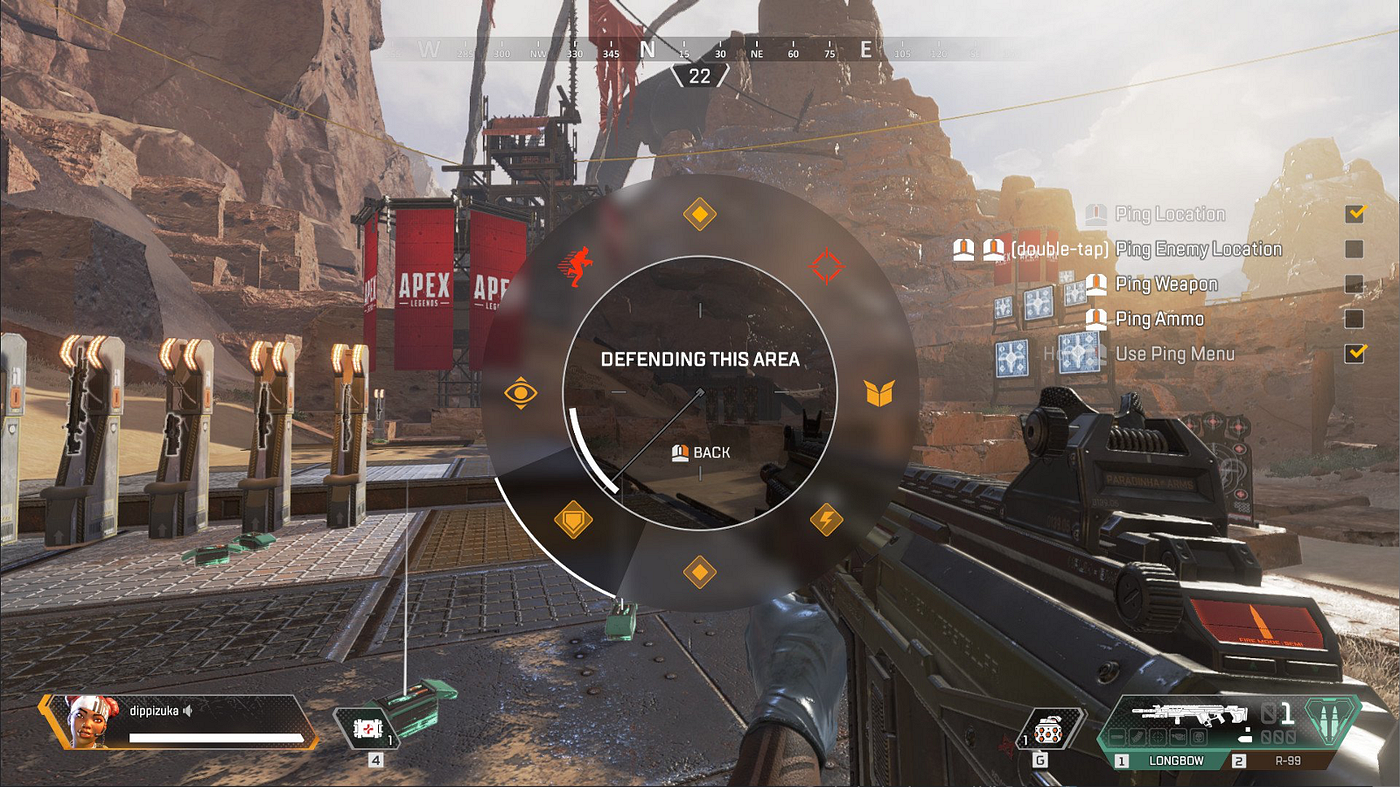
3. Hold and Release (Ping Menu):
– Holding the ping button opens the Ping Menu, offering various options such as “Looting,” “Defending,” or “Enemies Here.” This allows for versatile communication depending on the situation.
Contextual Pings
– Object-Specific Pings:
– pinging particular objects like loot or Supply Bins grants contextual information to your team. For example, pinging a health pack alerts teammates to its location and potential usage.
– Inventory Pings:
– You can also ping items from your inventory to request specific gear or ammunition from your teammates, fostering better coordination and resource management.
Responding to Pings
– Confirming/Agreeing:
– To agree with a teammate’s suggestion, hover over their ping and press the ping button. This reinforcement helps strengthen team strategies.
– Contextual Ping Menu:
– By hovering over a teammate’s ping, additional options such as “No” or “I can’t do that” appear. Utilizing these nuanced responses can help clarify intentions.
Canceling Pings
– Canceling a Ping:
– Should a ping become irrelevant, simply look at the marker and press the ping button again. Your character will then communicate that the information is no longer valid, preventing confusion.
Inventory Pings
– Requesting Items:
– Ping icons in your inventory to ask teammates for specific items. For example, pingging the ammunition icon signals a need for particular ammo types.
– Sharing Loot:
– If you have surplus items, you can drop them using right-click (for all teammates) or left-click (for a single item), facilitating team resource management.
Best Practices
– Consistency:
– Employ consistent ping strategies throughout the game. This ensures that your team can quickly interpret your intentions and act accordingly.
– Awareness:
– Maintain situational awareness and consistently use pings to update your team on enemy positions, loot discoveries, or strategic locations. This promotes effective coordination.
– Customization:
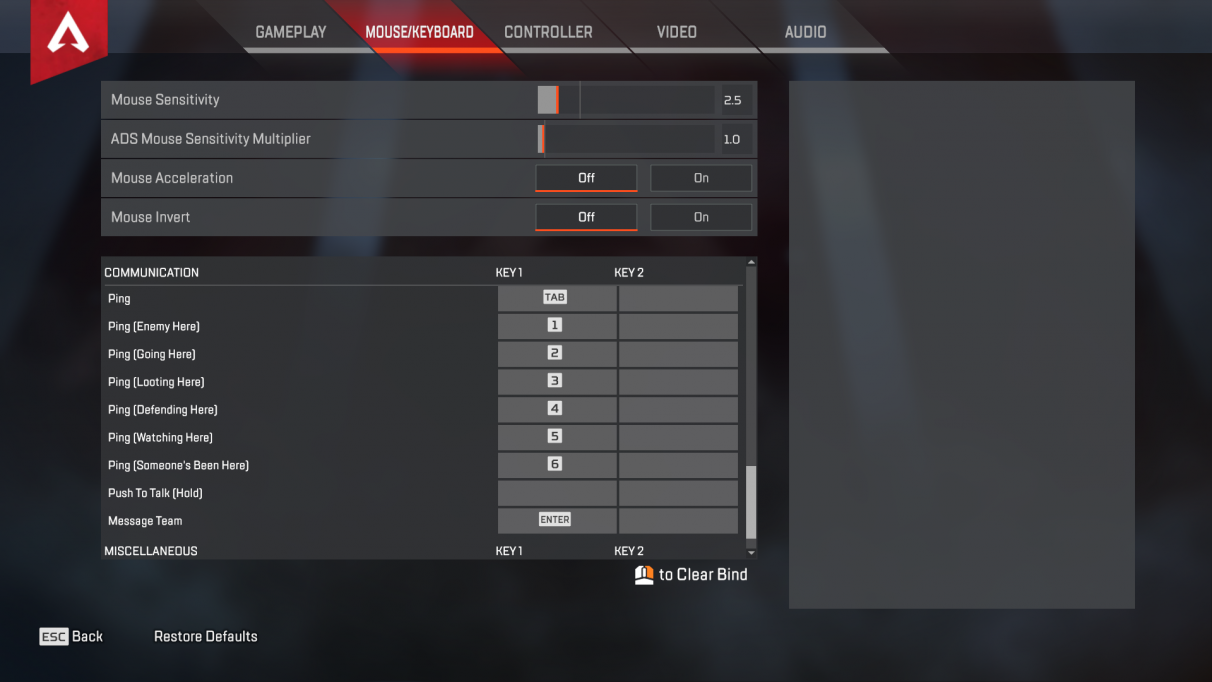
– Feel free to adjust your ping keybinds in the settings menu if the default controls don’t suit your playstyle. Customization improves your reaction time during crucial moments.
Conclusion
By mastering the ping system in Apex Legends, you significantly enhance your team’s communication and coordination. Utilizing basic, contextual, and inventory pings effectively can lead to greater success and enjoyment in the game. Practice these techniques to become a more strategic and informative teammate, helping your squad achieve victory.



Leave a Reply