
Astro’s Playroom is a delightful platformer that not only provides fun gameplay but also pays tribute to the rich history of PlayStation by incorporating themed artifacts, trophies, and experiences. To maximize your trophy collection, particularly the PlayStation-themed trophies, here’s a comprehensive strategy that encompasses exploration, interaction, and skill.
General Strategy for PlayStation-Themed Trophies
1. Collect All Artifacts in Each Main Stage
– Focus on collecting all PlayStation-themed artifacts scattered throughout the four main stages: Memory Meadow, SSD Speedway, Cooling Springs, and GPU Jungle. Each artifact you gather unlocks specific trophies and contributes to your overall progression towards the coveted Platinum trophy. Make sure to thoroughly search every nook and cranny within these levels.
2. Explore Every Corner in CPU Plaza and PlayStation Labo
– The hub areas, CPU Plaza and PlayStation Labo, contain crucial interactions necessary for unlocking certain trophies like “The Last Guy” and “This Way Up.” Engage with these spaces by looking for distinctive features and interactive elements, such as punching the PlayStation logo or triggering interactions with various bots and objects.
3. Interact with PlayStation Console Replicas and Accessories
– Many trophies are tied to interacting with models of iconic PlayStation hardware. For instance, standing or maneuvering around the PlayStation 2 console, PS VR Aim Controller, or Move controllers is essential. Engage in activities that require climbing or navigating these representations, as some trophies necessitate reaching specific points on these objects.
Specific Tips for Key PlayStation-Themed Trophies
– “The Last Guy”
– To earn this trophy, you need to gather 20 Astro Bots to follow you in CPU Plaza. Initiate the process by punching nearby Astro Bots and continue moving through the area, ensuring they keep up with you until the trophy unlocks.
– “This Way Up”
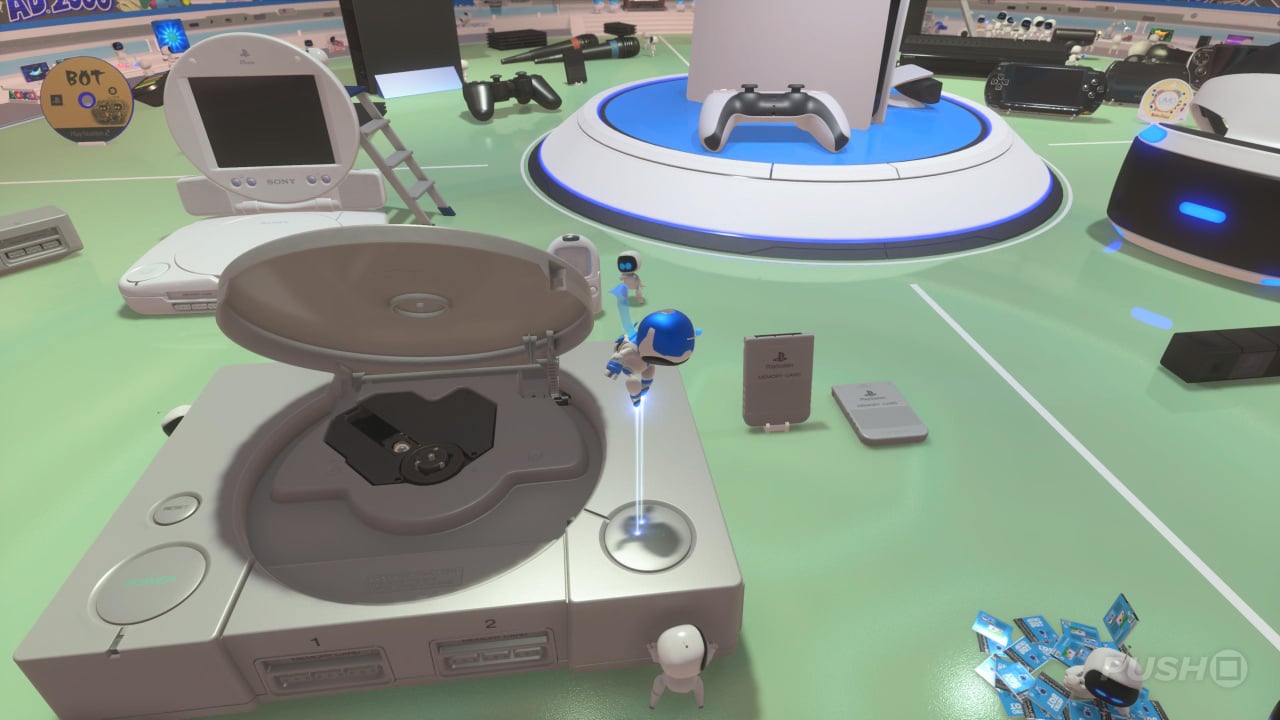
– First, ensure you collect the PS2 artifact from SSD Speedway. Then, make your way to PlayStation Labo, locate the PS2 console and utilize the ladder to ascend the console. Once atop, punch the PS2 logo situated on the disc drive to unlock the trophy.
– “The Very Far Point…”
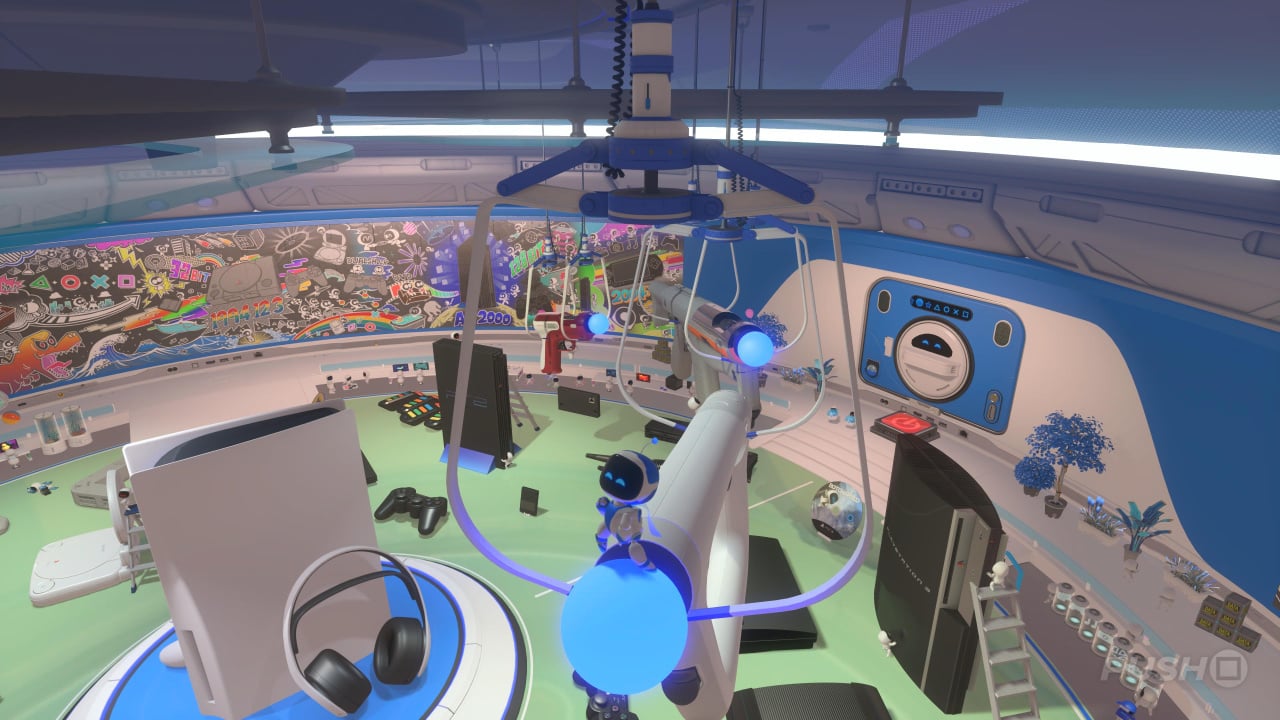
– For this trophy, collect the PSVR Aim Controller artifact from GPU Jungle, along with any other relevant peripherals such as PS Move controllers. Ascend to the PS2 in PlayStation Labo, and carefully navigate to the hanging accessories. Finally, jump to the luminous tip of the Aim Controller for the trophy to register.
Additional Recommendations
– Follow Trophy Guides and Maps
– Utilize online trophy guides with mapped out locations, such as those from PSNProfiles and PushSquare, to efficiently locate all artifacts and maximize your trophy collection efforts.
– Practice Platforming and Climbing Skills
– Some trophies will challenge your jumping and climbing abilities, especially in areas like PlayStation Labo where vertical puzzles can be intricate. Spend time mastering your movement to enhance your chances of success.
– Collect Artifacts Early
– Prioritize artifact collection during your initial playthrough of each area. This approach helps avoid backtracking later on, streamlining your trophy hunting process.
By combining these strategies with a spirit of exploration and interaction, you can effectively uncover the PlayStation-themed trophies nestled throughout Astro’s Playroom, enriching your gaming experience while showcasing the legacy of PlayStation through its beloved hardware. Happy trophy hunting!


Leave a Reply