
In the action RPG Black Myth: Wukong, the save and checkpoint system is designed to balance the game’s challenge with player convenience. This system features both an autosave mechanism and dedicated checkpoints through Keeper’s Shrines, enhancing the overall player experience. Here’s a comprehensive overview of how these elements function, along with best practices for maximizing their benefits.
Autosave System
– Automatic Save Points: The game employs an autosave mechanism that activates at critical junctures, such as entering new areas, defeating major adversaries, or completing significant story events. This feature ensures that players’ progress is continually recorded without requiring manual saves, making for a seamless gameplay experience. Players can trust that their achievements are noted, allowing them to focus on exploring and enjoying the game without constant worry about losing progress.
Keeper’s Shrines
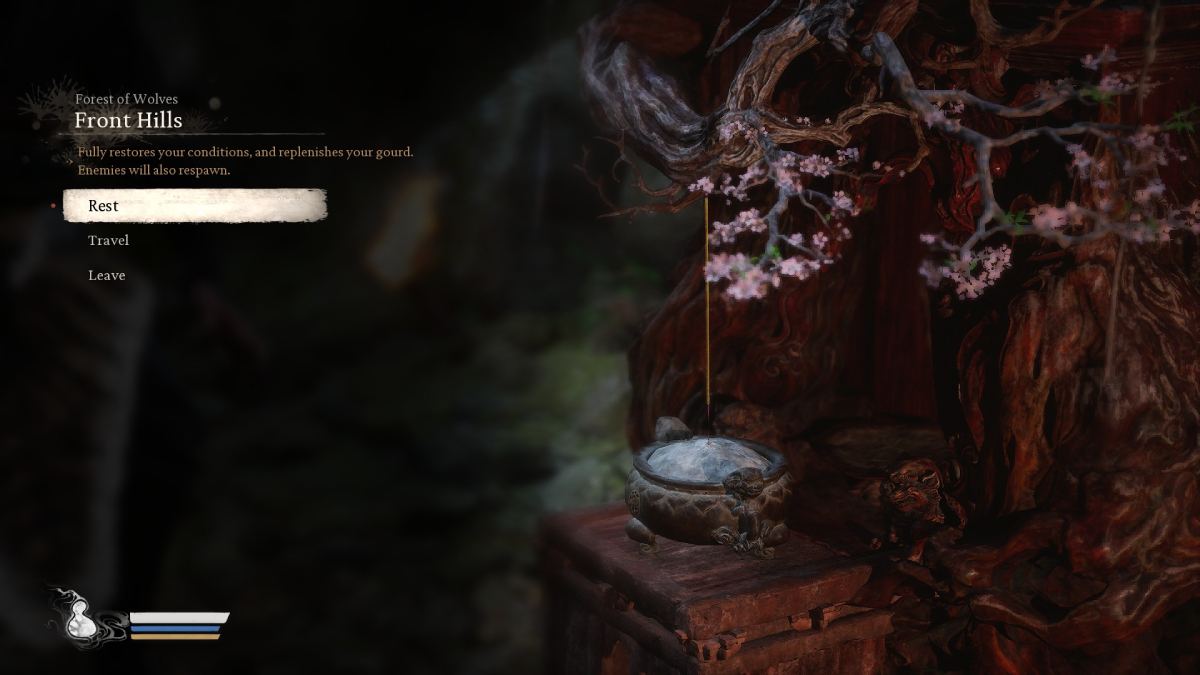
– Functionality: Keeper’s Shrines in Black Myth: Wukong provide multifaceted support for players. Upon first interaction, Wukong activates a shrine by presenting a strand of hair as incense. These shrines not only serve as save points but also enable fast travel between locations and allow players to rest, which is crucial for health and stamina restoration.
– Saving at Shrines: Players can manually save their progress by visiting a Keeper’s Shrine and selecting the “Rest” option. This action not only triggers a save but also restores health and stamina, providing a strategic benefit in challenging environments.
– Checkpointing: Upon dying, players respawn at the last visited Keeper’s Shrine, which mitigates the frustration of losing progress. The game doesn’t penalize players through item loss or experience recovery upon death, making it less punishing compared to other titles within the genre and allowing for a more forgiving experience.
Additional Features
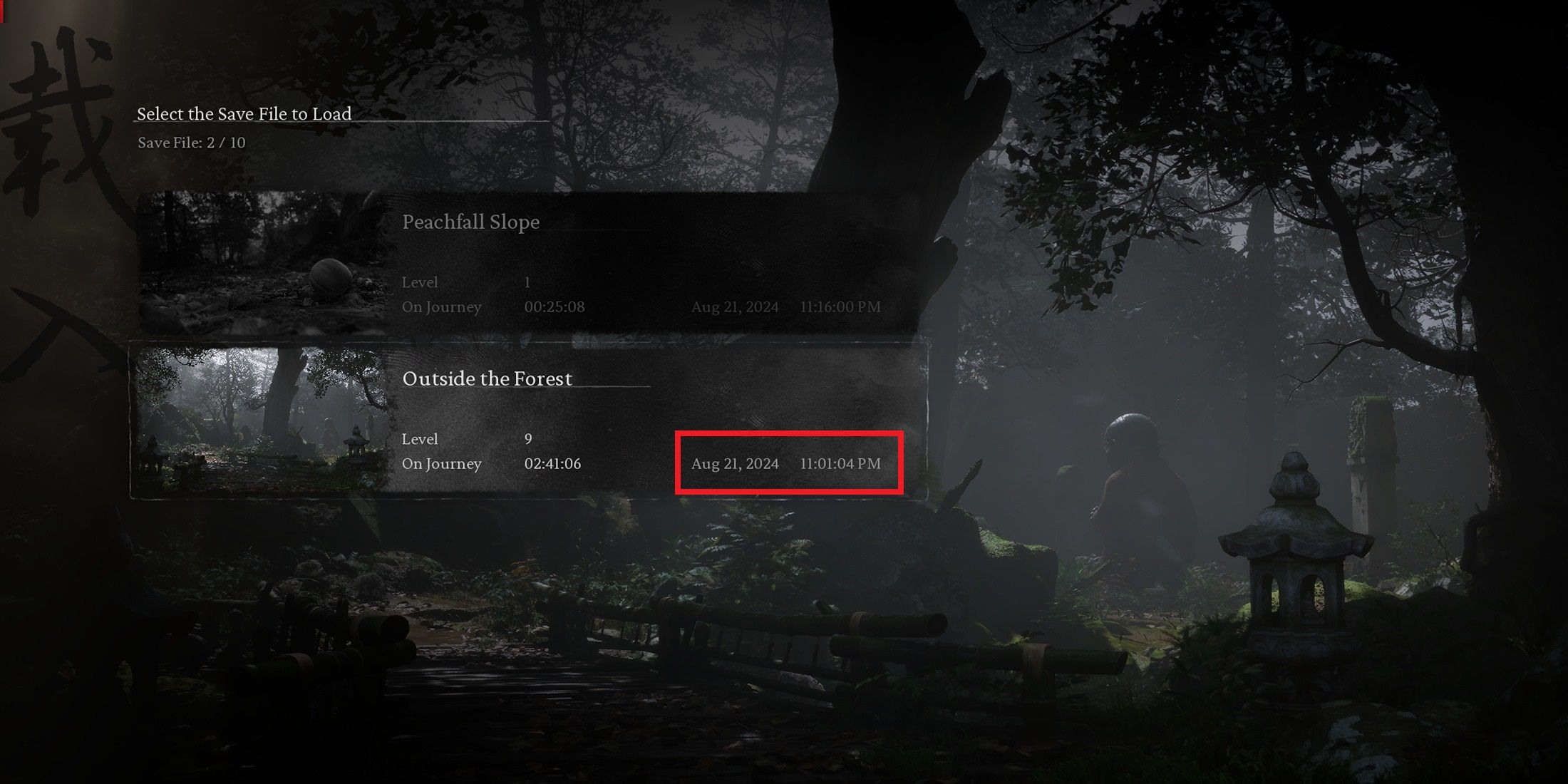
– Auto-Save Slots: Black Myth: Wukong offers ten autosave slots, permitting players to have multiple states of their progress saved. Although the autosave feature cannot be disabled, players have the option to delete autosave files from the main menu if they wish to manage their saved data.
– Progress Tracking: Each save file includes a timestamp for the last save, which aids players in verifying that their progress has been securely recorded before exiting the game. This feature is particularly beneficial for maintaining peace of mind while playing.
Best Practices
To effectively navigate the challenges of Black Myth: Wukong and to safeguard progress, players are encouraged to follow these best practices:
– Checkpoints as Safety Nets: Frequently visiting Keeper’s Shrines, especially before attempting challenging encounters or after considerable advancements, acts as a protective measure against potential setbacks.
– Save Often: While the autosave system is robust, it is recommended to utilize the manual save option at shrines, particularly before facing formidable bosses or embarking on lengthy gameplay sections. This strategy reinforces a player’s progress and minimizes the risk of losing key advancements.
Conclusion
Overall, Black Myth: Wukong’s save system effectively merges features typical of Souls-like games with modern autosave functionality. This thoughtful integration allows players to delve into the game’s challenging landscapes with confidence, fostering an engaging and immersive gaming experience. With reliable autosave points and strategic checkpoints provided by Keeper’s Shrines, players can navigate the intricacies of the game with a lesser fear of losing progress.

Leave a Reply