
To optimize your aim and performance in Call of Duty: Black Ops 6, follow this detailed guide on configuring your settings. Adjusting both input and sensitivity settings can significantly enhance your gameplay experience and precision in crucial moments.
Input Settings
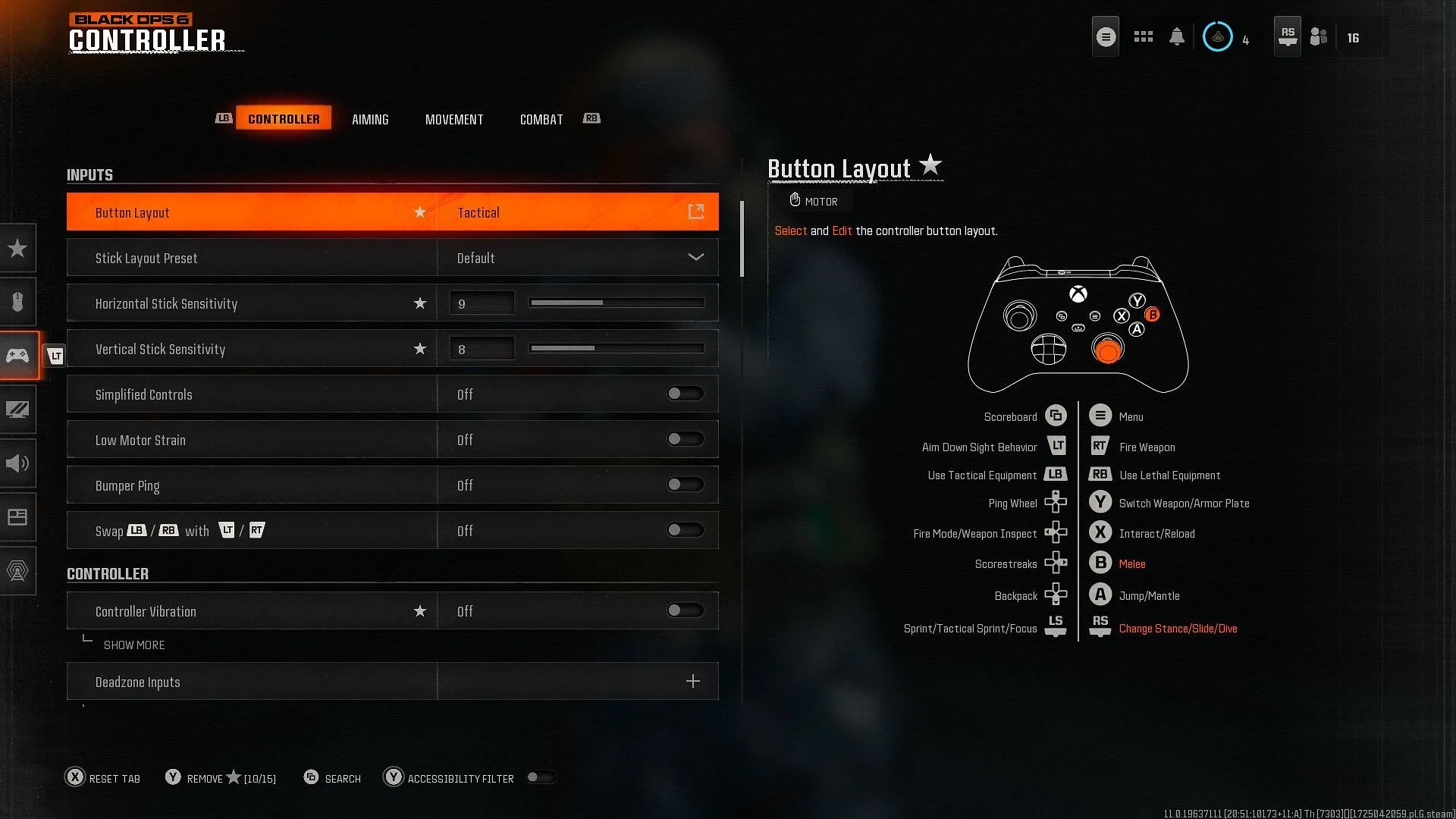
| Setting | Recommended Value |
|—————————–|——————————|
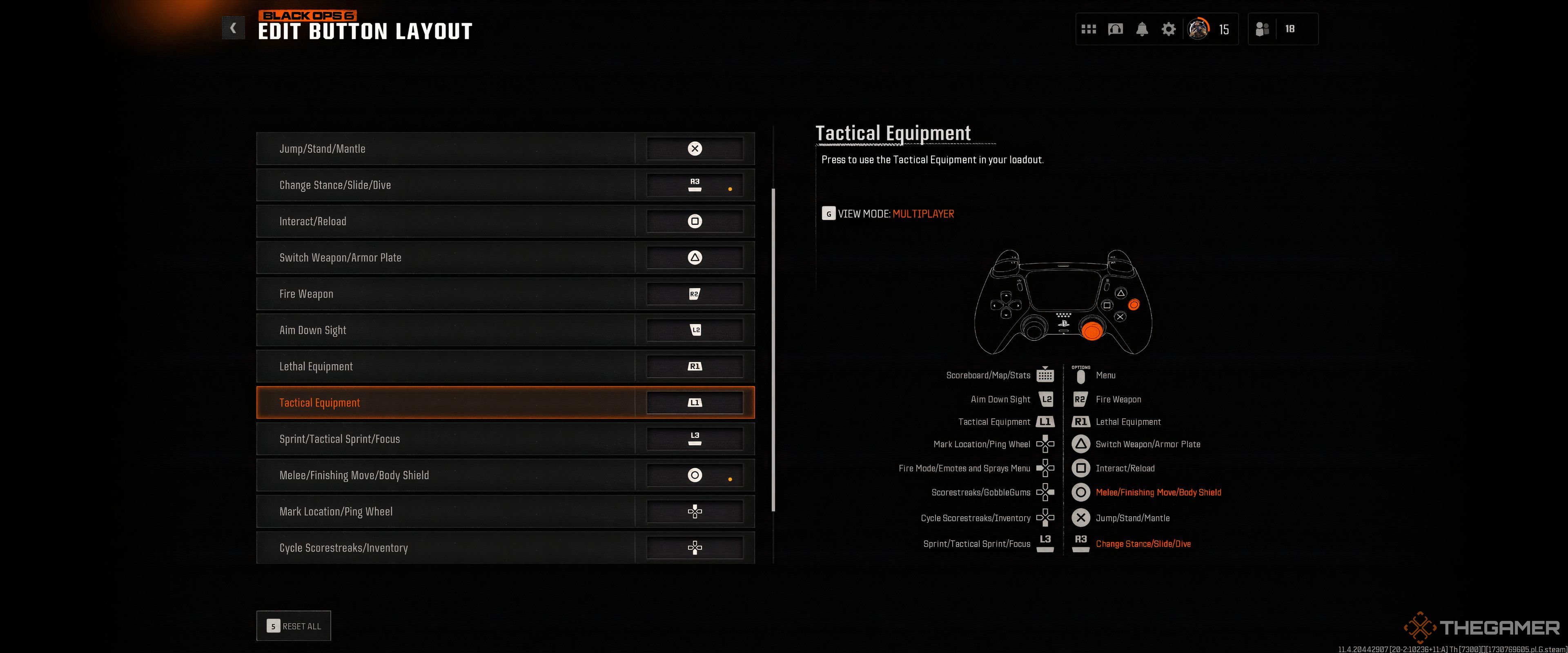
| Button Layout | Tactical |
| Stick Layout | Default |
| Horizontal Stick Sensitivity | 8 or 9 |
| Vertical Stick Sensitivity | 8 |
| Simplified Controls | Off |
| Low Motor Strain | Off |
| L1 Button Ping | Off |
| Swap L1/R1 with L2/R2 | Off |
Explanation:
– Tactical Button Layout: This allows for crouching and going prone using the right stick, keeping your fingers on the controls.
– Higher Stick Sensitivity: A setting of 8 or 9 for horizontal sensitivity is recommended for quicker reactions, especially during fast-paced encounters.
Deadzone Settings
| Setting | Recommended Value |
|—————————–|——————————|
| Sprint Assist | Off |
| Mantle Assist | Off |
| Crouch Assist | Off |
| Automatic Airborne Mantle | Off |
| Slide/Dive Behavior | Slide Only |
| Auto Door Peek | Off |
| Advanced | |
| – Sprint/Tactical Sprint Behavior | Toggle |
| – Auto Move Forward | Off |
| – Sprint Restore | On |
| – Slide Maintains Sprint | On |
| – Tactical Sprint Behavior | Single Tap Sprint |
Explanation:
– Turning Off Assists: This gives you more control over your movement and avoids unintended actions, especially during critical combat situations.
Combat Behaviors
| Setting | Recommended Value |
|———————————-|——————————|
| Aim Down Sight Behavior | Hold |
| Weapon Mount Activation | ADS + Melee |
| Equipment Behavior | Hold |
| Quick C4 Detonation | Grouped |
| Manual Fire Behavior | Press |
| Advanced | |
| – Change Up Directional Behavior| Ping |
| – Change Zoom Activation | Sprint/Tactical Sprint/Focus |
| – Weapon Mount Exit | Instant |
| – Interact/Reload Behavior | Tap to Reload |
| – Sprint Cancels Reload | Off |
| – ADS Stick Swap | Off |
| – Depleted Ammo Weapon Switch | On |
| – Scorestreak Reordering | Numerical Order |
Explanation:
– Hold for ADS and Equipment: This facilitates a smoother interaction with your weapons and equipment, allowing for more precise actions.
Aiming Advanced Settings
| Setting | Recommended Value |
|————————————|——————————|
| Look Inversion (On Foot) | Standard |
| ADS Sensitivity Transition Timing | Instant or Gradual |
| 3rd Person ADS Correction Type | Assist |
| Aim Response Curve Type | Linear or Dynamic |
| Custom Sensitivity For Zoom | On |
Explanation:
– Linear Aim Response Curve: Provides more predictable aiming behavior, ideal for fine-tuned adjustments in your shots.
Additional Tips
– Disable Controller Vibration: This minimizes distractions and improves your focus on aiming.
– Turn Off Motion Blur: Removing world and weapon motion blur helps you see clearer in action.
– Adjust First Person Camera Movement: Setting this to 50% reduces sudden jarring movements from explosions or rapid movements.
– Increase Field of View (FOV): Setting your FOV higher (around 100) grants better visibility of enemies, particularly in close-quarter battles.
Upgrading Your Controller
Consider investing in high-quality controller accessories. Products like KontrolFreek Performance Thumbsticks or Precision Rings can enhance your grip, accuracy, and overall control—especially beneficial when playing with higher sensitivity settings.
By applying these optimized settings and recommendations, you’ll likely notice significant improvements in both your aiming accuracy and overall performance in Call of Duty: Black Ops 6. Happy gaming!


Leave a Reply