
Exploring new planets and derelict ships in Citizen Sleeper 2: Starward Vector requires careful preparation and strategic resource management. To ensure successful expeditions and avoid being stranded, here are key strategies and tips to follow.
Key Strategies for Safe Exploration
1. Prepare Adequate Fuel and Provisions
– Fuel Consumption: When traveling, the amount of fuel you consume is directly related to the distance between locations. Always calculate how much fuel is needed before embarking on long journeys.
– Provisions for Staying: Provisions are essential for staying on a planet or ship for extended periods. Ensure you have enough supplies to last several cycles, enabling you to conduct thorough investigations without a premature return to base.
– Acquisition: Both fuel and provisions can be bought using Cryo at Trading Halls located in any Hub. Prioritize stocking up before embarking on exploration missions.
2. Manage Action Dice and Plan Your Moves
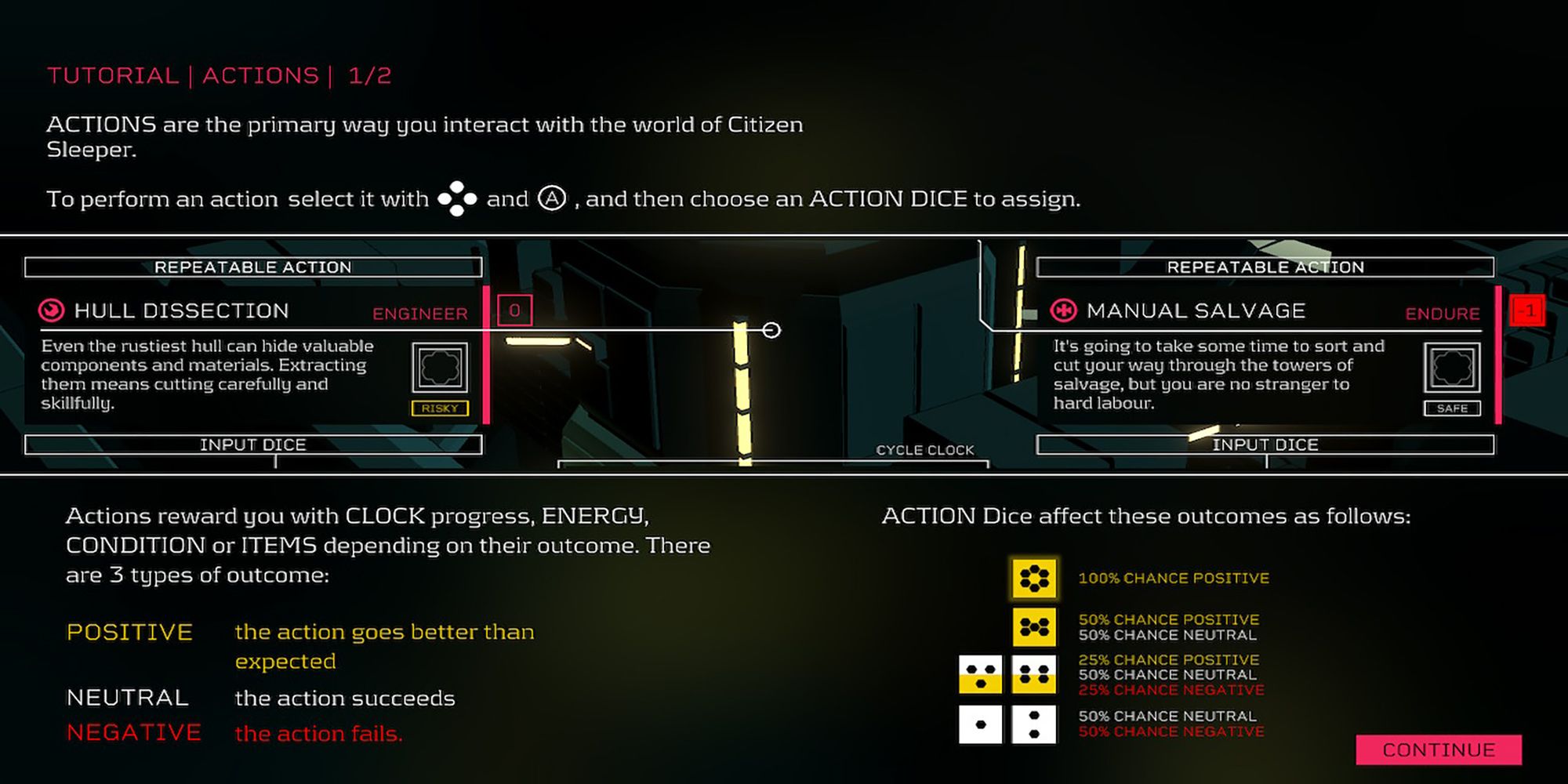
– Dice Allocation: Each cycle provides you with six dice that can be assigned to various tasks. Higher value dice should be reserved for high-risk activities, while lower dice can tackle less critical tasks. This strategy enhances your chances of successfully completing challenging actions.
– Dice Exhaustion: Be cautious; running out of action dice in a location may force you to wrap up exploration or use provisions to extend your stay, which can lead to an early exit if supplies run low.
3. Monitor Your Sleeper’s Condition
– Stability Management: Your Sleeper’s synthetic body has a stability rating that degrades over time. Utilize stabilizers to mitigate this decline and maintain operational efficiency.
– Energy Levels: Energy dictates how many actions you can perform in a cycle. Farm energy by resting or using food items, ensuring you are well-prepared for subsequent actions.
4. Utilize Contracts and Map Navigation
– Contract Objectives: Contracts serve as a roadmap for your exploration, providing objectives that unlock new narrative elements, characters, or items. Engaging with these contracts enriches the gameplay experience and can lead to valuable rewards.
– Mapping Active Locations: Explore various locations to unlock contracts and visually track them on the map. Ensure that you allocate sufficient resources and dice to fulfill these objectives, keeping safety at the forefront.
—
Summary Table: Safe Planet/Ship Exploration Essentials
| Aspect | Details | Tips |
|———————–|———————————————————–|——————————————————-|
| Fuel | Required for traveling between locations | Stock up generously; cost varies by travel distance |
| Provisions (Supplies) | Needed to remain multiple cycles at a location | Buy ample supplies to avoid a forced early exit |
| Action Dice | Utilized for various tasks; reserve higher dice for risky actions | Conserve high dice for critical tasks |
| Sleeper Condition | Stability and energy levels must be maintained | Use stabilizers; eat and rest to replenish energy |
| Contracts | Provide objectives and direction for exploration | Unlock and follow contracts carefully via the map |
| Planning | Balance travel logistics with supply needs | Always prepare thoroughly before venturing to new locations |
By honing your focus on resource management—ensuring an adequate supply of fuel and provisions, effectively managing your action dice and Sleeper’s condition, and diligently following contract objectives—you can confidently navigate the vastness of space, uncover new worlds, and salvage the secrets of derelict ships in Citizen Sleeper 2: Starward Vector. Enjoy your exploration!

Leave a Reply