
Joining or starting a crew in Grand Theft Auto Online enhances your gameplay experience by allowing collaboration with other players and forming a tight-knit community. Here’s a comprehensive guide on how to successfully join or create a crew:
Joining a Crew
1. Open the Pause Menu:
– Press the Start button on your console (PlayStation/Xbox) or the Esc key on your PC to access the game’s pause menu.
2. Navigate to Online Menu:
– From the pause menu, select the “Online” section to explore online features.
3. Find Crews:
– In the Online menu, look for “Crews” or “Cruise” to see the available crew options.
4. Select Suggested Crews:
– You can browse through suggested crews that are currently looking for new members. This is an excellent way to find a crew that matches your interests and play style.
5. Join Your Friend’s Crew:
– If you have friends already in a crew, select “Friends’ Crews” to view and request to join their crew directly.
6. Review Crew Information:
– Before committing, you can take a moment to review the crew’s member count, activities, and rules to ensure it aligns with your expectations.
7. Join the Crew:
– Once you find a suitable crew, select it and confirm your choice by clicking on the “Join Crew” option.
Starting Your Own Crew
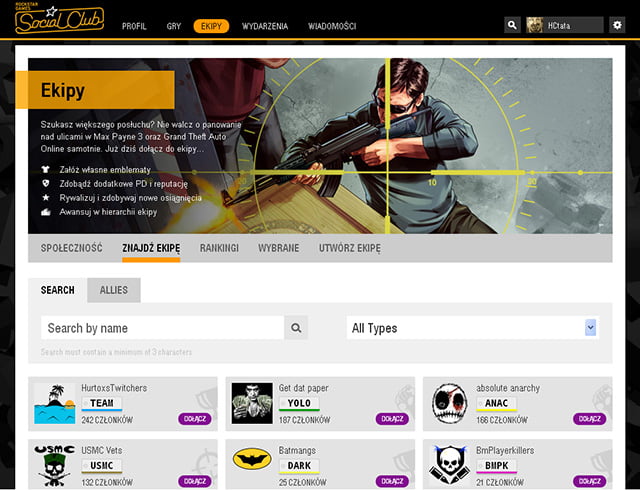
1. Access Rockstar Social Club:
– Go to the Rockstar Social Club website ([www.rockstargames.com](https://www.rockstargames.com)) and log in or create an account if you don’t have one.
2. Create a Crew:
– Navigate to the “Crew Creation” section on the site. Due to some ongoing issues, the direct link for creating a crew may be unavailable, so ensure you’re using the appropriate navigation options available once logged in.
3. Name and Customize Your Crew:
– Choose a unique name for your crew and personalize it with your logo and a description that reflects the crew’s identity and ethos.
4. Recruit Members:
– After creating your crew, you can invite friends or other players to join through in-game recruitment options or by sharing your crew’s details across various platforms.
5. Manage Your Crew:
– Manage your crew’s activities and members directly in GTA Online by accessing the crew management options within the game, ensuring smooth coordination among members.
Important Notes
– Session Changes: Keep in mind that when you join or leave a crew, you’ll disconnect from your current online session and may need to rejoin a new one.
– Activity Participation: Crews can participate in a wide array of activities ranging from crew battles to engaging in heists together, enriching your overall gameplay experience.
For any issues accessing the Social Club website for crew creation, you may want to check the Rockstar Newswire for the latest updates and support information. Joining or starting a crew can significantly enhance your gaming experience in GTA Online, allowing you to connect with others and engage in cooperative gameplay.


Leave a Reply