
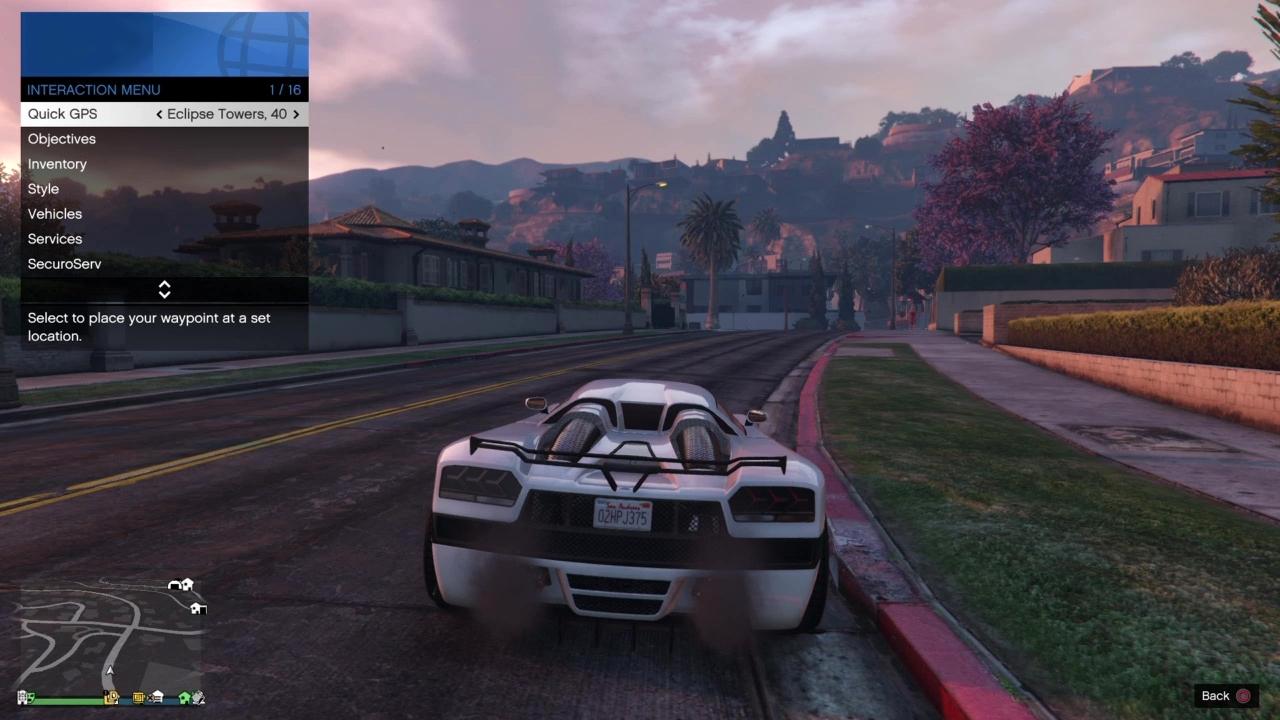
To optimize your gameplay experience in GTA Online, the Interaction Menu serves as a vital hub for customizing controls and gameplay. Here’s a breakdown of how to access the menu, alongside the key features and strategic tips for maximizing your gameplay.
Accessing the Interaction Menu
You can easily access the Interaction Menu on different platforms using the respective controls:
– PC: Press the M key.
– PS4/PS5: Hold the Touchpad.
– Xbox One/Series X|S: Hold the View button (formerly Select).
– Xbox 360: Hold the Back button.
– PS3: Hold the Select button.
Key Customization Features
1. Quick Access Tools
– Quick GPS: Instantly set waypoints to various locations like businesses, missions, or friends, enhancing your navigation efficiency.
– Inventory: Manage your snacks and body armor for mid-combat usage, as well as organize collected items without the need to visit a store.
– Style: Change your character’s outfit, accessories, and headgear on the fly, allowing for quick transitions.
2. Gameplay Modifiers
– Passive Mode: Activate this to become immune to player-versus-player (PvP) combat, though it won’t protect you in missions or events.
– Spawn Location: Designate your default respawn points, whether at a property or your garage for streamlined gameplay.
– Player Targeting: Adjust your aim settings by switching between Free Aim, Assisted Aim, and other modes to suit your playstyle.
3. Vehicle Management
– Request Personal Vehicle: Access your stored vehicles instantly, allowing for quick escapes or transport.
– Vehicle Access: Set permissions on who can enter your vehicles, choosing from options like Everyone, Friends, Crew, or No One.
– Service Vehicles: Utilize SecuroServ or Merryweather to summon vehicles including helicopters and specialty crafts.
4. Crew & Social Features
– Impromptu Races: Instantly challenge nearby players to races, promoting spontaneous gameplay.
– Crew Management: Monitor the status of your crew members for better coordination.
– Player Stats: View the ranks and kill-death ratios of other players to assess challenges and allies.
5. Combat Preferences
– Ammo Purchases: Restock your ammunition during missions for better preparedness.
– Challenges: Start contests for kill/death matches with other players.
– Deathmatch Weapons: Select your loadouts tailored for specific modes to pre-emptively strategize for battles.
Pro Tips
– Hotkey Efficiency: Assign snacks and armor to quick slots within the Inventory tab for rapid access during intense moments.
– Passive Mode Cooldown: Be aware of the 5-minute cooldown after exiting missions or events before you can reactivate Passive Mode[^1].
– Style Presets: Save up to 10 custom outfits for quick changes during heists or other missions, ensuring you remain adaptable.
For specialized settings related to CEO or Motorcycle Club abilities, navigate deeper into the submenus under SecuroServ or Motorcycle Club after registering as an organization leader.
Updates
Notably, the Interaction Menu has undergone improvements, particularly with the Chop Shop Update introduced in December 2023, which refined its layout and introduced new quick-action options, enhancing user experience and accessibility.
Conclusion
Understanding how to effectively utilize the Interaction Menu can significantly enhance your gameplay in GTA Online. By mastering its features and adapting them to your style, you can turn the tides in confrontations and streamline your operations within the game. Happy gaming!



Leave a Reply