
Using the “match cut” search function in Immortality allows players to creatively discover connections between clips in a visually engaging way. This guide outlines how to leverage this unique mechanism effectively.
Understanding the Match Cut Search
1. Image-Based Searching:
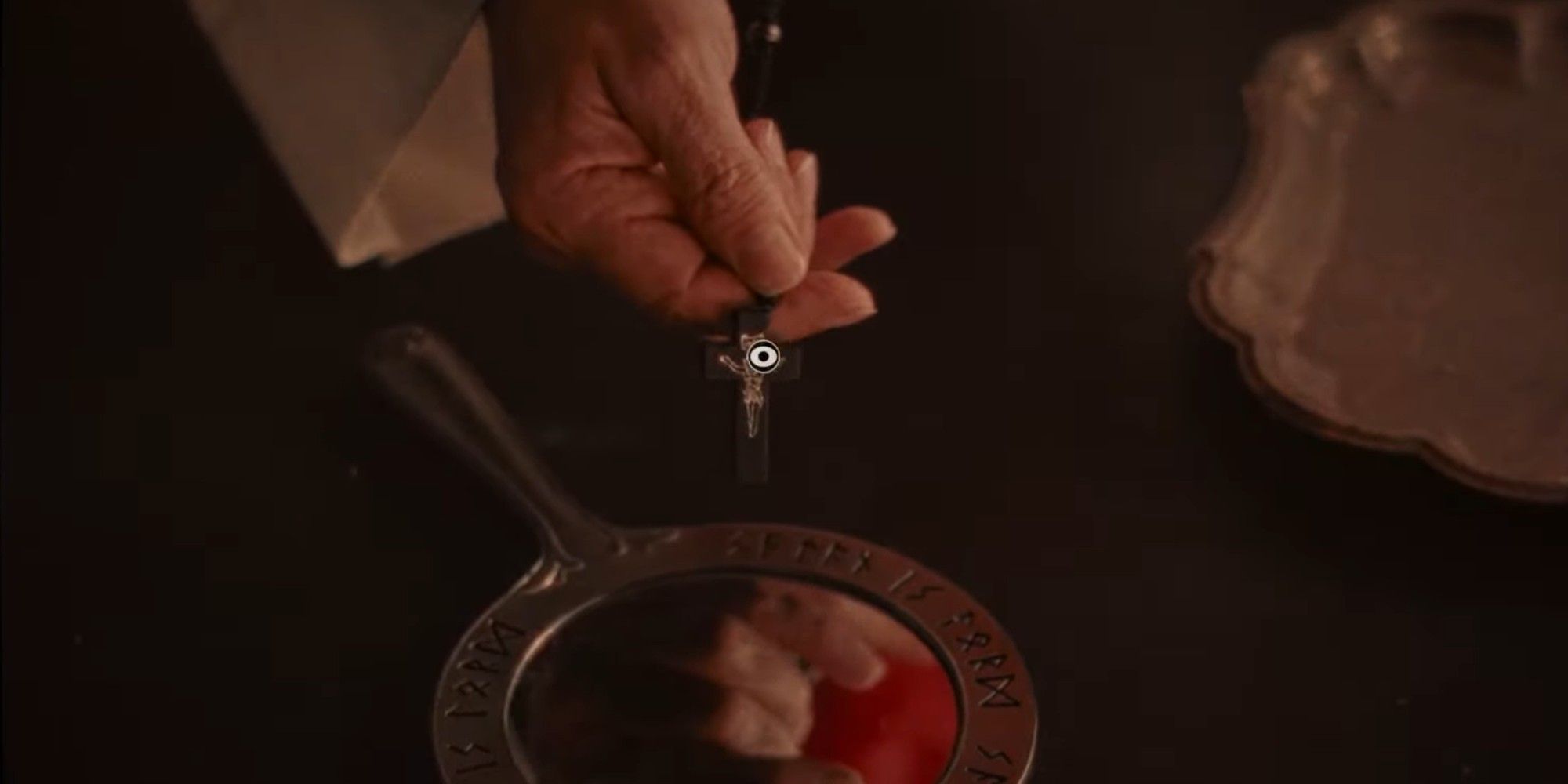
– Rather than relying on text inputs, the match cut system allows you to click on visual elements within clips. The game processes your selection and loads other clips featuring the same or similar objects/people.
2. Activating Image Mode:
– While watching a clip, activate “Image Mode.” Hover your cursor over the scene to locate selectable items. An eye icon will appear when you hover over clickable objects.
Types of Connections
1. Actor Connections:
– Selecting an actor’s face brings up clips featuring that actor across various films. However, it may be more productive to first explore unique props or crew member connections to maximize your findings.
2. Prop Connections:
– Clicking on props (e.g., clapperboards, doors, art) generates connections to other clips incorporating those same elements. Clapperboards, in particular, are beneficial for linking to numerous clips as they frequently appear at the beginning of scenes.
3. Thematic Connections:
– The search function also recognizes thematic similarities, linking clips based on broader concepts rather than identical items. This can reveal intriguing connections between different narrative elements.
Practical Tips for Efficient Searching
– Start with Unique Props: Focus on less common items, as they often lead to new clips that you haven’t discovered yet. This strategy can be more productive than clicking recurrently on main actors’ faces.
– Utilize Crew Members: After exploring unique props, consider examining crew members and interviewers, who typically appear in fewer clips compared to main actors.
– Click on Clapperboards: Since clapperboards are present in many filmmaking clips, they can help build your archive and progress towards achievements, like “Cinephile.”
– Revisit Clips: After unlocking new clips, return to previously discovered ones to search for any items or characters you haven’t yet explored.
Advanced Strategies
1. Organize Your Search: Maintain a record of the types of items and people you’ve already targeted with match cuts. This organization avoids repetition and ensures you’re capturing all potential connections.
2. Observe Background Details: Be mindful of subtle changes in the background or props between different takes, as these often hint at special connections that can lead to rare clips.
3. Unlock Special Clips: To achieve the game’s true ending, locate 10 hidden special clips, which often require a thorough investigation of rare or unique items in the match cut system.
Summary Table: Search Function in Immortality
| Method | How It Works | Efficiency Tips |
|————————–|————————————————|———————————–|
| Actor Face Click | Links to all clips featuring that actor | Use last due to high frequency |
| Prop/Object Click | Links to clips with the same/similar prop | Start with unique/uncommon props |
| Crew/Interviewer Click | Links to clips featuring that crew/interviewer | Use after props, before actors |
| Clapperboard Click | Links to various filmmaking/BTS clips | Use early to build archive |
By harnessing these strategies and understanding the match cut system fully, players can dive deep into Immortality and uncover the extensive narrative woven throughout the game’s clips.




Leave a Reply