
Accessing Fast Travel in Kingdom Come: Deliverance 2
Fast travel in Kingdom Come: Deliverance 2 is a valuable feature that enables players to navigate the expansive map quickly, saving both time and effort. Here’s a comprehensive guide on how to access and use fast travel effectively, along with some key considerations and tips to enhance your experience.
Steps to Fast Travel
1. Open the Map:
– For PC users, press the `M` key to bring up the map.
– Console players can open the map by pressing the `up` button on the d-pad.
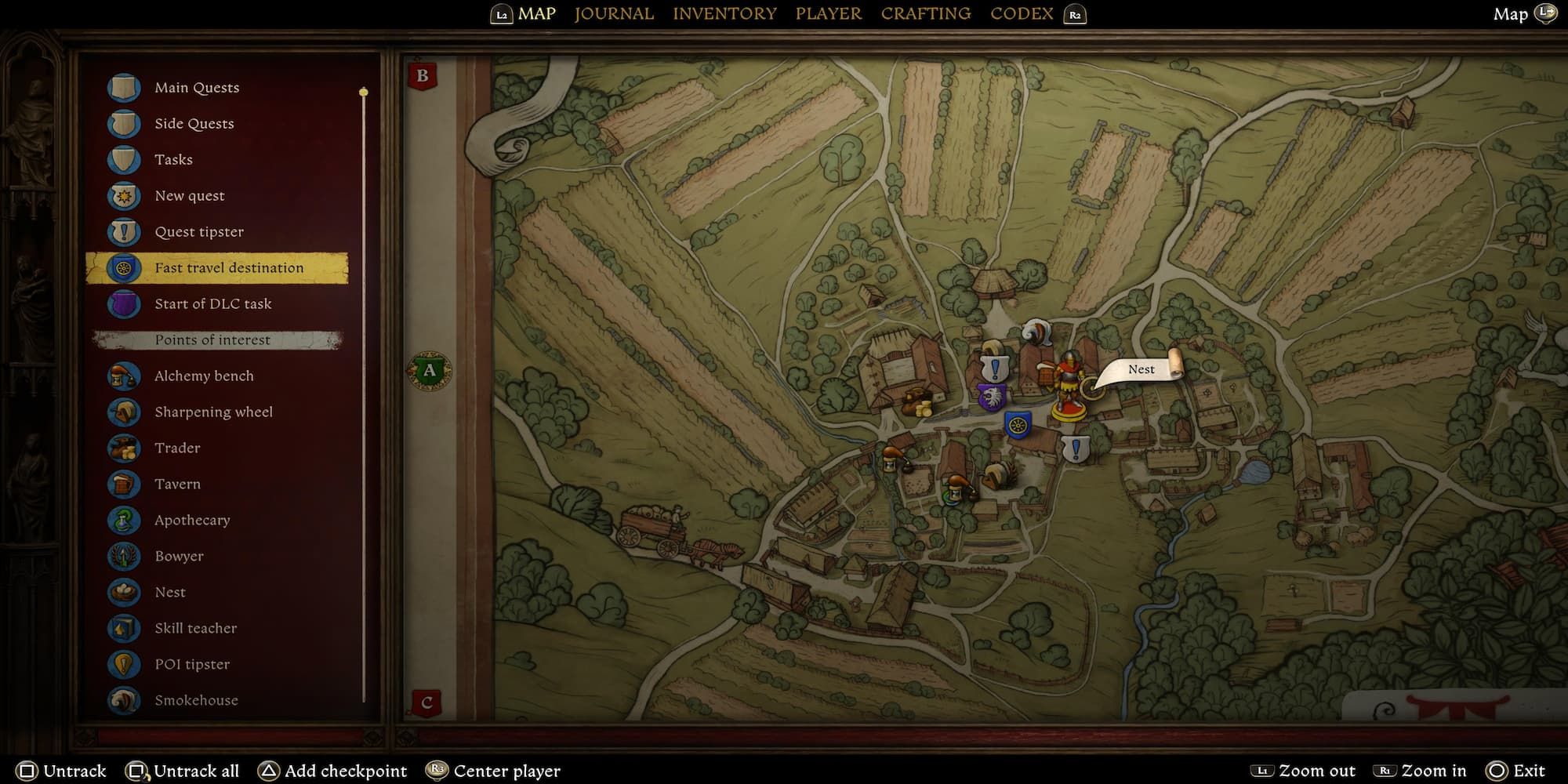
2. Identify Fast Travel Locations:
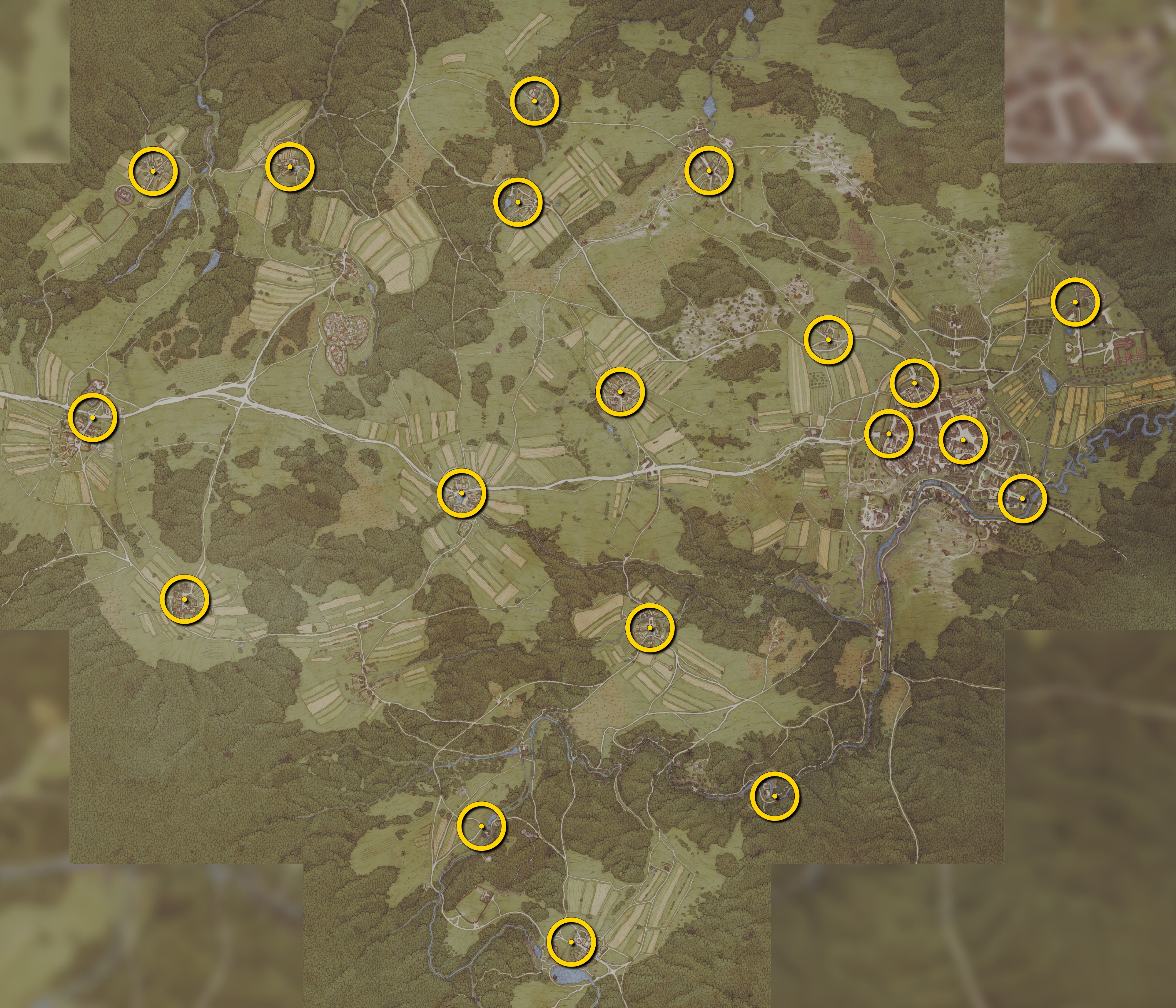
– Look for blue shield icons marked with a yellow wagon wheel on your map. These signify fast travel points.
– Note that you must visit these locations in person to unlock them before they can be used for fast travel.
3. Select a Destination:
– Move your cursor over the desired fast travel location.
– A dotted line will appear on the map, indicating the path Henry will take during the fast travel.
4. Confirm Fast Travel:
– Press `E` on the keyboard or `A` on the controller to confirm your choice of destination.
– You may need to confirm the selection again by pressing the same button.
Important Considerations
– Unlocking Locations:
– To enable fast travel to a location, you must explore and reach that area on foot or by horse initially. This adds a layer of immersion, ensuring players experience the environment firsthand.
– Route Display:
– Prior to initiating fast travel, a dotted line will indicate Henry’s route. It’s important to note that the journey will not occur instantly. Instead, players will see a time-lapse animation of Henry traveling along the designated route.
– Henry’s Needs:
– During longer fast travel segments, monitor Henry’s hunger, energy levels, and other needs. After arriving at your destination, ensure these needs are addressed to prevent any negative impact on gameplay.
Tips for Efficient Fast Travel
– Save Progress:
– Always save your game before fast traveling. This precaution will safeguard your progress in case of any mishaps or unexpected encounters.
– Thorough Exploration:
– Make it a priority to explore and unlock all potential fast travel points. This will provide you with greater flexibility and efficiency as you navigate the game’s vast world.
– Minimize Backtracking:
– Utilize fast travel to reduce unnecessary backtracking during long quests or when revisiting previously explored areas.
Conclusion
Fast travel is a crucial feature in Kingdom Come: Deliverance 2, designed to streamline exploration in its vast medieval landscape. By following these steps and considering the tips provided, players can make the most of fast travel while managing Henry’s needs effectively, leading to a more enjoyable gaming experience. Remember, while fast travel saves time, the journey itself can also be a significant part of the adventure.


Leave a Reply