
To navigate the intricately designed world of Metroid Dread effectively and minimize the chances of getting lost, players can utilize various in-game features and external resources. Here’s a detailed overview:
In-Game Map and Navigation Tools
1. Minimap: The built-in minimap is a crucial tool, providing real-time updates about your immediate surroundings. It displays your current position relative to the environment, enabling you to make informed decisions during exploration and ensuring you are aware of nearby areas.
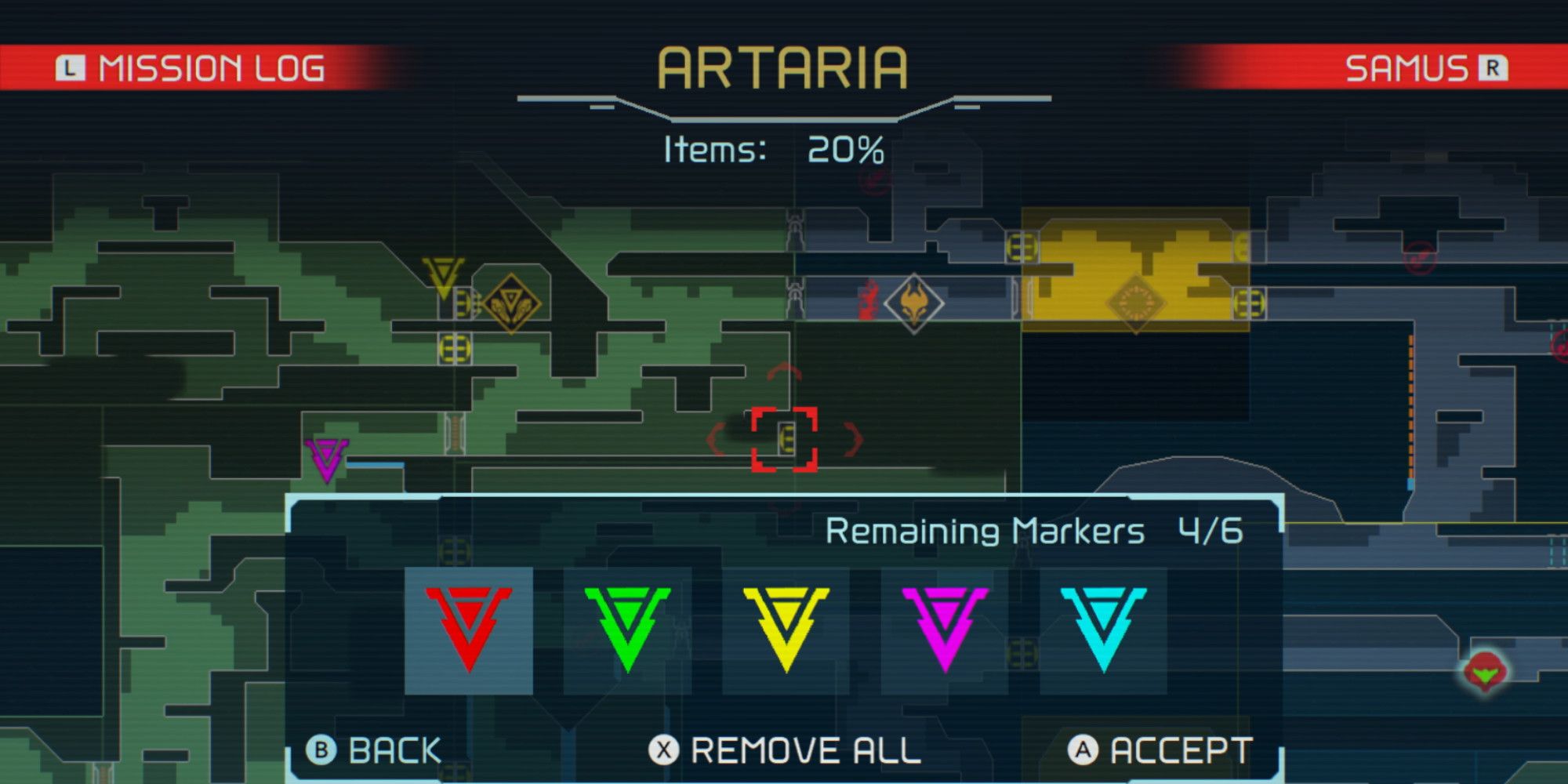
2. Marker System: You have the ability to place custom markers on the map. This feature allows you to highlight locations of interest—like potential upgrades or significant landmarks—so they are easily accessible later. These custom markers also appear on your minimap, helping you navigate toward your chosen destinations and reducing the likelihood of aimless wandering.
3. World Map with Area Divisions: The game divides its expansive world into nine distinct areas, including Artaria, Cataris, Dairon, Burenia, Ghavoran, Ferenia, Elun, Hanubia, and Itorash. Familiarity with the layout and characteristics of these areas is essential when planning your exploration routes.
Strategies for Efficient Navigation
1. Utilize Markers Actively: Whenever you come across points of interest such as save stations, upgrade locations, or boss arenas, be proactive in placing markers. This habit ensures you have clear objectives displayed on your minimap, enhancing your focus and reducing the chance of backtracking unnecessarily.
2. Familiarize Yourself with Area Maps: Take time to familiarize yourself with the full map of each area you explore. Understanding possible connections between rooms and key paths can significantly reduce confusion, allowing you to navigate effectively without encountering dead ends.
3. Follow Optimal Routes: There are community-curated route guides available that provide suggestions for the most efficient paths through each area and chapter. These guides are particularly helpful for minimizing exploration time and maximizing progress, as they outline the quickest ways to reach objectives.
4. Leverage External Interactive Maps: Websites like Map Genie feature interactive maps that display information about collectibles, upgrades, save stations, and boss locations. Utilizing these tools allows you to track your game progress systematically and plan your exploration, ensuring you don’t overlook important items or areas.
5. Area-by-Area Breakdown: Understanding the unique features and critical locations within each area—including EMMI zones and boss placements—from comprehensive guides can provide insights into forthcoming challenges. This knowledge allows you to plan safer routes and avoid unnecessary confrontations.
Summary
By effectively combining the in-game minimap and marker system with a thorough understanding of the world map and utilizing community-curated resources like detailed route guides and interactive external maps, players can significantly enhance their navigation capabilities in Metroid Dread. This strategic approach ensures you can traverse the vast and sometimes complex world of ZDR with confidence, minimizing the risk of getting lost and enriching your overall gaming experience.


Leave a Reply