
Navigating challenging weather conditions in Microsoft Flight Simulator (MSFS) can be a thrilling yet daunting task. To effectively manage scenarios such as storms or heavy rain, it is crucial to employ a combination of realistic flight procedures, strategic use of the simulator’s tools, and acute weather awareness. Below is a comprehensive guide to help you conquer these challenging flight conditions.
Understanding Weather Simulation in MSFS
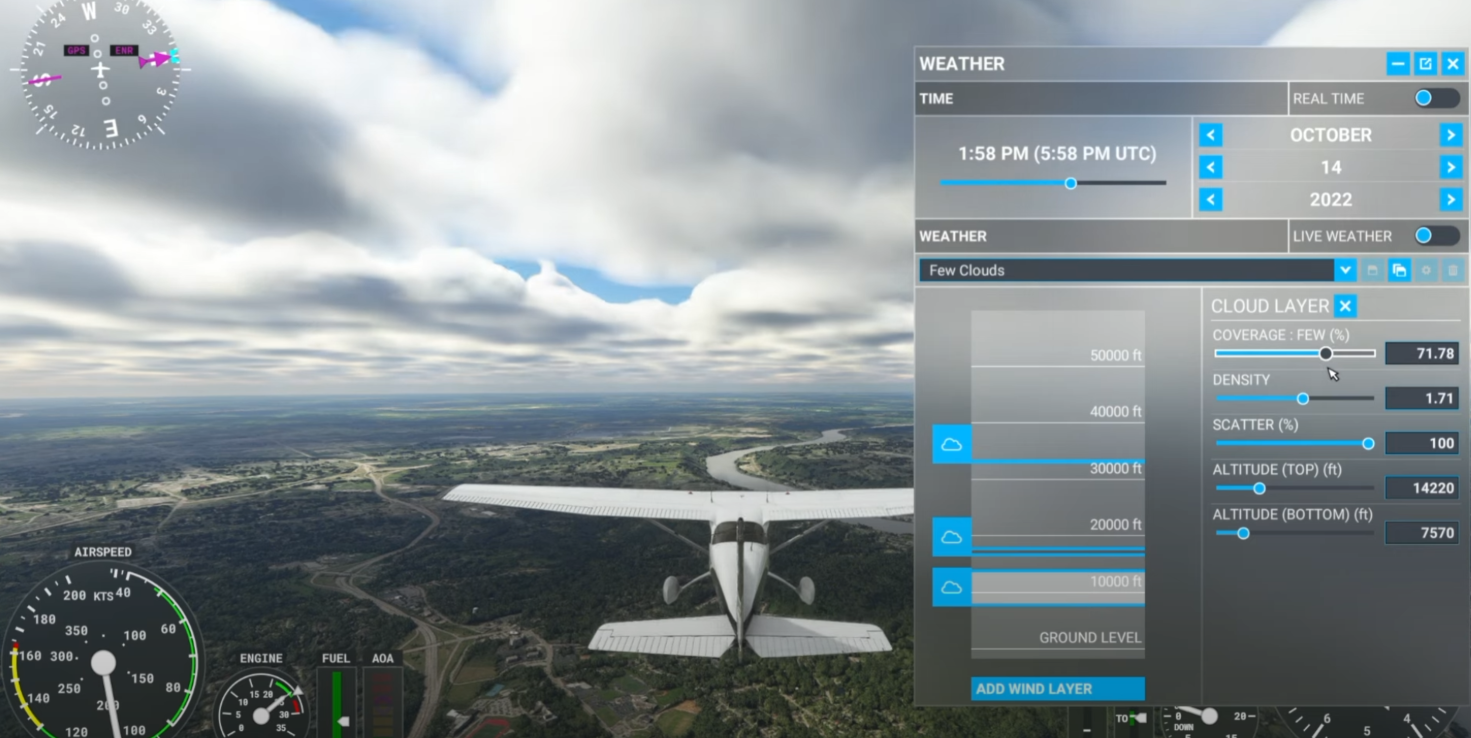
MSFS boasts a sophisticated weather engine that replicates real-world atmospheric conditions encompassing clouds, precipitation, winds, turbulence, and thermals—tailored for various aircraft types, including gliders. The simulator provides options for live weather updates or allows manual preset adjustments, enabling you to experience diverse weather scenarios from tranquil clear skies to chaotic storms.
Strategies for Flying Through Difficult Weather
1. Prepare Before Takeoff
– Check Weather Briefing: Always assess the current and forecast weather for your route through the in-game weather menu or reputable external sources for live updates.
– Plan an Alternate Route: Identify alternate airports and possible diversion routes to ensure that you can easily adapt to changing conditions.
– Check Aircraft Capability: Ensure your aircraft is equipped for the anticipated weather, such as de-icing equipment for cold weather scenarios or reliable avionics for IFR navigation.
2. Adjust Weather Settings for Practice
– Manual Weather Presets: Utilize the weather menu to recreate specific conditions (e.g., thunderstorms) to familiarize yourself with handling them during training flights.
– Wind and Turbulence Management: Gradually increase wind shear and turbulence intensity in settings to enhance your understanding and responsiveness to varying conditions.
– Time of Day and Season: Be mindful that weather dynamics can shift significantly based on time of day and seasonal changes—summer afternoons tend to be particularly turbulent for smaller aircraft.
3. In-Flight Techniques
– Navigate Around Storms: Utilize onboard weather radar (if your aircraft is equipped) to detect and steer clear of storm cells. If lacking radar, rely on ATC or the in-game map for real-time weather updates.
– Maintain Safe Altitude: To avoid turbulence, adjust your altitude as needed; turbulence is often most severe near storm bases.
– Reduce Airspeed: Slowing down enhances aircraft control and lessens stress on the airframe during turbulent encounters.
– Engage Autopilot: If flying a modern aircraft with autopilot capabilities, employing autopilot can provide stability, but always stay vigilant and ready for manual control.
– Fly IFR in Low Visibility: In cases of reduced visibility due to rain or fog, switch to instrument flight rules (IFR) and follow established instrument approaches.
4. Handling Emergencies
– Lightning Strikes: MSFS does not simulate electrical failures due to lightning; however, turbulence may exacerbate control difficulties. Focus on maintaining aircraft stability and control.
– Heavy Rainfall: Prepare for diminished visibility and less effective runway braking. Adjust landing techniques for longer runways and ensure you have adequate stopping distance.
– Wind Shear: Sudden wind direction or speed changes can affect flight stability. Be ready to modulate power and pitch to maintain control during approaches or climbs.
Tips and Tricks
– Practice in Controlled Conditions: Regularly recreate stormy weather to ask yourself how to recover from unusual attitudes and improve your instrument flying skills.
– Use External Cameras: Leverage external views for visual assessments of storm cells but prioritize cockpit views for crucial navigation and flying decisions.
– Monitor Cloud Development: Dark, dense clouds often indicate strong updrafts or turbulence. If possible, avoid flying directly beneath or through these formations.
– Keep Checklists Handy: Always adhere to your aircraft’s checklist for abnormal situations or emergencies to maintain cockpit discipline.
Advanced: Using Weather Presets and Custom Add-ons
– Weather Presets: MSFS enables saving and loading custom weather presets, ideal for training specific scenarios or enhancing multiplayer encounters.
– Community Mods: Various community-created add-ons can enhance weather realism and offer finer controls over environmental conditions, enriching your sim experience.
Example: Flying Through a Thunderstorm in MSFS
1. Check Weather Briefing: Validate the existence and severity of storms along your flight path.
2. Plan Route Adjustments: Consider a course that circumvents the worst portions of the storm.
3. Prepare Aircraft: Activate any necessary systems like pitot heat and windshield wipers, if your aircraft employs them.
4. Reduce Speed: Enter turbulent areas cautiously, minimizing speed for safety.
5. Use Instruments: Transition to IFR, focusing primarily on your instruments, especially altitude and attitude indicators.
6. Divert if Necessary: Be prepared to divert to an alternate airport if conditions degrade significantly.
Summary Table
| Challenge | Recommended Strategy |
|———————|———————————————–|
| Storms | Avoid, utilize radar, reduce speed |
| Heavy Rain | Slow down, rely on instruments, plan for extra runway space |
| Turbulence | Reduce speed, maintain a safe altitude |
| Low Visibility | Operate under IFR, engage autopilot if applicable |
By integrating these strategies, you can effectively face and navigate difficult weather conditions within Microsoft Flight Simulator, enhancing both your flying skills and overall enjoyment of the simulation experience. Happy flying!



Leave a Reply