
Managing airspeed and altitude during the climb and descent phases in Microsoft Flight Simulator is crucial for ensuring a smooth and safe flying experience. Here’s a comprehensive guide that elaborates on effective strategies and techniques for these flight phases:
Climbing Phase
Strategies for Climbing
1. Power Management: Start with full power or the recommended power setting from the aircraft’s checklist. This ensures you have sufficient thrust to maintain an optimal climb speed.
2. Pitch and Attitude: Set the aircraft’s nose to an upward pitch, typically between 5 to 10 degrees, to reach the best rate of climb speed (VY), which varies by aircraft.
3. Airspeed Management: It’s essential to maintain a steady climb speed to avoid stalling. Keep a close eye on your airspeed; if it drops, gently adjust the pitch to stabilize.
4. Trim Adjustment: Once you reach the expected climb speed, use the aircraft’s trim to relieve any pressure from the controls. This allows for a more relaxed flying position without constant yoke or joystick adjustments.
5. Level Off: As you approach your target altitude, level off by gently reducing power and adjusting the aircraft’s pitch to establish steady level flight.
Leveling Off from Climb
To effectively level off, employ the APPT Technique:
– Attitude: Gradually reduce the pitch to transition into level flight.
– Pause: Allow a brief moment at the desired altitude to confirm stability.
– Power: Adjust power settings to maintain the desired airspeed in level flight.
– Trim: Finally, trim the aircraft to maintain steady control without continuous effort on the controls.
—
Descent Phase
Strategies for Descent
1. Power Reduction: Begin by lowering the throttle to idle or another recommended setting. This helps manage airspeed during the descent.
2. Pitch and Attitude: Lower the aircraft’s nose slightly to initiate a controlled descent. Aim for a rate of descent that allows you to maintain safe airspeed.
3. Airspeed Management: Vigilantly monitor your airspeed as you descend. If you notice an excessive increase, make minor pitch adjustments to control it.
4. Trim Adjustment: As you continue to descend, adjust the trim to minimize exertion on the yoke or joystick, thereby maintaining better control.
5. Leveling Off: Upon nearing your target altitude, level off by coordinating adjustments in both pitch and power to stabilize in level flight.
Leveling Off from Descent
Utilize the PAT Technique for a smooth leveling off:
– Power: Increase power to achieve and maintain the desired speed.
– Attitude: Adjust the pitch to level the aircraft.
– Trim: Use trim to relieve any control pressures, facilitating easier flight management.
—
Additional Tips
– Practice PAT/APPT Techniques: Frequent practice of these techniques can improve your ability to transition smoothly between different flight phases.
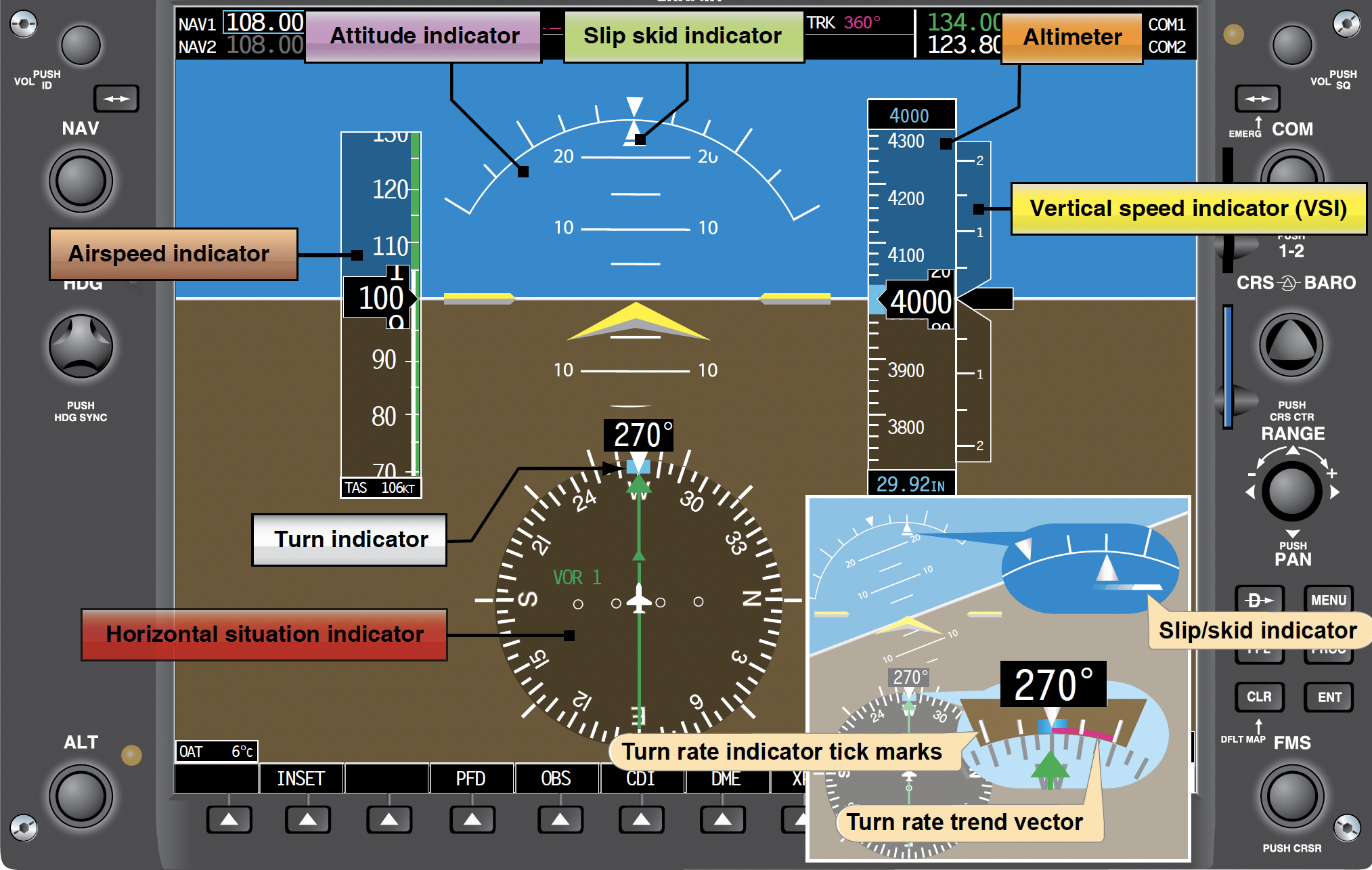
– Instrument Awareness: Keep a close watch on your instruments, including the altimeter, airspeed indicator, and vertical speed indicator. Accurate readings are vital for maintaining altitude and airspeed.
– Utilize Realistic Settings: To enhance your flight simulation experience, incorporate realistic settings that reflect real-world conditions—these include dynamic weather, air traffic control communication, and accurate aircraft performance metrics.
By mastering these strategies and techniques, you’ll enhance your ability to manage airspeed and altitude effectively during the climb and descent phases in Microsoft Flight Simulator, leading to a more enjoyable and realistic flying experience. Happy flying!
Leave a Reply