
Managing your inventory effectively in Star Wars: Outlaws is essential for enhancing your gameplay and ensuring that you’re always prepared for the challenges that lie ahead. Here’s a detailed guide on how to optimize your inventory management and prioritize your items effectively.
Inventory Management Basics
1. Accessing Inventory:
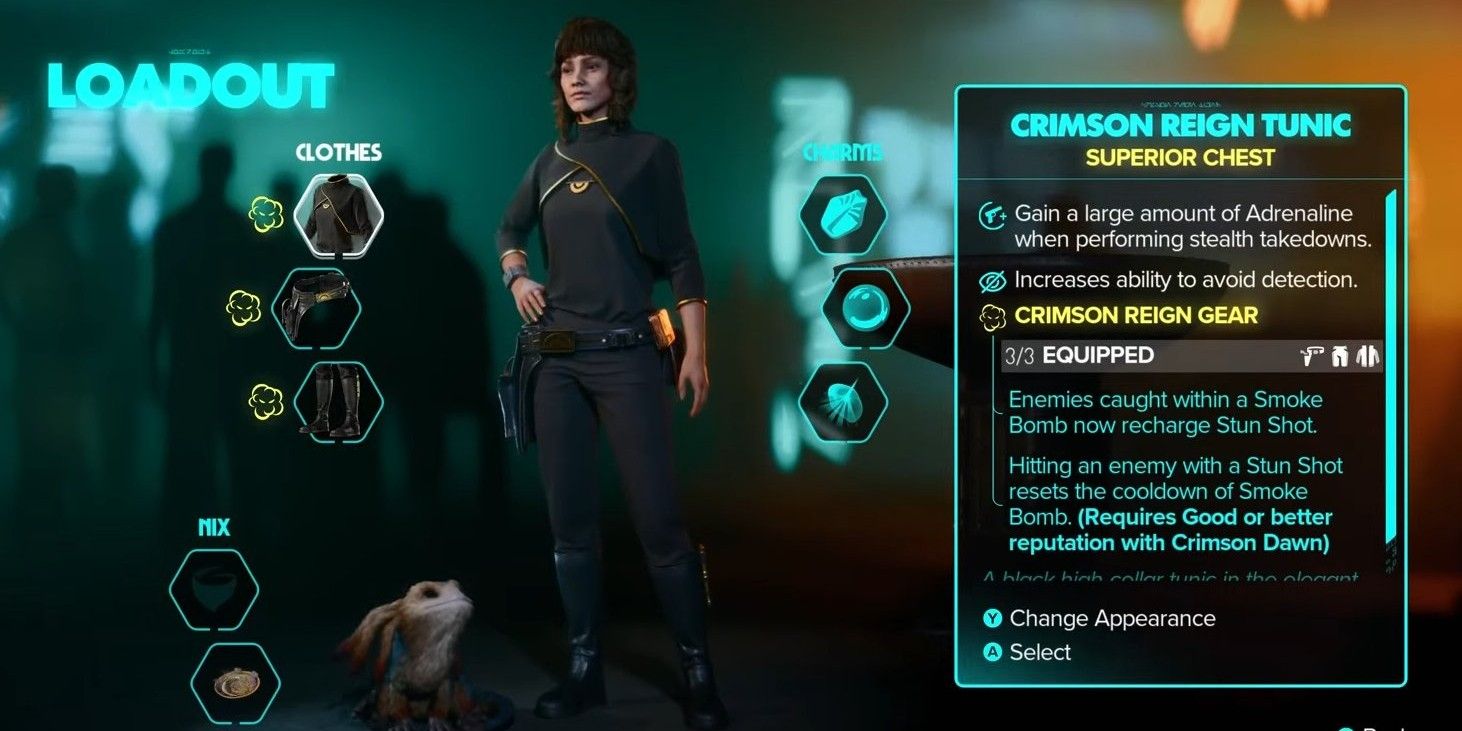
– To access your inventory, open the in-game menu and navigate to the “Equipment” tab. From there, select “Inventory” [1].
2. Inventory Categories:
Your inventory is divided into several key categories:
– Materials: Raw materials necessary for upgrading various equipment, including blasters and armor (clad).
– Key Parts: Crucial components required for fabricating or upgrading your vehicles and gear.
– Valuables: This category contains credits and other valuable items, such as stolen goods, which can be traded or sold.
– Quest Items: Items specifically tied to ongoing quests and missions [1].
Prioritizing Items
Organizing Items
1. Focus on Essentials:
– Keep critical items, especially those needed for blaster upgrades and key parts, in easily accessible slots. This will streamline your gameplay and ensure that you can quickly find what you need during missions.
2. Categorize Items:
– Organize similar items together. For example, consolidate all materials or valuables in designated segments, making it easier to locate and manage your inventory efficiently.
3. Discard Unnecessary Items:
– Regularly review your inventory to remove items you no longer require. Sell or discard redundant items to free up space for more critical gear and materials.
Strategic Prioritization
1. Upgrade Priority:
– Concentrate on items that will upgrade your blaster, clad, or speeder. Enhancing these components increases your effectiveness in combat and exploration.
2. Reputation Items:
– If you’re focusing on gaining favor with specific factions, such as the Pyke Syndicate or Crimson Dawn, prioritize collecting items that will assist in completing their quests and missions.
3. Adaptive Inventory:
– Modify your inventory based on your immediate objectives. For instance, if you’re preparing for space battles, prioritize upgrades or items specifically beneficial for spacecraft.
Economic Considerations
1. Merchants are Key:
– Engage with merchants frequently, as they often stock high-quality items and upgrades that may be difficult to find otherwise. Invest in essential upgrades to keep your inventory robust [3].
2. Resource Allocation:
– Manage your credits carefully to make necessary purchases from merchants while avoiding the temptation to spend on items that can be obtained through exploration or crafting.
Efficiency Tips
– Regularly Sell Unwanted Items:
– Keep your inventory clean and organized by selling items you do not need. This will simplify inventory management and prevent clutter.
– Use Storage Options:
– While not extensively detailed here, consider utilizing any available storage facilities aboard your ship or at various bases to temporarily stow items you aren’t using.
– Stay Updated on Quests:
– Regularly review your quest log to ensure you aren’t holding onto unnecessary quest items longer than needed, as this can consume valuable inventory space.
Troubleshooting Inventory Issues
– Item Placement:
– If certain items are not showing up or functioning properly, double-check their placement within the appropriate category. Ensure there are no bugs impacting item visibility [1].
– Merchant Interactions:
– When approaching merchants, confirm that you have adequate credits available and check whether they stock the items you are seeking.
By following this comprehensive guide, you can master your inventory management in Star Wars: Outlaws, ensuring you are well-equipped with the right items for your missions and ready to face whatever challenges the galaxy throws your way. Happy gaming!




Leave a Reply