
Here’s a comprehensive guide on unlocking new songs and music packs in Beat Saber, detailing both official and unofficial methods:
Official Method: Purchasing Music Packs
1. Accessing the In-Game Store:
– Launch Beat Saber on your device (such as Oculus or Meta Quest).
– From the main menu, navigate to the store or shop section, where you can explore the available music packs.
2. Purchasing Music Packs:
– Browse the selection of music packs; each typically contains multiple songs.
– Select the desired music pack and proceed through the purchase process, using your preferred payment method.
– Once the transaction is complete, the newly purchased songs will be available in your game library.
3. Downloading Purchased Songs:
– In some instances, purchased songs may not download automatically. To resolve this, try restarting the game or checking for updates.
– If songs appear to be stuck in the download process, a helpful troubleshooting step is to uninstall and then reinstall the game, as suggested by users in the Meta Community Forums.
Unofficial Method: Adding Custom Songs Through Modding
Modding Requirements:
– Developer Mode: Ensure that Developer Mode is enabled on your VR headset, as this is essential for installing mods.
– Account Management: If there are secondary accounts on your headset, remove them. Multiple accounts can interfere with the modding process.
Modding Steps:
1. Getting the Right Tools:
– A computer is required for modding, as a no-PC method is not widely available.
– Download software like SideQuest or a similar application to manage and install mods.
2. Installing Custom Songs:
– Connect your VR headset to the computer.
– Open your modding tool (e.g., SideQuest) and install the Beat Saber mod that enables custom songs.
– Following the installation, you should gain access to a song downloader feature within Beat Saber.
3. Downloading Custom Songs:
– Launch Beat Saber and navigate to the settings menu to find the modded options.
– Use the song downloader to search for and download your preferred custom songs.
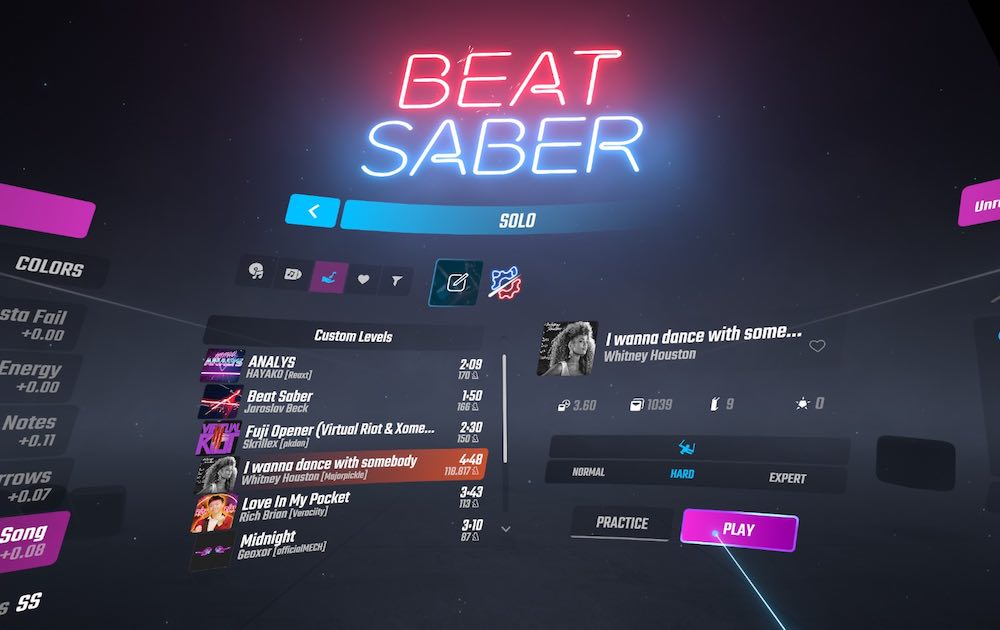
– The downloaded songs will be available in a dedicated custom tab within your library.
Important Notes:
– Modding Risks: Engaging in modding may void your device warranty or introduce instability to the game. Proceed with caution.
– Legal Considerations: When downloading and playing custom songs, be mindful of potential copyright issues. The use of copyrighted material without permission can lead to legal complications, depending on your jurisdiction.
– Constant Updates: The modding process is subject to frequent changes. To successfully navigate these, stay informed with the latest tutorials and community resources regarding modding Beat Saber.
By utilizing these methods, you can significantly enhance your Beat Saber music library, enriching your gameplay experience. Always ensure compliance with local laws concerning copyright and fair use to enjoy your music in a responsible manner.
Leave a Reply