
In “Citizen Sleeper,” upgrading your skills and unlocking new abilities is essential for enhancing your gameplay and ensuring your character thrives in the challenging environments of the game. Below is a detailed guide to successfully manage your skill upgrades and maximize your potential.
Upgrading Skills
1. Earn Upgrade Points:
Begin by completing various drives throughout the game. These drives are tasks or challenges you can undertake, and successful completion will reward you with upgrade points. These points are crucial as they allow you to improve your character’s skills and abilities.
2. Access the Skill Panel:
Once you’ve earned upgrade points, navigate to the skill panel. This interface is where you can manage and view your potential upgrades, offering a comprehensive overview of your character’s abilities.
3. Select Upgrades:
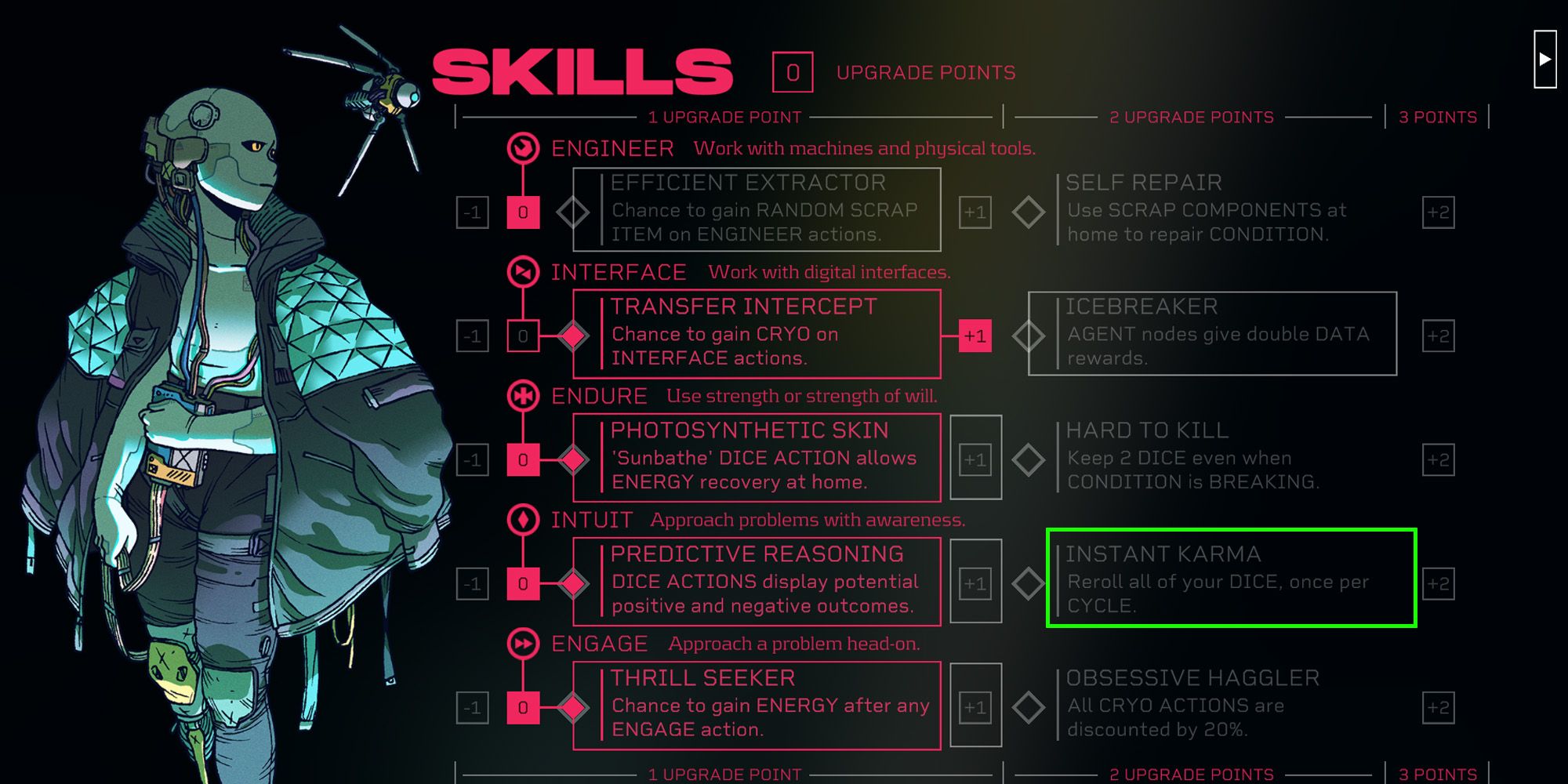
In the skill panel, you will find different skill categories: Engineer, Interface, Endure, Intuit, and Engage. Browse through these categories to find available upgrades, marked with a gray box, and those you’ve already acquired, which will be framed in a pink box.
4. Confirm Upgrades:
When you’ve identified the upgrade you wish to choose, click on it to select. Confirming your choice will deduct the corresponding upgrade points and enhance the selected skill, thereby aiding your progression.
Unlocking New Abilities
1. Focus on Core Skills:
Each skill category offers unique benefits tailored to different gameplay styles. For instance, the Engineer skill is pivotal for repairs and crafting resources, which is vital for survival in the game’s environment.
2. Prioritize Push Abilities:
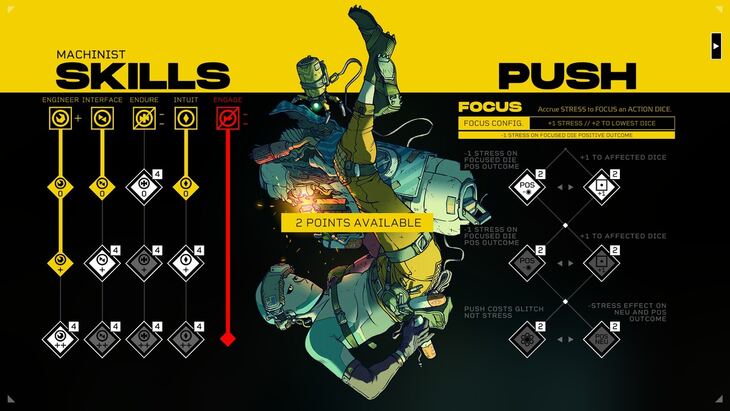
Pay special attention to upgrading your push abilities, which are specific to your character class. These abilities significantly diminish the luck factor inherent in the game, making your actions more predictable and efficient, especially as they become upgraded.
3. Strategic Prioritization:
Evaluate which skills or abilities are most vital for your playstyle. Focus your upgrade points on these areas first. Skills like Self Repair, which allow you to maintain your health without consuming valuable resources, can be essential for sustaining your journey.
Key Skills and Abilities to Consider
– Self Repair: This ability enables you to recover health without spending precious resources, making it a valuable skill throughout the game.
– Push Abilities: These skills reduce the reliance on luck in your actions, and the ability to enhance their reliability through upgrades can greatly improve your efficiency.
– Efficient Extractor: This perk allows you to gain extra scrap from engineering tasks, crucial for maintaining your resource levels and crafting capabilities.
Staying Effective
1. Manage Stress Effectively:
Stress management is a critical component of gameplay. Consider upgrading skills like Focus for Machinists; this can enhance your ability to manage stress when utilizing push abilities, thereby maintaining a balance between risk and reward.
2. Choose Upgrades Wisely:
It’s important to note that you can only have one upgrade active at a time from any particular skill path. Therefore, select the upgrades that best align with your immediate needs and long-term strategies for maximum efficiency.
By following these guidelines and focusing on the most impactful skills and abilities, you will be well-equipped to upgrade your character in “Citizen Sleeper” effectively. This strategic approach will not only enhance your experience but also prepare you for the challenges that lie ahead in the game.



Leave a Reply