
Maximizing Immersion and Efficiency in Half-Life: Alyx Through VR Movement Settings
In Half-Life: Alyx, the choice of VR movement style significantly influences both the immersive experience and gameplay efficiency. The game caters to a wide array of player preferences by offering three primary locomotion types—each designed with specific advantages and suited to different player comfort levels.
Types of VR Movement in Half-Life: Alyx
1. Continuous Locomotion
– Description: Utilizes a thumbstick or touchpad for fluid, analog-style movement, similar to using a keyboard and mouse in traditional gaming setups.
– Immersion: This method creates a highly immersive experience, particularly for seasoned VR players, as it replicates the sensation of walking in real life.
– Efficiency: This style supports precise movement, enabling players to navigate environments quickly and respond effectively during combat scenarios.
– Best For: Ideal for players with established VR endurance (“strong VR legs”) who desire an engaging, life-like experience.
2. Blink Teleport
– Description: Players select a target destination, causing the screen to momentarily black out before they reappear at the chosen point.
– Immersion: While it provides a less immersive experience due to the screen interruption, it effectively mitigates feelings of motion sickness.
– Efficiency: Blinking allows rapid traversal across longer distances, making it a practical choice for navigating expansive areas.
– Best For: Recommended for newcomers to VR, those sensitive to motion sickness, or when needing to cover large gaps or transitions.
3. Shift Teleport
– Description: Similar to blink teleportation but without a black screen; instead, the player experiences a smooth visual transition to the new location.
– Immersion: This method offers a balance, providing a more immersive experience than blink teleport due to continuous visual presence during the shift.
– Efficiency: Facilitates quick movement while maintaining visual continuity, making it effective for covering distances without disorienting the player significantly.
– Best For: Suitable for players wanting to reduce motion sickness while enjoying fewer interruptions during gameplay.
Customizing Movement Settings
Movement Speed Options:
– Normal (Default): A balanced speed suited for most players, ensuring a mix of comfort and immersion.
– Fast: 1.5 times the default speed, catering to experienced players who seek faster navigation without much discomfort.
– Fastest: Significantly quicker than the default, designed for players who prioritize gameplay efficiency over realism.
How to Change Movement Modes:
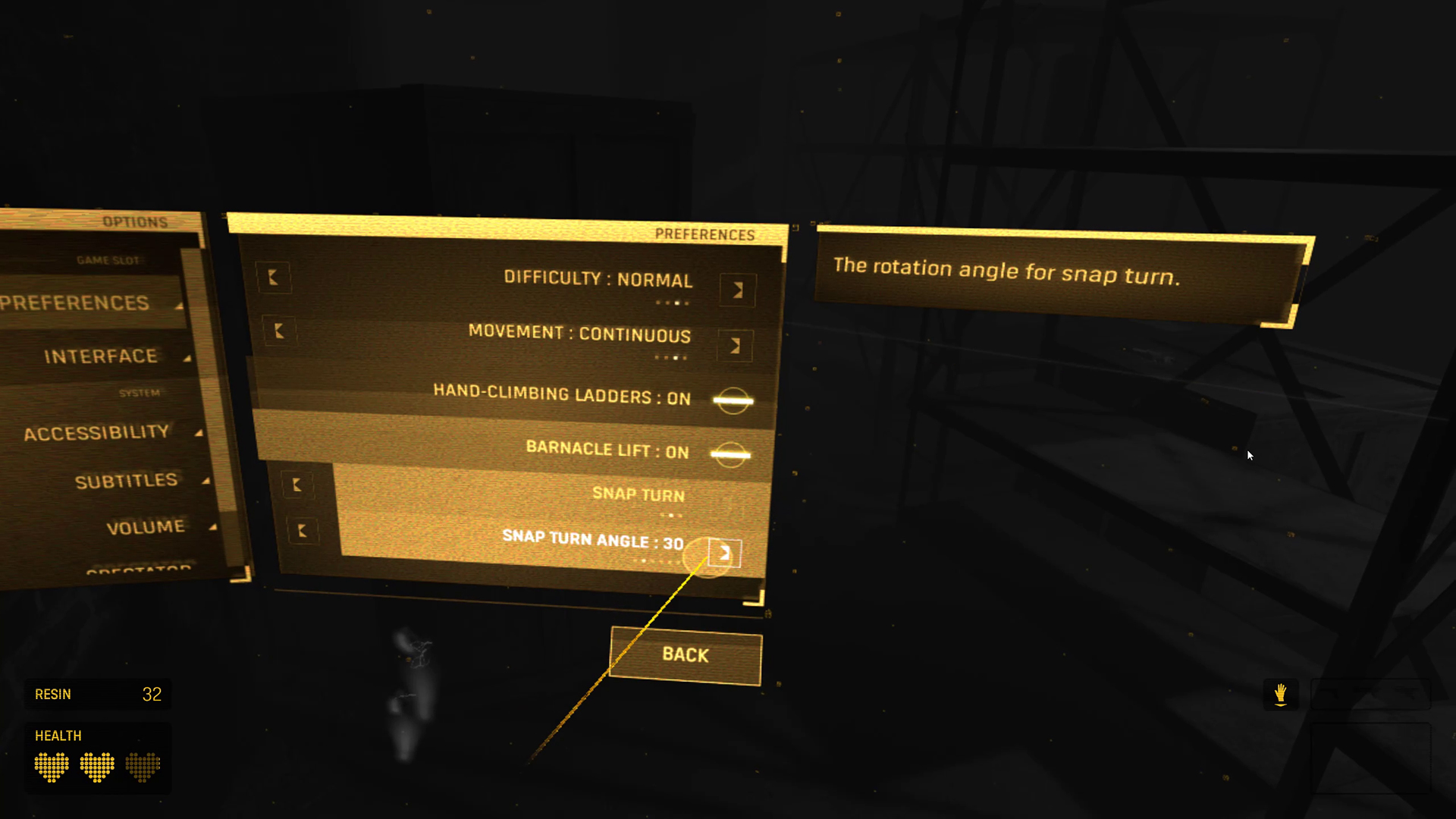
– Step 1: Access the in-game settings menu.
– Step 2: Navigate to the locomotion options to choose among continuous, blink, or shift teleport.
– Step 3: Adjust the speed setting according to personal comfort and gameplay context.
Best Practices for Enhancing Immersion and Efficiency
– Start with Comfort in Mind: If you are new to VR or known to experience motion sickness, begin with teleportation methods to ease into the game.
– Gradually Transition: As comfort develops, transition to continuous locomotion to increase immersion and gameplay effectiveness.
– Customize Speed: Tailor movement speed to your comfort level and the specific demands of gameplay—faster speeds can be advantageous for quick exploration or backtracking, while slower speeds can enhance precision during tasks.
– Utilize Teleport for Obstacles: Even with continuous movement, consider using teleport mode when navigating jumps or obstacles to maintain comfort and fluidity.
Summary Table
| Movement Type | Immersion Level | Efficiency | Best For |
|——————|—————-|————|————————-|
| Continuous | High | High | Experienced VR users |
| Blink Teleport | Low-Medium | High | Beginners, large jumps |
| Shift Teleport | Medium | High | Intermediate, comfort |
Conclusion
To optimize both immersion and efficiency in Half-Life: Alyx, players should carefully select their preferred locomotion style, favoring continuous locomotion for a deeply immersive experience, while employing teleport modes where necessary for comfort or intricate navigation scenarios. Customizing movement speeds further personalizes the play experience, enhancing both enjoyment and performance throughout the game.

Leave a Reply