
Customizing weapons in Metro Exodus is a crucial gameplay element that allows you to tailor your arsenal to match your playstyle and the challenges you encounter. Below is a comprehensive guide to weapon customization using both the backpack and workbenches.
Customization Using the Backpack
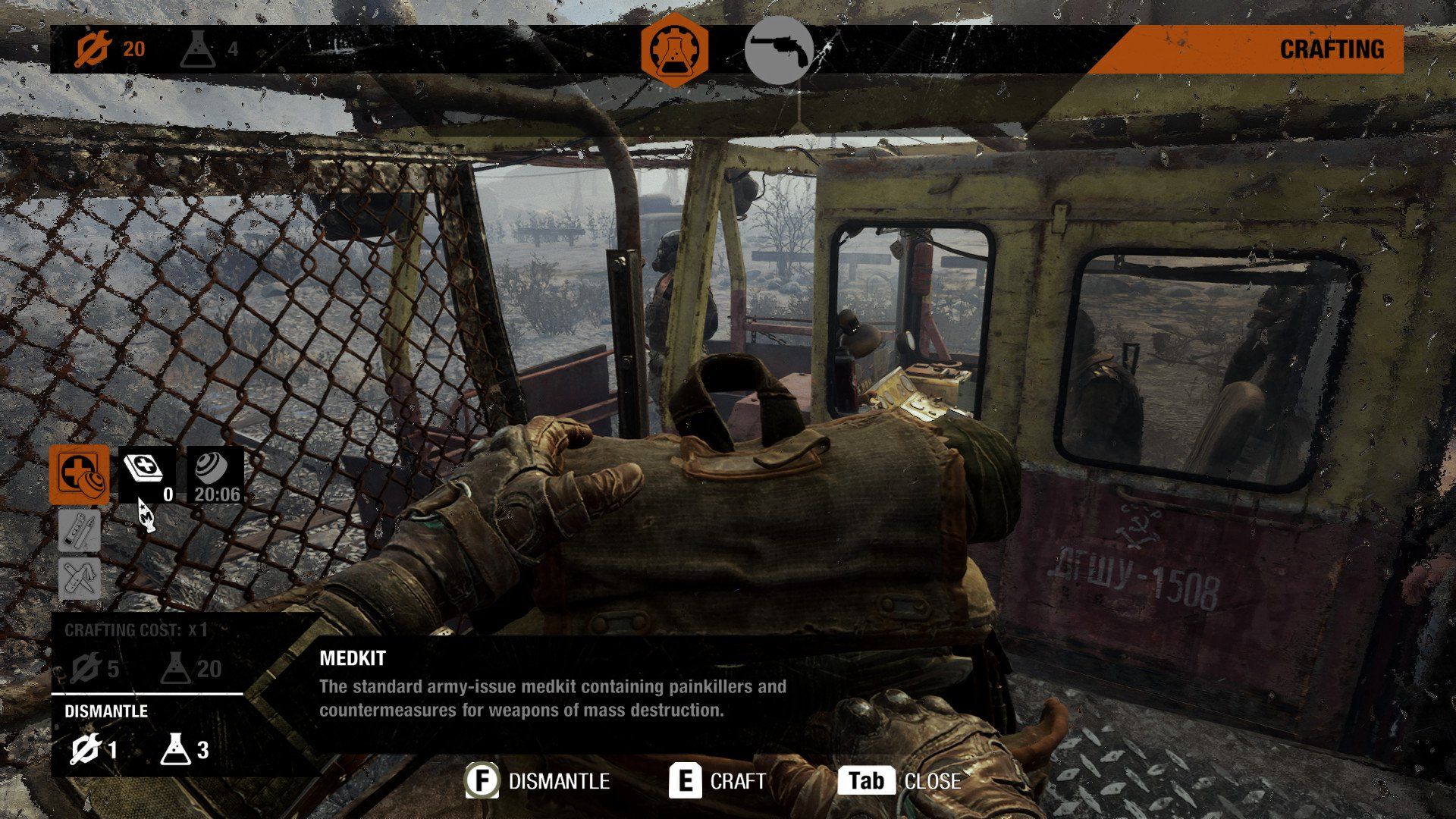
1. Accessing Your Backpack
– Opening the Backpack: At any point during the game, you can access your backpack by pressing the designated button (usually “B” on PC or “Circle” on consoles). This is especially useful for making quick adjustments in intense situations without needing to find a workbench.
2. Navigating the Customization Menu
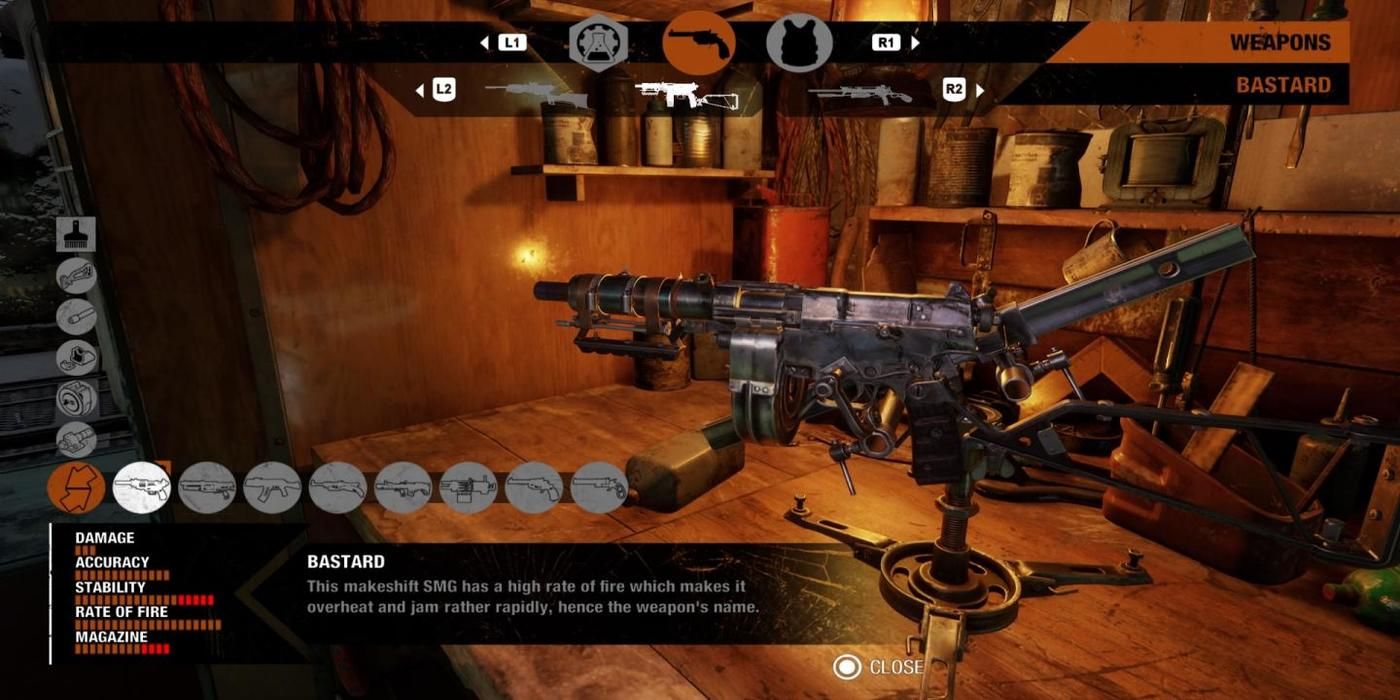
– Two Main Screens: Once in the backpack, you’ll notice two primary screens. The first is dedicated to crafting items such as medkits, filter upgrades, and ammunition. The second screen displays your currently equipped weapons along with their customization options.
3. Customization Options
– Attaching and Swapping Parts: On the weapon screen, you can attach or swap various parts to enhance performance metrics, including:
– Damage: Improves the weapon’s lethality.
– Accuracy: Increases shot precision.
– Stability: Reduces weapon sway, especially while aiming.
– Rate of Fire: Adjusts how quickly you can fire shots.
– Magazine Capacity: Allows for more rounds before needing to reload.
Customization Using Workbenches
1. Accessing Workbenches
– Finding Workbenches: Scattered throughout the game’s environments, workbenches are marked identifiable locations that facilitate more extensive modifications and repairs.
2. Extensive Customization
– Cleaning and Repairs: At a workbench, you can perform thorough cleaning and weapon repairs. Regular maintenance is essential, as weapons can degrade over time. Maintaining them can prevent failures in critical situations, such as jams during firefights.
3. Advanced Modifications
– Deep Customization Capabilities: Workbenches allow for more complex upgrades compared to the backpack. You have the opportunity to revise a weapon’s overall structure and performance, often leading to distinct and unique playstyles tailored to specific challenges.
Finding Weapon Parts
– Breaking Down Weapons: As you explore the game world, collect found weapons and disassemble them to salvage new parts. Look for components highlighted in orange; these can be invaluable for upgrading your current weaponry.
– Experimentation with Combinations: Don’t shy away from experimenting with different parts. You might transform a standard pistol into a long-range precision tool or modify a shotgun for enhanced stealth capabilities. Each combination can significantly change your gameplay approach.
Customization Tips
– Always Collect Orange Parts: When traversing the detailed environments, make it a point to grab every orange-highlighted part. These components are crucial for weapon customization and can critically enhance your performance in diverse combat scenarios.
– Diverse Loadout Experimentation: Regularly test different attachments and modifications. Each iteration can provide insights into how certain changes will influence your effectiveness in various situations, ensuring that you are well-equipped to the dynamic challenges the game presents.
By combining these strategies, you can fully leverage the weapon customization system in Metro Exodus, allowing for a gameplay experience that aligns with your preferred tactics and enhances your survival chances in the hostile post-apocalyptic landscape. Happy customizing!
Leave a Reply