
The terrain sculpting tool in Planet Zoo is an essential feature for players looking to design captivating and realistic animal exhibits. This tool significantly enhances the gaming experience by allowing users to modify landscape elevations and shapes, thus effectively emulating the diverse environments that various animal species would naturally occupy. The result is an immersive zoo experience where the animals’ habitats closely reflect their real-world counterparts.
Key Features of the Terrain Sculpting Tool
1. Push and Pull Tools: These tools empower players to raise or lower terrain with precision, facilitating the creation of hills, valleys, and other natural landforms. By utilizing the push and pull functions, players can mimic geographical features such as mounds, ditches, and burrows. This capability is crucial for modeling the microhabitats that different species thrive in, enhancing both functionality and aesthetics within the exhibits.
2. Flatten Tools: The flattening option allows users to create stable, level surfaces at designated heights, which is particularly useful for establishing open areas like plains or plateaus amidst varied terrain. This feature ensures that while parts of the exhibit have diverse landscapes, certain areas are more uniform, catering to the specific needs of different animal species.
3. Smooth and Roughen Tools: With these tools, players can refine their landscapes by softening harsh edges or adding textures. The ability to smooth terrain eliminates unnatural sharpness and promotes a more organic appearance, making the landscape visually appealing and realistic for players and zoo visitors alike.
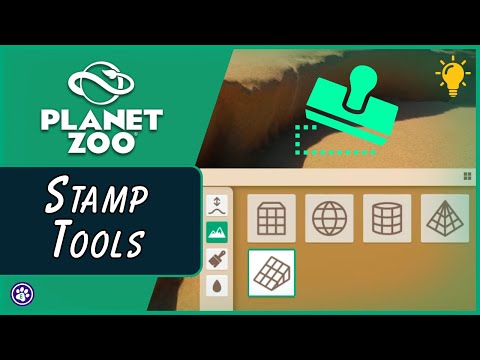
4. Terrain Stamp Tools: For users in need of quick modifications, the terrain stamp tools offer a time-efficient solution to introduce standard shapes like cubes or ramps into the landscape. This capability allows for the rapid formation of complex structures such as cliffs or caves, which can significantly enhance the overall aesthetic and habitat complexity of the exhibit.
5. Surface Lock and Paint Options: The surface lock feature allows players to anchor terrain adjustments to existing ground textures, while the paint options automatically apply suitable surface materials (like grass, dirt, or rock) to the modified terrain. This seamless blending of textures not only enhances the visual harmony of the exhibit but also ensures that the environment feels cohesive and natural to both the animals and observers.
Conclusion
By leveraging the comprehensive capabilities of the terrain sculpting tool in Planet Zoo, players can create immersive and authentic exhibits that serve the needs of the animals while providing a visually appealing experience. The combination of precise terrain modification capabilities, detailed texturing, and efficient shape stamping empowers players to mimic real-world animal habitats effectively. These tools foster creativity and enhance the overall gameplay experience, ultimately leading to the establishment of compelling, lifelike zoological environments.


Leave a Reply